- Type
- Lesson plan
- Topics
- ScienceComputer Science
- Ages
- Ages 11-13
How can computer programming commands be used to model and compare the fundamental properties of waves?
Overview
Waves are regular repeating patterns defined by key measurable properties including wavelength, amplitude, and frequency. Connecting scientific wave modeling with block-based coding helps students understand how physical symmetry and oscillation can be generated efficiently through iterative programming commands.
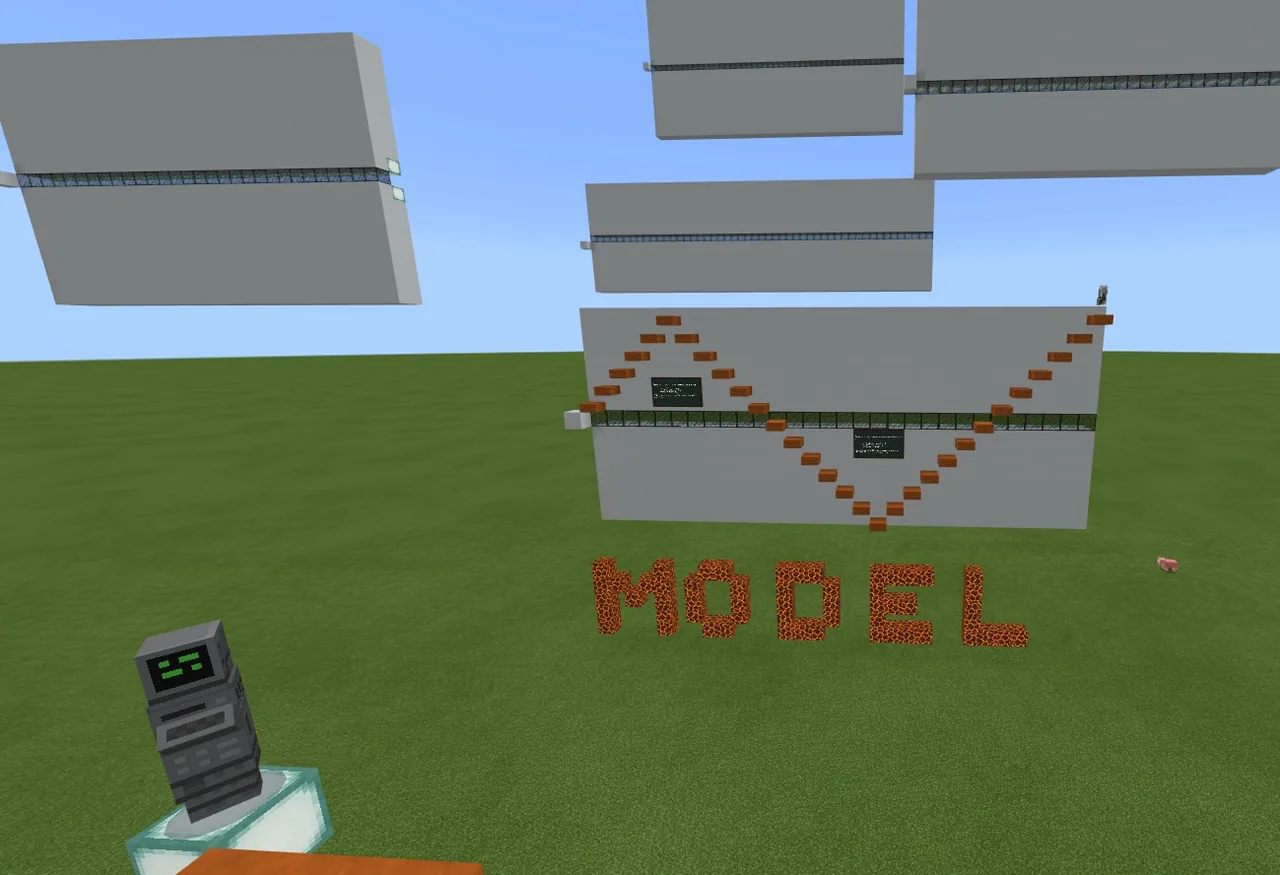
In Minecraft Education, students examine an example wave model at spawn before programming their Agent to build four new waves across designated poster boards. By adjusting Agent move and place commands along with repeat loops, learners visualize how changing wave height and spacing alters wave properties.
Learning objectives
By the end of this lesson students will be able to:
- Program the Agent using repeat loops and directional placement commands to build wave patterns.
- Model wave properties including wavelength, amplitude, and frequency across empty poster boards.
- Differentiate the code used to direct the Agent toward a wave crest versus a wave trough.
- Compare finished wave models to identify which builds feature the highest and lowest frequencies.
Blocks and items used in this lesson


Key vocabulary
- Wavelength
- The distance between the crest of one wave and the crest of the next.
- Amplitude
- The vertical distance between a wave crest or trough and the equilibrium line.
- Frequency
- The number of waves that pass a fixed point in one second.
- Equilibrium Point
- The center baseline of a wave from which crests and troughs oscillate.
- Loop
- A programming command used to simplify code by repeating a set of instructions.
Before class
Lesson sequence
- Examine the Spawn Model
Direct students to enter the world and study the example wave located at the spawn point. Have them identify the center equilibrium line, observe the use of slabs, and inspect the sample code attached to the poster.
- Plan and Code Wave Variations
Instruct students or pairs to move to the four empty posters. Challenge them to modify the sample code using Agent move, place, and loop repeat commands to build four new waves with differing wavelengths, amplitudes, or frequencies.
- Label Wave Features
Have students use in-game signs or slates to label parts of their completed waves, including crests, troughs, and equilibrium lines. Encourage learners to test both full blocks and slabs to refine their models.
- Evaluate and Reflect
Gather students to review their builds. Prompt them to identify which of their models has the highest and lowest frequency, discuss how loops simplified their code, and explain how crest and trough movement commands differed.
Assessment: success criteria
- The student constructs four distinct wave models on the provided poster boards.
- The student correctly defines and points out amplitude, wavelength, and equilibrium on their models.
- The student identifies which of their wave models has the highest frequency and which has the lowest.
- The student explains how loop commands simplify repeating instructions in the Agent code.
Differentiation
Allow students to adapt the existing sample code directly and use full-sized blocks on the widest poster before attempting narrower frequencies.
Challenge advanced students to use half-sized slabs to build complex wave models with precise amplitudes and label all crests and troughs using slates.
Knowledge check
5 questions to check understanding after the lesson. Tap an answer to see if it is right; the score appears at the end.
1What is amplitude?
Answer: B. Amplitude is defined as the vertical distance from the equilibrium point to a wave crest or trough.
2How is wavelength defined in this lesson?
Answer: C. A wavelength is the distance between the crest of one wave and the crest of the next.
3Why are loop commands useful when programming the Agent to build waves?
Answer: A. Loops simplify coding by running repeating instructions without writing them multiple times.
4According to the lesson source, in how many directions can the Agent place blocks?
Answer: D. The source states that the Agent can place blocks in any of 4 directions.
5What is frequency?
Answer: A. Frequency is defined as the number of waves that pass a given point per second.
Resources
- Lesson package (.zip)Everything the author attached to this lesson in one download.
- World FileWorld file for student use
Part of the Code for STEM curriculum
This is lesson 20 of 20 in Code for STEM.
- 3-D Fractions
- Aquarium
- Build a Dam
- Canyon Arch Bridge
- Chicken or the Egg
- Creeper Tower Test
- Energy Transfer
- Forces
- Hour of Code: AI for Good
- Minecraft Code Town
- Molecules
- Number Line Railroad
- Plate Motions
- Road Construction Ahead
- Scale
- Slope
- Surface Area and Perimeter
- Units of Measurement
- Walled Fortress
- Wave Properties
Frequently Asked Questions
What blocks should students use to build their wave models?
The example wave in the world uses half-sized slabs, but students are permitted to experiment with both slabs and full-sized blocks when writing their code.
Do students need to create code entirely from scratch?
No, a sample code script is provided on the model wave poster at spawn, which students can modify and expand to create new wave variations.
How are the build areas organized in the world?
The world features four empty posters of varying heights and widths, each including a pre-built equilibrium line across the center.
Adapted from Wave Properties by John Miller on Minecraft Education, last updated Jul 14, 2022. This classroom version, the timings and the quiz were written by 9Minecraft Education.