- Type
- Lesson plan
- Topics
- ScienceComputer Science
- Ages
- Ages 11-13
How can sequenced computer code and 3D coordinates model the cycling of matter in an aquatic ecosystem?
Overview
In an aquatic ecosystem, nitrogen enters the environment and recycles through multiple stages involving living organisms and nonliving substrates. Understanding these interactions requires students to analyze how matter cycles and energy flows between fish, plants, water, and decomposing elements.
Using Minecraft Education, students translate ecological components into code. By applying three-dimensional world coordinates, nested chat commands, and block-filling algorithms, learners construct an automated aquarium system from bedrock to living fish.
Learning objectives
By the end of this lesson students will be able to:
- Develop a model describing the cycling of matter and energy flow among living and nonliving ecosystem components.
- Apply the three-dimensional world coordinate system to place blocks accurately.
- Program fill, replace, and spawn commands to generate layered aquatic habitats.
- Sequence multiple individual chat commands inside a single master command.
Blocks and items used in this lesson


Key vocabulary
- Nitrogen Cycle
- The process by which nitrogen enters an ecosystem and recycles through successive stages.
- World Coordinates
- A three-dimensional system of three numbers identifying the exact position of any block in a world.
- Fill Command
- A coding instruction used to place or replace blocks across a defined coordinate area.
- Master Command
- A primary chat command programmed to trigger a series of subordinate commands in order.
Before class
Lesson sequence
- Command Setup
Organize students into pairs or small groups. Instruct them to set up eight separate on-chat command blocks labeled: tank, glass, air, gravel, sand, water, fish, and undo.
- Building the Tank and Undo Code
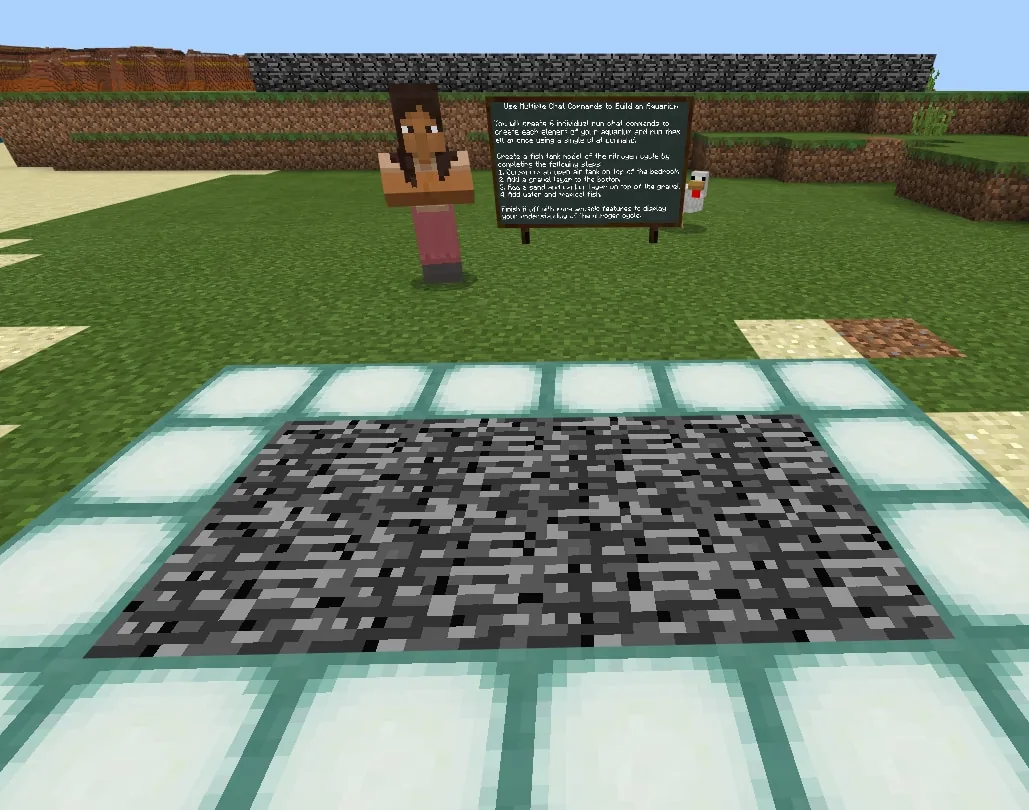
Students code the glass command using fill with glass from world coordinates 1861 66 10 to 1840 76 -6 with the hollow parameter. Next, they duplicate this block into the undo command, replacing glass with air so they can reset the area if needed.
- Adding Substrate and Carbon
Students program the air command to open the top of the tank, then script the gravel and sand layers by adjusting the vertical coordinate values. Within the sand layer, they attach a replace with bone block instruction at specific coordinates to introduce carbon into the system.
- Filling Water and Spawning Organisms
Students program the water command using adjusted interior coordinates. Under the fish command, students place an animal spawn instruction inside a repeat loop targeted at the center of the aquarium to generate a set number of fish.
- Nesting Commands and Ecosystem Modeling
Students clear the space with undo, then nest their sub-commands inside the master tank command in this exact sequence: glass, air, gravel, sand, water, and fish. After running the master command, students manually add sea grass and kelp to complete their nitrogen cycle model.
Assessment: success criteria
- The student successfully uses world coordinates and the hollow fill command to build the tank.
- The student programs a functional undo command that clears the build volume with air.
- The master tank command correctly triggers the full sequence of six chat commands in order.
- The student explains the roles of fish, plants, and decomposing matter in the nitrogen cycle.
Differentiation
Allow students to work in pairs so one partner tracks world coordinates while the other enters the code blocks.
Have students add additional aquatic plants and explain where decomposing matter accumulates within their tank model.
Knowledge check
5 questions to check understanding after the lesson. Tap an answer to see if it is right; the score appears at the end.
1Why do students create an 'undo' chat command using air blocks across the tank coordinates?
Answer: A. The source explains that copying the fill command with air blocks lets students clear away blocks and start over if a mistake is made.
2Which command introduces carbon into the sand layer of the aquarium model?
Answer: B. Step 5 instructs students to attach a 'replace with bone when block is sand' command to add carbon into the system.
3How is the number of spawned fish controlled in the code?
Answer: C. Step 7 states that the spawn animal command is placed within a loop repeat (x) times command, where x represents the number of fish.
4In what order are sub-commands nested inside the master 'tank' chat command?
Answer: D. The last step specifies the exact running order: glass, air, gravel, sand, water, and fish.
5Which parameter ensures the glass tank is an open container rather than a solid block of glass?
Answer: B. Step 2 uses the [hollow] parameter to create a hollow glass cuboid across the foundation.
Resources
- Lesson package (.zip)Everything the author attached to this lesson in one download.
- World FileWorld file for student use
- Lesson worldOpens the world page in Minecraft Education (sign-in with a school account may be needed).
Part of the Code for STEM curriculum
This is lesson 2 of 20 in Code for STEM.
- 3-D Fractions
- Aquarium
- Build a Dam
- Canyon Arch Bridge
- Chicken or the Egg
- Creeper Tower Test
- Energy Transfer
- Forces
- Hour of Code: AI for Good
- Minecraft Code Town
- Molecules
- Number Line Railroad
- Plate Motions
- Road Construction Ahead
- Scale
- Slope
- Surface Area and Perimeter
- Units of Measurement
- Walled Fortress
- Wave Properties
Frequently Asked Questions
Why do students switch from relative coordinates (~) to world coordinates?
World coordinates ensure the commands build the tank at fixed, absolute positions on the bedrock foundation, preventing the build from shifting depending on where the player stands.
How does this lesson connect to NGSS MS-LS2-3?
Students construct a visual and functional model showing how matter and energy cycle through living elements like fish and plants alongside nonliving components like sand, water, and carbon.
Adapted from Aquarium by John Miller on Minecraft Education, last updated Aug 19, 2021. This classroom version, the timings and the quiz were written by 9Minecraft Education.