- Type
- Lesson plan
- Ages
- Ages 11-18
- Duration
- about 85 min (suggested)
- Skills
- Critical thinking
How can contrasting algorithmic strategies, such as horizontal and vertical block placement, achieve the same structural design goal?
Overview
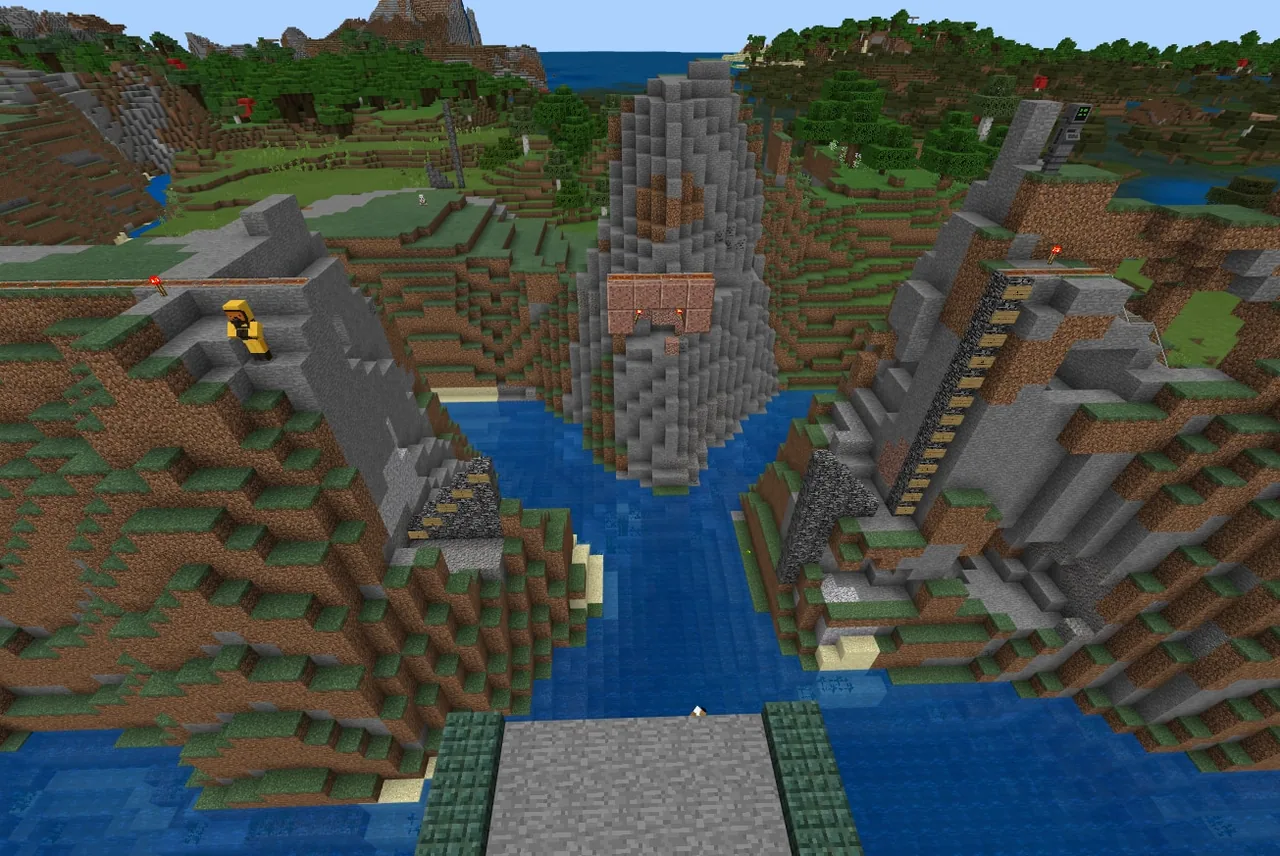
In this engineering task, students examine how different programmatic methods can solve the same structural challenge. Working in teams, learners use Code Builder to construct an arch bridge across a canyon to connect separated railway lines. Half of the class develops a vertical column-based algorithm starting from bedrock foundations, while the other half builds horizontally across rows from the abutment downwards.
Students test their algorithms in designated flat testing zones beside the canyon before deploying their code across the gorge. Once each group has completed their assigned half of the arch with granite blocks, teams share and combine their code to close the gap, lay tracks across the completed deck, and verify the structure with a minecart ride.
Learning objectives
By the end of this lesson students will be able to:
- Program the invisible builder tool using advanced builder commands to place granite blocks accurately.
- Calculate the block sequences needed to form a curved arch using either a vertical or horizontal progression.
- Test and refine code in staging areas before deploying it across the canyon gap.
- Evaluate and integrate code from another team to unite two bridge halves into a single functional railway crossing.
Blocks and items used in this lesson


Key vocabulary
- Builder
- An invisible coding agent in Minecraft used to create large geometric structures via programmatic commands.
- Abutment
- The structural support at the canyon edge where the bridge connects to the land.
- Foundation
- The base support marked by bedrock from which the bridge columns rise.
- Trace Path
- A builder command that fills the line between a marked starting position and the builder's current location with blocks.
Before class
Lesson sequence
Suggested timing: about 85 minutes in total.
- Orientation and Site Inspection10 min
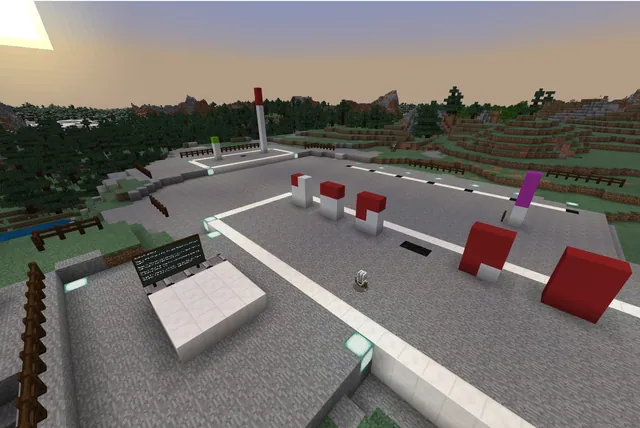
Introduce the engineering brief: reconnecting two railway lines across a canyon using an arch bridge. Have students inspect the canyon site, locating the bedrock foundation markers, the midpoint granite blocks, and the flat testing plots.
- Algorithm Planning and Prototyping15 min
Assign teams their construction direction. Vertical teams map out column heights (13, 12, 11, 10 down to 3 blocks) from the abutment. Horizontal teams plan row lengths (11, 11, 11, 10, 9, 8 down to 1 block) moving downwards from the deck.
- Code Builder Staging Tests20 min
Students write and run code segments on the flat testing fields next to the canyon. Encourage iterative testing in small segments using commands such as builder move, builder turn, and builder trace path from mark with granite.
- Canyon Construction and Collaboration25 min
Teams execute their refined code to construct their half of the arch over the canyon. Once their half reaches the midpoint, pairs from opposite approaches share code to assemble the complete bridge.
- Railway Testing and Debrief15 min
Students lay minecart track along the completed deck and conduct a test ride across the chasm. Conclude with a class reflection comparing code efficiency, line lengths, and troubleshooting strategies.
Assessment: success criteria
- Student code successfully constructs half of an arch bridge using the designated vertical or horizontal sequence.
- The granite bridge structure reaches the midpoint and aligns with the opposite half.
- Students successfully integrate partner code to complete the entire span and run a minecart from one canyon wall to the other.
- Students can explain the trade-offs between horizontal and vertical building strategies and identify which approach required fewer lines of code.
Differentiation
Provide scaffolding cards illustrating the exact numerical block sequences and basic command sequences for moving the builder and marking points.
Challenge students to optimize their code using loops or functions to minimize total command blocks while maintaining structural accuracy.
Knowledge check
5 questions to check understanding after the lesson. Tap an answer to see if it is right; the score appears at the end.
1What tool in Code Builder allows students to place large structures programmatically?
Answer: B. The builder is an invisible tool within Code Builder used to construct large, complex structures quickly using code.
2Which sequence of column heights is used by teams working vertically from the abutment?
Answer: C. The vertical sequence starting at the abutment places columns with heights decreasing from 13 down to 3 blocks.
3What block type indicates the midpoint between the canyon walls in the provided world?
Answer: D. The source notes that several granite blocks are located at the midpoint between the canyon walls.
4Where should students initially prototype and test their code before building over the canyon?
Answer: A. The lesson advises students to use the large flat areas adjacent to the canyon to test their code in segments.
5How do students verify that their completed bridge functions as intended?
Answer: B. The performance expectation states that students lay track across the bridge and take a minecart journey from one side to the other.
Resources
- Lesson package (.zip)Everything the author attached to this lesson in one download.
- World FileWorld file for student use
Part of the Code for STEM curriculum
This is lesson 4 of 20 in Code for STEM.
- 3-D Fractions
- Aquarium
- Build a Dam
- Canyon Arch Bridge
- Chicken or the Egg
- Creeper Tower Test
- Energy Transfer
- Forces
- Hour of Code: AI for Good
- Minecraft Code Town
- Molecules
- Number Line Railroad
- Plate Motions
- Road Construction Ahead
- Scale
- Slope
- Surface Area and Perimeter
- Units of Measurement
- Walled Fortress
- Wave Properties
Frequently Asked Questions
Where do students find the builder commands in Code Builder?
Builder commands are located under the Advanced tab inside the Code Builder interface in Minecraft Education.
Why are students assigned two different building methods?
One team builds vertically in columns from the foundation up while the other builds horizontally in rows from the abutment down, allowing the class to compare different algorithmic solutions to the same engineering goal.
What should students do if their code places granite blocks in the wrong direction?
Encourage them to check their builder orientation commands, such as builder turn or builder face, and test their coordinates on the flat test area before running code on the main bridge.
Adapted from Canyon Arch Bridge by John Miller on Minecraft Education, last updated Jun 2, 2022. This classroom version, the timings and the quiz were written by 9Minecraft Education.