- Type
- Lesson plan
- Grade
- Primary (Grades 3-5)
- Ages
- Ages 8-10
- Skills
- Project Based Learning
How can we use automated code to visually represent and compare different units of measurement?
Overview
In this mathematics and computer science lesson, learners explore relative sizes of measurement units within standard measurement systems. By translating conversion tables into visual block structures, students gain concrete insight into how smaller units combine to form larger units such as feet, meters, hours, and pounds.
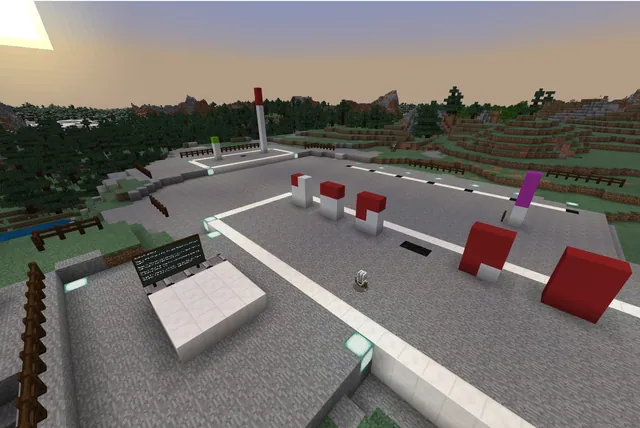
Using Minecraft Code Builder, students write scripts to automate construction challenges. Working individually or in pairs, they command their Agent, test block fill commands, and use builder wall tools to construct accurate 3D models representing units like 12 inches to a foot, 100 centimeters to a meter, and 3,600 seconds to an hour.
Learning objectives
By the end of this lesson students will be able to:
- Construct conversion tables that relate smaller measurement units to larger units within the same system.
- Program the Agent using movement, block placement, and loops to construct height-accurate columns.
- Apply Builder and block fill commands to construct larger structures that model unit conversions.
- Select and justify the most efficient coding command for each construction challenge.
Blocks and items used in this lesson
 Agent
 Pink Concrete
Key vocabulary
- Conversion Table
- A chart showing equivalent values between different units of measurement.
- Agent
- A programmable helper in Minecraft that can move, place blocks, and build structures.
- Builder Commands
- Code Builder tools used to mark coordinates and rapidly generate walls or large structures.
- Loop
- A programming instruction that repeats a set of commands a specific number of times.
Before class
Lesson sequence
- Pre-Coding Conversion Chart
Students create a written reference table establishing equivalents for four unit sets: inches to feet (12, 24, 36, 48 inches), centimeters to meters and kilometers, seconds to minutes and hours, and ounces to pounds.
- Challenge 1: Inches to Feet
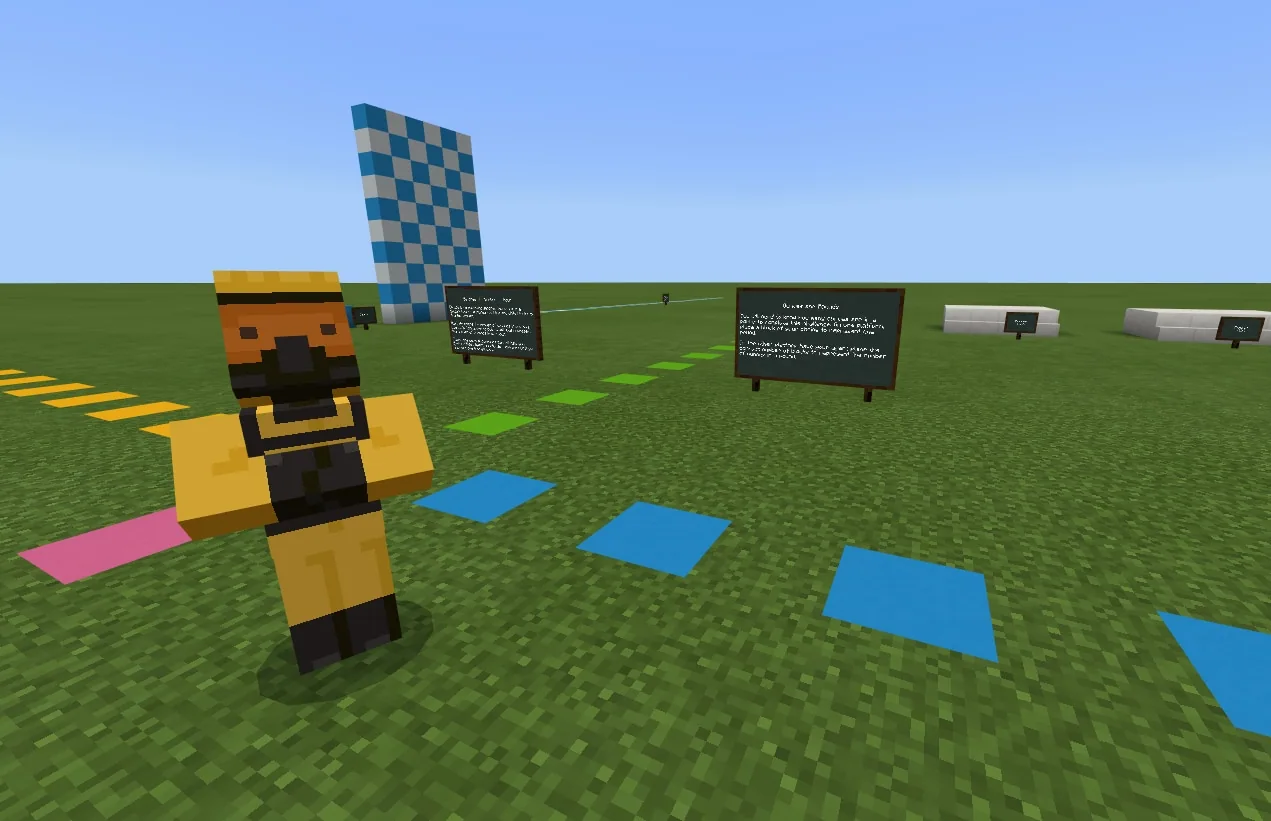
Students load pink concrete into the Agent's inventory and orient the Agent. They code the Agent to build vertical stacks of 12, 24, 36, and 48 pink concrete blocks adjacent to markers for 1, 2, 3, and 4 feet using place on move and upward movement commands.
- Challenge 2: Centimeters in a Meter
Students design a 100-block structure to represent centimeters in a meter without building a single 100-block tall column. Options include using fill with to build a cuboid, coding four columns of 25 with a loop, or programming horizontal rows. Curious students can also view the pre-built 1,000-block kilometer display and interact with the teleport NPC.
- Challenge 3: Seconds in an Hour
Students locate the pre-built structures representing one second and one minute (60 seconds). Using Builder commands, they create a wall 10 blocks high by 36 blocks wide to make 360 blocks, then enclose the commands in a 10x repeat loop to construct the full 3,600-block wall representing an hour.
- Challenge 4: Ounces to Pounds
Students choose their preferred coding method to build a 16-block structure representing ounces next to the marker representing one single pound.
- Reflection and Discussion
Students review their completed builds and discuss which commands were easiest for vertical stacks, how they utilized the fill with command, what proved most difficult to code, and which visual scale comparison was most surprising.
Assessment: success criteria
- Student accurately builds columns of 12, 24, 36, and 48 pink concrete blocks beside 1, 2, 3, and 4 foot markers.
- Student creates a 100-block structure for centimeters without making a single tower 100 blocks tall.
- Student generates a 3,600-block wall representing seconds in an hour using Builder commands and a loop.
- Student constructs a 16-block model adjacent to the 1-pound marker using self-selected code.
Differentiation
Allow students to work in pairs in a host world and focus on duplicating and tweaking simpler Agent column scripts before tackling Builder commands.
Challenge fast finishers to explore the 1,000-block kilometer path and use nested loops or coordinates with block fill commands to create multi-dimensional representations.
Knowledge check
5 questions to check understanding after the lesson. Tap an answer to see if it is right; the score appears at the end.
1What rule must students follow when building the 100-centimeter structure?
Answer: C. The lesson requires students to brainstorm configurations that total 100 blocks rather than building one tall column of 100.
2Which commands combine to generate 360 blocks before adding the repeat loop in Challenge 3?
Answer: A. A wall 10 blocks tall and 36 blocks wide creates 360 blocks, which turns into 3,600 blocks once repeated 10 times.
3What role does the NPC at the end of the 1,000-block kilometer display serve?
Answer: C. The source states that an NPC stands at the end of the 1,000-block path to teleport the player back to the spawn area.
4How many pink concrete blocks must the Agent stack to represent 2 feet in Challenge 1?
Answer: C. Because there are 12 inches in a foot, 2 feet is represented by a column of 24 blocks.
5In Challenge 4, how many blocks must students code to represent the ounces in one pound?
Answer: C. Students are instructed to build a representation of 16 ounces next to the block representing 1 pound.
Resources
- Lesson package (.zip)Everything the author attached to this lesson in one download.
- World FileWorld file for student use.
Part of the Code for STEM curriculum
This is lesson 18 of 20 in Code for STEM.
- 3-D Fractions
- Aquarium
- Build a Dam
- Canyon Arch Bridge
- Chicken or the Egg
- Creeper Tower Test
- Energy Transfer
- Forces
- Hour of Code: AI for Good
- Minecraft Code Town
- Molecules
- Number Line Railroad
- Plate Motions
- Road Construction Ahead
- Scale
- Slope
- Surface Area and Perimeter
- Units of Measurement
- Walled Fortress
- Wave Properties
Adapted from Units of Measurement by John Miller on Minecraft Education, last updated Feb 28, 2025. This classroom version, the timings and the quiz were written by 9Minecraft Education.