- Type
- Lesson plan
- Subject
- Computer Science & Coding
- Grade
- Primary (Grades 3-5)
- Ages
- Ages 8-10
- Duration
- 45 min
- Level
- Intermediate
How can functions and code comments help us simplify and organize complex programming tasks?
Overview
In this intermediate computer science lesson, students discover how to streamline their programs by creating reusable functions and documenting their logic with code comments. Learners explore how complex farming tasks can be broken down into repeatable sequences and solved using different algorithmic approaches.
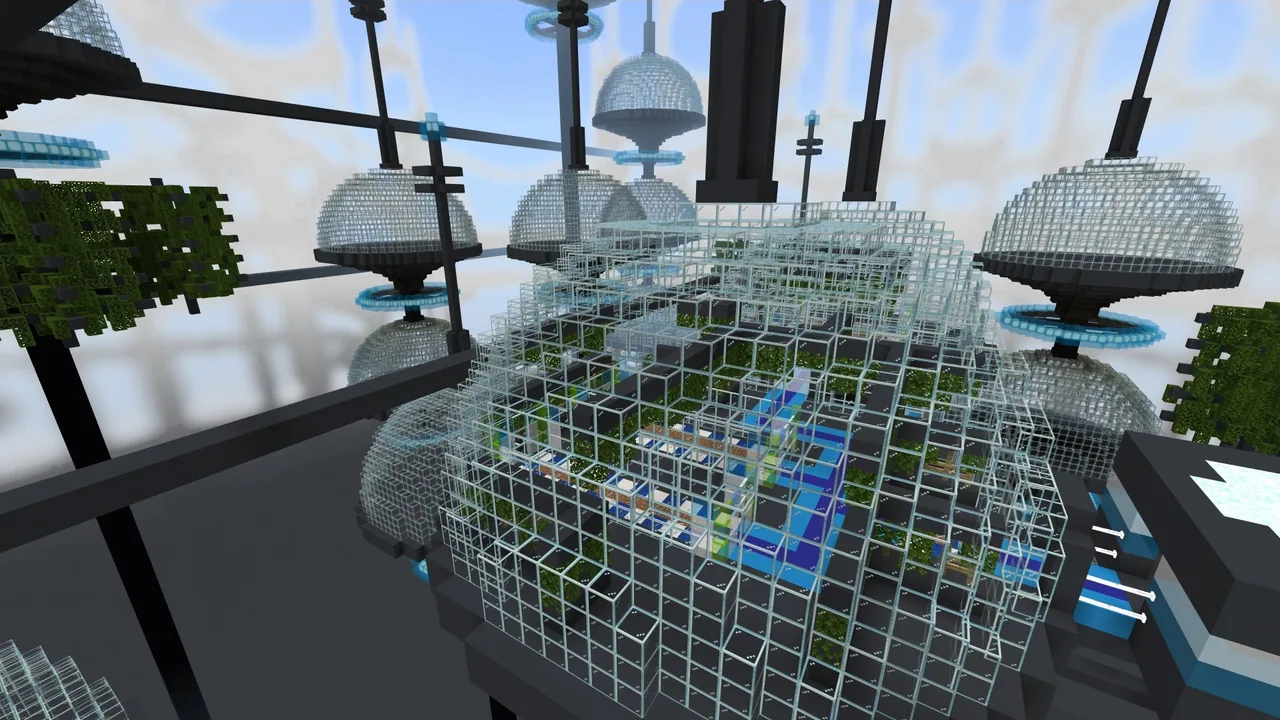
Set on a rooftop farm, students transfer beet seeds to the Agent and program it to till and plant soil. As the farming space grows from a single block into an 11-block line, two rows, and eventually an 11x11 plot, students apply repeat loops, nested loops, and custom functions to guide the Agent successfully to the finishing gold block.
Learning objectives
By the end of this lesson students will be able to:
- Build and execute a custom function to automate tilling and planting seeds.
- Write code comments to document and track program logic during development.
- Apply repeat loops and nested loops alongside functions to farm larger areas.
- Test and debug code to ensure the Agent navigates plots correctly.
Blocks and items used in this lesson
 Agent
 Beetroot Seeds
 Dirt
 Chest
 Block of Gold
 Farmland
Key vocabulary
- Function
- A named set of code instructions that performs a specific action and can be reused throughout a program.
- Code Comment
- A note written in a program that explains what the code does without altering how it runs.
- Nested Loop
- A loop positioned inside another loop to repeat actions across multiple rows or layers.
- Debugging
- The process of identifying, testing, and fixing mistakes in computer code.
Before class
Lesson sequence
Suggested timing: about 45 minutes in total.
- Warm-up and Agent Setup10 min
Introduce the rooftop farm setting and explain that students will need to grow a large supply of beets. Have students collect beet seeds from the chest, place them into the Agent's inventory, and explore the Agent block drawer to prepare for coding.
- Activity 1 & 2: Single Planting to an 11-Block Line10 min
Guide students through Activity 1 to code the Agent to till soil and plant a seed. Next, transition to Activity 2 where the Agent faces an 11-block row of dirt; students use the Plant Seed function inside a repeat loop sequence to complete the entire row.
- Activity 3: Two-Row Planting with Nested Loops10 min
Introduce Activity 3, where students program the Agent to plant two parallel rows of beets. Have students incorporate nested loops to repeat their row-planting routine and reposition the Agent between lines.
- Activity 4: The 11x11 Farm Challenge10 min
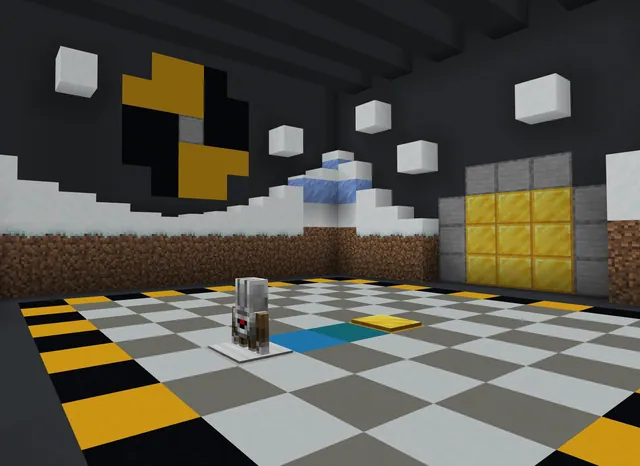
Present the 11x11 dirt plot framed by blue and white checker blocks. Students combine their custom functions and nested loops to fill the entire area with crops, testing and debugging until the Agent completes the field and stops on the gold block.
- Review and Formative Assessment5 min
Lead a closing reflection using the performance assessment questions. Have students explain what a function does, why code comments are helpful, and how different algorithms can accomplish the same planting objective.
Assessment: success criteria
- The Agent successfully tills and plants an 11-block dirt line using the Plant Seed function.
- Nested loops and functions are used correctly to plant across multiple rows.
- Code comments or notes are included to document the student's program structure.
- The Agent completely fills the 11x11 plot and concludes on the gold block.
Differentiation
Have struggling learners trace the Agent's movement for a single row before assembling nested loops for multi-row plots.
Challenge advanced students to write an alternative algorithm that completes the 11x11 plot using fewer total code blocks.
Knowledge check
5 questions to check understanding after the lesson. Tap an answer to see if it is right; the score appears at the end.
1What is the primary purpose of a function in coding?
Answer: B. Functions package a set of instructions so that a specific task can be reused easily without rewriting the code.
2Why is it valuable to include comments or notes in your code?
Answer: C. Comments serve as clear notes for programmers to track their thinking and explain code logic.
3How do students program the Agent to plant the 11-block line in Activity 2?
Answer: A. Activity 2 uses the Plant Seed function inside a sequence, such as a repeat loop, to plant all 11 blocks.
4Which programming technique is introduced in Activity 3 to manage planting multiple rows?
Answer: D. Activity 3 introduces nested loops so the Agent can repeat row-planting routines across multiple lines.
5On which block must the Agent finish its path after planting the 11x11 plot in Activity 4?
Answer: B. The final activity requires the Agent to complete planting the plot and end on the designated gold block.
Resources
- Lesson package (.zip)Everything the author attached to this lesson in one download.
- Coding Fundamentals Part 3: We Need Beets!EDU Guide and Formative Assessment
- Coding Fundamentals Part 3: We Need Beets!Classroom Presentation
- Coding Fundamentals Part 3: Running Out of TimeCurriculum Overview
- Lesson worldOpens the world page in Minecraft Education (sign-in with a school account may be needed).
Part of the Coding Fundamentals curriculum
This is lesson 16 of 17 in Coding Fundamentals.
- Basic Moves and the Agent
- Coding Challenge
- Dinosaur Run
- Earth’s Moon & Mars
- Ganymede (Jupiter's Moon) & Saturn's Rings
- Gray Wolves
- Mercury and Venus
- Minecraft Space Center
- Panda's Protected Habitat
- Polar Bear Rescue
- Revisiting Biomes
- Revisiting Planets
- Sea Turtle Assistance
- The Experiment
- Uranus’ Rings and Neptune's Moon, Triton
- We Need Beets!
- Wild West
Frequently Asked Questions
Where do students get the beet seeds for the Agent?
Students retrieve seeds from a chest located on the rooftop farm and place them directly into the Agent's inventory before running their code.
What prior experience do students need for this lesson?
This is an intermediate lesson that builds on earlier Block 1 and Block 3 concepts, particularly basic Agent movement and simple loops, though nested loops are reintroduced during instruction.
How can student understanding be assessed at the end of the lesson?
Teachers can review the four core questions on functions, code comments, player events, and coding concepts through an oral check or by using the printable assessment sheet found in the educator guide.
Adapted from We Need Beets! by Minecraft Education on Minecraft Education, last updated Sep 16, 2023. This classroom version, the timings and the quiz were written by 9Minecraft Education.