- Type
- Lesson plan
- Grade
- Primary (Grades 3-5)
- Ages
- Ages 8-10
- Duration
- More than 3 hours
- Level
- Beginner
How can teams use loops, algorithms, and iterative debugging to solve engineering and environmental tasks across different biomes?
Overview
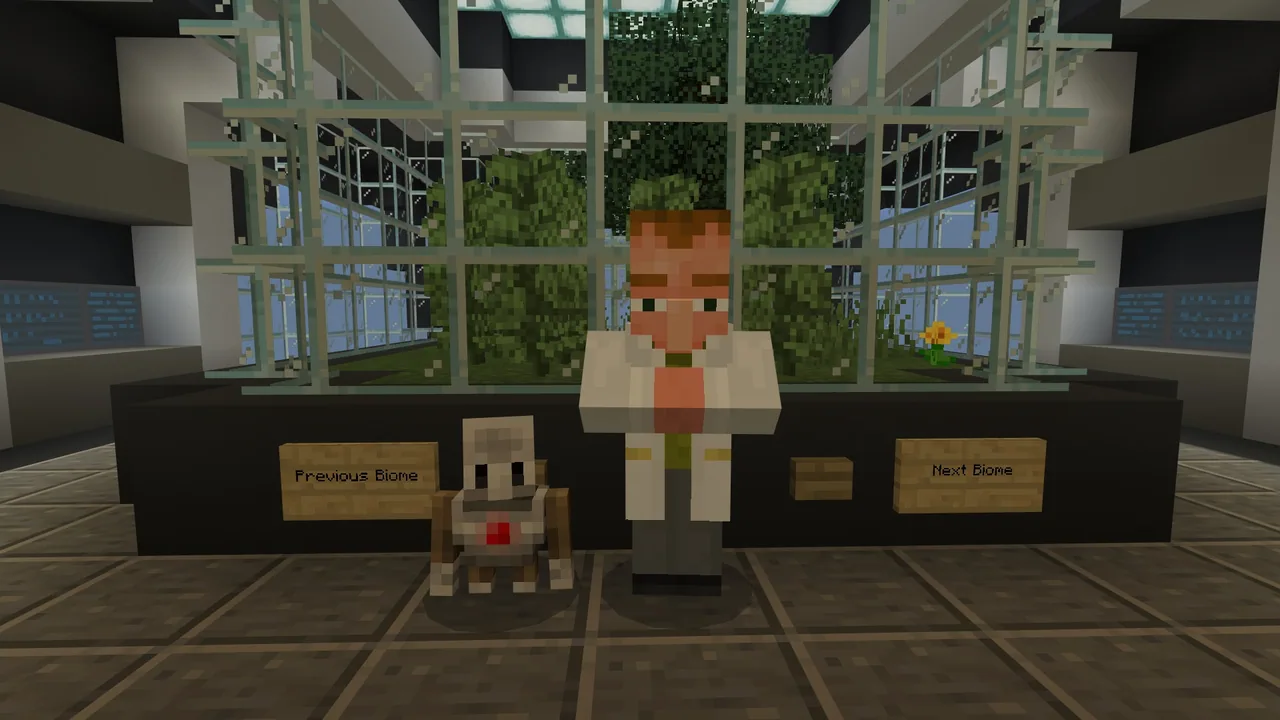
This summative project invites students to apply computer science skills gained throughout prior lessons. Working collaboratively in groups, learners visit Dr. Barwin to return to four distinct biomes and tackle hands-on technical problems using their coding mindset.
Students work in a shared multiplayer world containing the Beach, Arctic, Panda Habitat, and Forest. Teams choose between tackling pre-set Agent activities—such as constructing bridges, fences, or towers, clearing trash, and solving mazes—or designing their own coded builds from scratch.
Learning objectives
By the end of this lesson students will be able to:
- Program at least two distinct algorithms to solve biome-specific tasks using the Agent.
- Implement repeat, conditional, or nested loops to make code efficient.
- Collaborate in a shared world to test and debug programs without automated reset tools.
- Document the design process using at least two tools and present the final solution.
Blocks and items used in this lesson


Key vocabulary
- Algorithm
- A clear sequence of step-by-step instructions designed to solve a problem or carry out a task.
- Loop
- A programming structure that repeats a set of commands multiple times or until a specific condition is met.
- Debugging
- The process of reviewing, testing, and correcting errors in code to ensure it runs properly.
Before class
Lesson sequence
Suggested timing: about 180 minutes in total.
- Introduction and Project Brief25 min
Introduce the multi-day project and review the student guide. Explain that groups will meet Dr. Barwin to travel between four biomes: Beach with Sea Turtles, Arctic with Polar Bears, Panda Habitat, and Forest with Gray Wolves.
- Collaborative Planning35 min
Groups choose their location and select whether to attempt the provided activities (bridge, maze, trash cleanup, fence, or tower) or design a custom build. Students outline their algorithms, plan their loop structures, and decide which documentation tools to use.
- Coding and Debugging90 min
Students code their Agent inside the shared world. Because there are no automated reset signs or completion markers, team members must actively observe the Agent, troubleshoot errors, and manually adjust the environment when testing.
- Presentations and Review30 min
Each team presents their problem, demonstrated code, and documentation to the class. Students reflect on their debugging process, their choice of loops, and how well they collaborated.
Assessment: success criteria
- Team creates at least two working algorithms to solve their chosen challenge.
- Code contains appropriate use of repeat loops, conditional loops, or nested loops.
- Students actively test, detect errors, and debug their programs during the build.
- Team utilizes at least two documentation tools and delivers a classroom presentation of their solution.
Differentiation
Have teams focus on a single guided task, such as the maze or fence, using standard repeat loops before attempting more complex builds.
Encourage advanced teams to create their own original coded structure or environmental challenge using nested loops.
Knowledge check
5 questions to check understanding after the lesson. Tap an answer to see if it is right; the score appears at the end.
1Which NPC do students visit in the world to revisit the different biomes?
Answer: B. The source notes that when students visit Dr. Barwin, they can revisit each of the biomes.
2Which animal is featured in the Forest biome?
Answer: A. The source explicitly lists Forest with Gray Wolves as one of the four areas.
3What unique feature should students keep in mind while testing their code in this world?
Answer: C. The teacher notes highlight that no reset activity or completion signs are provided for this lesson.
4Which of the following is NOT one of the five pre-set activity options in the biomes?
Answer: D. The five activities listed in the source are bridge, maze, clean up trash, fence, and tower.
5How many algorithms are students required to create to meet the success criteria?
Answer: C. The performance expectations state that students must create at least two algorithms to solve the task.
Resources
- Lesson package (.zip)Everything the author attached to this lesson in one download.
- Coding Fundamentals Part 1: Revisiting BiomesEDU Guide
- Coding Fundamentals Part 1: Revisiting BiomesPerformance Task: Student Guide
- Coding Fundamentals Part 1: Animal Research CenterCurriculum Overview
- Lesson worldOpens the world page in Minecraft Education (sign-in with a school account may be needed).
Part of the Coding Fundamentals curriculum
This is lesson 11 of 17 in Coding Fundamentals.
- Basic Moves and the Agent
- Coding Challenge
- Dinosaur Run
- Earth’s Moon & Mars
- Ganymede (Jupiter's Moon) & Saturn's Rings
- Gray Wolves
- Mercury and Venus
- Minecraft Space Center
- Panda's Protected Habitat
- Polar Bear Rescue
- Revisiting Biomes
- Revisiting Planets
- Sea Turtle Assistance
- The Experiment
- Uranus’ Rings and Neptune's Moon, Triton
- We Need Beets!
- Wild West
Frequently Asked Questions
How do students reset an activity if their Agent makes a mistake?
This world does not include automated reset buttons, so students must manually clear misplaced blocks or write code to reverse their Agent's steps while debugging.
Are students required to do all five activities in every biome?
No, the lesson provides freedom in how students approach the tasks; they can select specific activities to complete or even create their own coded build.
Adapted from Revisiting Biomes by Minecraft Education on Minecraft Education, last updated Apr 22, 2024. This classroom version, the timings and the quiz were written by 9Minecraft Education.