- Type
- Lesson plan
- Grade
- Primary (Grades 3-5)
- Ages
- Ages 8-10
- Duration
- 1 hour
- Level
- Beginner
- Skills
- Critical thinking
How can we systematically find and fix errors in robot code when space exploration missions go wrong?
Overview
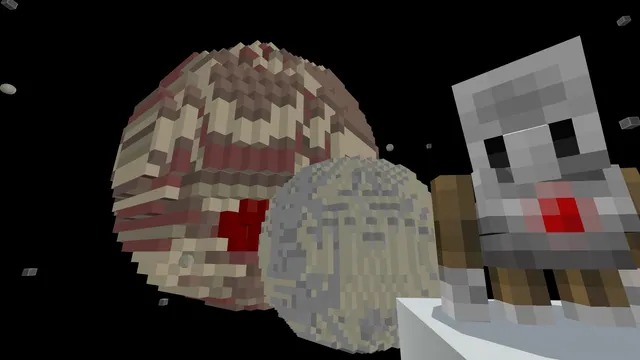
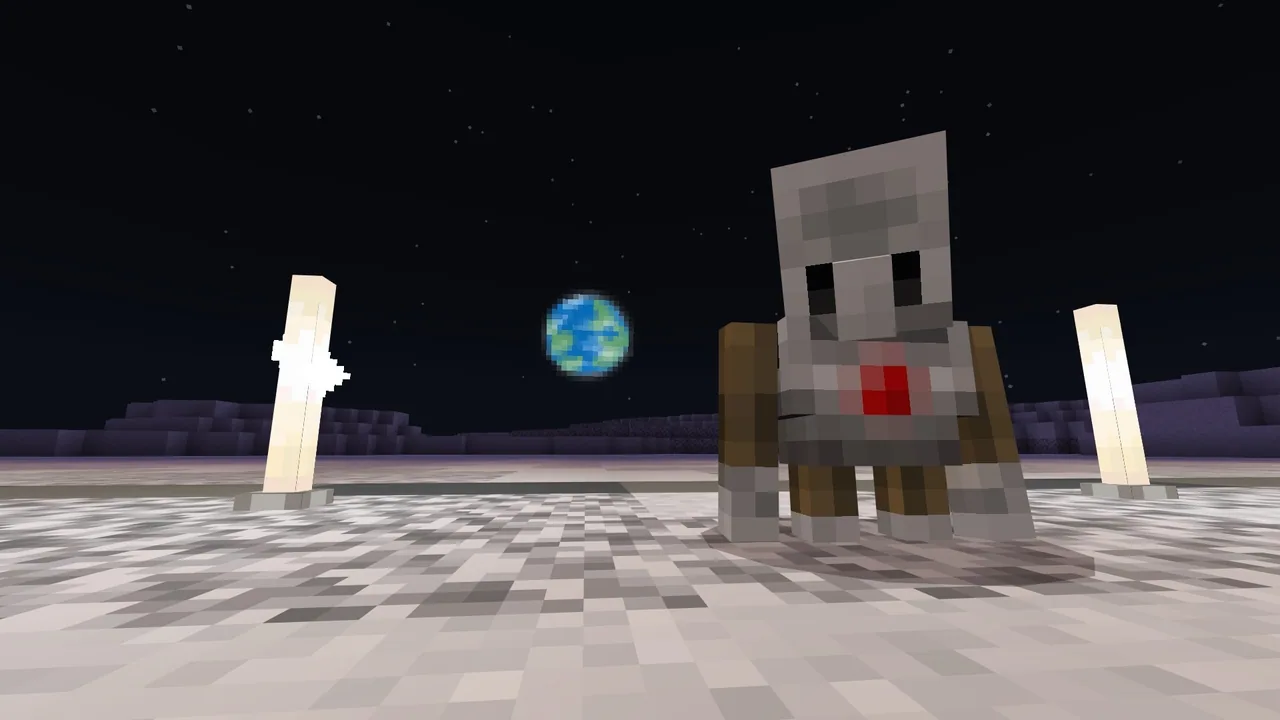
In this computer science lesson, learners explore foundational programming concepts by diagnosing and resolving errors in malfunctioning robotic explorers on Earth's Moon and Mars. Students learn that discovering mistakes in code is a normal, expected part of software development that requires patience, observation, and systematic problem-solving.Utilizing a themed space setting in Minecraft, students tackle distinct sequential challenges ranging from stone analysis on lunar surfaces to locating and repairing a Martian rover. Through these hands-on tasks, pupils directly test their instructions, identify faulty logic, and execute fixes to help autonomous rovers complete their scientific missions.Learning objectives
By the end of this lesson students will be able to:
- Explain the purpose of debugging in computer programming.
- Test program instructions to locate and resolve errors in exploration robots.
- Demonstrate persistence and a positive problem-solving mindset when addressing broken code.
Blocks and items used in this lesson


Key vocabulary
- Debugging
- The process of finding and fixing mistakes or errors within a computer program.
- Persistence
- Continuing to try and solve a problem even when it is difficult or requires multiple attempts.
- Rover
- A remote exploration vehicle designed to travel across and study the surface of a planet or moon.
Before class
Lesson sequence
Suggested timing: about 60 minutes in total.
- Introduction to Debugging10 min
Introduce the mission context by explaining that exploration robots on the Moon and Mars have encountered programming issues. Discuss what debugging means and emphasize that finding errors is a natural and valuable stage of coding.
- Lunar Surface Stone Activities15 min
Guide students through Activity 1 (Surface Stone) and Activity 2 (Deep Stone) on the Moon. Learners test their lunar robot, analyze unexpected behaviors, and correct the code to collect geological samples.
- Martian Rover Recovery and Repair20 min
Direct students to transition to Mars to complete Activity 3 (Tracking Down the Rover) and Activity 4 (Repair the Rover). Students locate the stranded rover and step through its instructions to identify broken sequences and restore operation.
- Reflection and Assessment15 min
Convene the class to discuss the debugging process and reflect on how students handled frustration. Address the formative assessment prompts to review what debugging accomplishes and why staying persistent is essential.
Assessment: success criteria
- Define debugging as the process of finding and correcting errors in code.
- Successfully locate and repair errors across the lunar and Martian coding challenges.
- Articulate strategies for staying patient and persistent when encountering stubborn coding problems.
Differentiation
Pair learners together to read through robot instructions line by line and test one step at a time to spot errors.
Have advanced learners tackle the optional Simulations bonus activity or conduct independent research using the Planet Research Template.
Knowledge check
5 questions to check understanding after the lesson. Tap an answer to see if it is right; the score appears at the end.
1What is the term for identifying and fixing errors inside computer code?
Answer: B. Debugging is the specific term used for locating and correcting problems in code.
2Where are the malfunctioning exploration robots located in this lesson?
Answer: A. The lesson tasks students with fixing exploration robots deployed on the Moon and Mars.
3What is important to do when you encounter a problem in your program?
Answer: C. Adopting a persistent coding mindset and testing systematically helps find and resolve bugs.
4Which activity focuses on locating the Martian robot before fixing it?
Answer: D. Activity 3 specifically tasks students with tracking down the rover on Mars before repairing it.
5What does the debugging process actually accomplish?
Answer: B. Debugging exists to identify and fix errors so instructions run as intended.
Resources
- Lesson package (.zip)Everything the author attached to this lesson in one download.
- Coding Fundamentals Part 2: Earth's Moon and MarsEDU Guide and Formative Assessment
- Coding Fundamentals Part 2: Earth's Moon and MarsClassroom Presentation
- Coding Fundamentals Part 2: Minecraft Space CenterCurriculum Overview
- Planet Research TemplateUse this lesson plan and student research template if you want to conduct the research portion of this computer science unit.
- Lesson worldOpens the world page in Minecraft Education (sign-in with a school account may be needed).
Part of the Coding Fundamentals curriculum
This is lesson 4 of 17 in Coding Fundamentals.
- Basic Moves and the Agent
- Coding Challenge
- Dinosaur Run
- Earth’s Moon & Mars
- Ganymede (Jupiter's Moon) & Saturn's Rings
- Gray Wolves
- Mercury and Venus
- Minecraft Space Center
- Panda's Protected Habitat
- Polar Bear Rescue
- Revisiting Biomes
- Revisiting Planets
- Sea Turtle Assistance
- The Experiment
- Uranus’ Rings and Neptune's Moon, Triton
- We Need Beets!
- Wild West
Frequently Asked Questions
Do students need prior coding experience before starting this lesson?
This lesson is designed for beginners aged 8 to 10, though reviewing the curriculum overview presentation will help scaffold fundamental concepts for new coders.
Does the optional Planet Research activity happen inside Minecraft?
No, the planet research component is conducted outside of Minecraft using a research template and requires active internet access.
What should students do if they finish the Moon and Mars activities early?
Fast finishers can complete the included Simulations bonus activity or explore the optional research module.
Adapted from Earth’s Moon & Mars by Minecraft Education on Minecraft Education, last updated Feb 4, 2025. This classroom version, the timings and the quiz were written by 9Minecraft Education.