- Type
- Lesson plan
- Subject
- Math
- Topics
- Math & Economics
- Grade
- Primary (Grades 3-5)
- Ages
- Ages 8-10
How can coordinate commands and unit conversions help us model liquid volume in Minecraft?
Overview
Understanding liquid volume requires students to visualize relationships between units such as milliliters, liters, and kiloliters. In this lesson, students explore metric volume conversions by connecting physical liquid measurements with large-scale digital models.
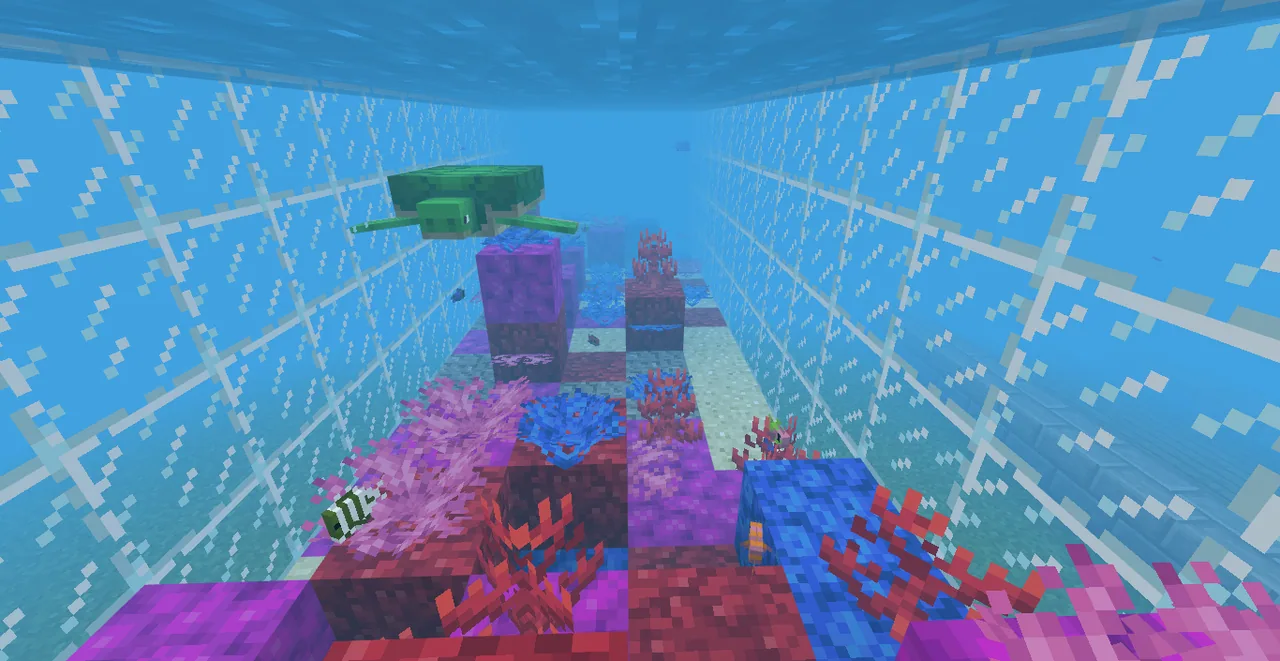
Using Minecraft Education, learners practice writing and running the fill command to add precise amounts of water to a virtual measuring cup. They then draft blueprints and construct a massive aquarium capable of holding 1,000,000 liters of water before finishing the habitat with a coral biome.
Learning objectives
By the end of this lesson students will be able to:
- Convert between milliliters, liters, and kiloliters using metric relationships.
- Execute the fill command using relative coordinates to place water blocks in specific volumes.
- Calculate length, width, and height dimensions to build an aquarium that holds 1,000,000 liters of water.
- Design and decorate a coral biome within the completed aquarium structure.
Blocks and items used in this lesson
 Water Bucket
 Glass
 Bucket
 Tube Coral
 Brain Coral
 Bubble Coral
Key vocabulary
- Milliliter
- A metric unit of liquid volume where 1,000 milliliters equal one liter.
- Liter
- A standard metric unit of capacity equal to 1,000 milliliters.
- Kiloliter
- A metric volume equal to 1,000 liters, represented in Minecraft by a single block.
- Fill Command
- A text command that places a specific block type across a defined area using relative coordinates.
Before class
Lesson sequence
- Warm-up & Concept Introduction
Display physical measuring cups so students can see real-world liters and milliliters. Present the slideshow to establish that 1,000 milliliters equal 1 liter and 1,000 liters equal 1 kiloliter, explaining that one block in Minecraft represents 1 kiloliter.
- Fill Command Practice
Introduce the fill command format: /fill ~ ~ ~ ~(#Length) ~(#Height) ~(#Width) block_choice. Test the command together and assign experienced students to assist peers who need help.
- Fill the Cup Activity
Send students into the world to fill the virtual measuring cup. In this scale model, each block represents 1 milliliter, and students fill the container in 100 mL increments using the command while marking measurements along the cup.
- Aquarium Blueprinting
Distribute the blueprint worksheet. Students calculate various sets of length, width, and height dimensions that multiply to 1,000 blocks (1,000 kiloliters or 1,000,000 liters) and draft their corresponding fill commands.
- Aquarium Construction & Biome Design
Students execute their tank commands, set their interior start points, and run the fill command to add water. Once filled, they populate the interior by creating a custom coral biome.
- Debrief Discussion
- What is the difference between measuring liters in Minecraft and measuring in the real world?
- How much water can a standard Minecraft bucket hold?
- How much does a full Minecraft bucket weigh?
Assessment: success criteria
- Student accurately fills the measuring cup model in 100 mL increments using the fill command.
- Student correctly explains that 1,000 milliliters equal 1 liter and 1,000 liters equal 1 kiloliter.
- Student produces blueprint dimensions and fill commands that result in exactly 1,000 blocks (1,000,000 liters).
- Student successfully determines the weight of the measured water during the debrief.
Differentiation
Pair students with experienced peer helpers and provide pre-structured fill command coordinate templates.
Ask learners to calculate multiple alternative dimension sets for 1,000 blocks and explain methods for finding volume.
Knowledge check
5 questions to check understanding after the lesson. Tap an answer to see if it is right; the score appears at the end.
1How many milliliters are in one liter?
Answer: C. One liter is equal to 1,000 milliliters in the metric system.
2In standard Minecraft scaling, what volume does one block represent?
Answer: A. The lesson notes that one standard Minecraft block represents 1,000 liters or 1 kiloliter.
3What volume does one block represent in the 'Fill the Cup' model activity?
Answer: D. In the cup-filling activity, the scale is adjusted so each block represents 1 milliliter.
4How many blocks of water are needed to model an aquarium holding 1,000,000 liters?
Answer: B. Because each standard block equals 1,000 liters, an aquarium holding 1,000,000 liters requires 1,000 blocks.
5Which syntax is used in the lesson to run the fill command?
Answer: C. The lesson specifies the fill command as /fill ~ ~ ~ ~(#Length) ~(#Height) ~(#Width) block_choice.
Resources
- Lesson package (.zip)Everything the author attached to this lesson in one download.
- Aquarium Blueprint
- Rubric
- Slideshow
- Lesson worldOpens the world page in Minecraft Education (sign-in with a school account may be needed).
Part of the Grade 3 Math curriculum
This is lesson 7 of 15 in Grade 3 Math.
- Algebra Architecture
- Building Word Problems
- Division Into Equal Numbers
- Finding the Unknown
- Fractions Pixel Art
- Fractions Steeplechase
- Liquid Measurements
- Make a Regrouping Video
- Measuring Landforms
- Repeated Addition with Parkour
- Round Numbers Video
- Shapes From Shapes
- Survival City Making Roads
- Survival Olympics Bar Graphs
- Two Step Word Problems
Frequently Asked Questions
Why does block volume change between the cup activity and the aquarium activity?
In standard scale, one Minecraft block represents 1 kiloliter (1,000 liters). The cup activity uses a scaled model where one block represents 1 milliliter so students can visually track smaller metric units.
How can I support students who struggle with the fill command syntax?
Enlist students who already know how to use the command as peer teachers, practice the syntax together using the slideshow, and have learners write down the exact coordinates on their blueprints before typing them in-game.
Adapted from Liquid Measurements by Minecraft Education on Minecraft Education, last updated Sep 16, 2023. This classroom version, the timings and the quiz were written by 9Minecraft Education.