
- Type
- Lesson plan
- Topics
- TechnologyGamingMusic
- Ages
- Ages 8-13
- Duration
- about 1.5 hours (suggested)
- Includes
- Quiz: 5 questionsLesson files
How can redstone circuits be used to create, control, and layer repeating musical loops?
Overview
In both computer science and music production, a loop represents an essential concept: a sequence of instructions or sounds that repeats continuously. This lesson bridges coding logic and musical composition by exploring how timing, functions, and circuits dictate how sound is triggered, sustained, and stopped.
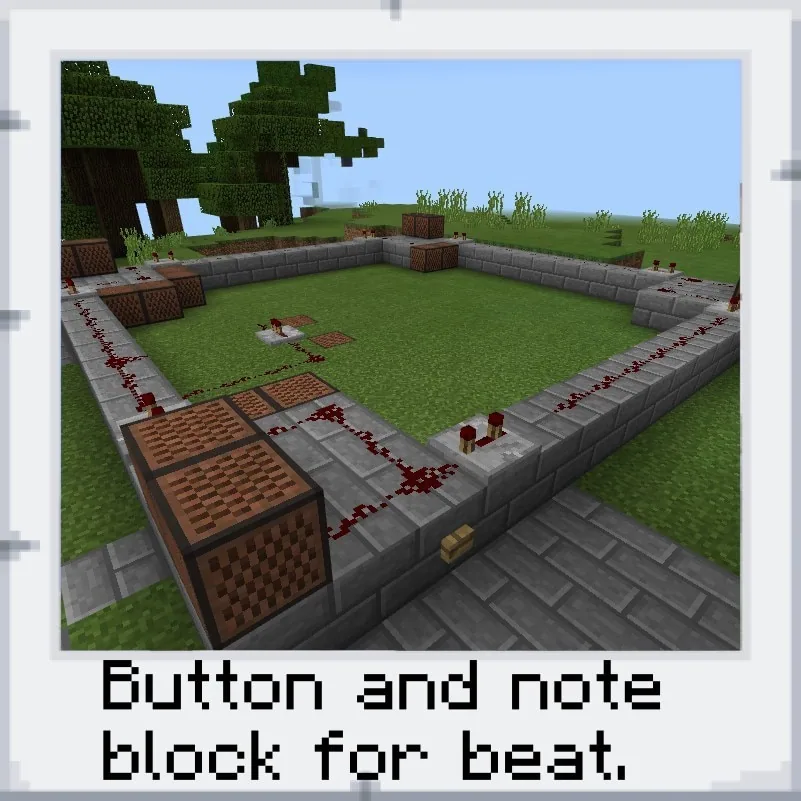
Using Minecraft redstone circuits, pistons, and note blocks placed on different materials, students experiment with three hands-on looping projects. Learners analyze rhythm patterns such as standard kick-snare beats, layer melodic ostinatos, and record their iterations using the in-game camera and portfolio.
Learning objectives
By the end of this lesson students will be able to:
- Construct redstone circuits that trigger repeating musical loops using note blocks.
- Investigate how different block materials alter the instrumental sounds produced by note blocks.
- Build rhythm patterns, corner chords, and melodic ostinatos across multiple circuit tracks.
- Document circuit modifications and musical experiments using the in-game camera and portfolio.
Blocks and items used in this lesson


Key vocabulary
- Loop
- A repeating sequence or cycle used in both computer programming and musical composition.
- Circuit
- A complete path in Minecraft through which redstone power travels to trigger components.
- Ostinato
- A continually repeated musical phrase or rhythm pattern.
- Chord
- Two or more musical notes played simultaneously to create harmony.
Before class
Lesson sequence
Suggested timing: about 90 minutes in total.
- Video Introduction15 min
Introduce the guiding question and discuss how both programmers and musicians rely on loops. Have students watch the five-part video series on Music and Minecraft, noting how the fourth video directly connects to the in-game looping challenges.
- Project 1: Piston Loops & Synchronization20 min
Students examine three independent loops that use pistons to break circuits and maintain timing. Students work to answer three key questions: how to keep all three loops playing in time, how to break and reset the cycle, and which block materials create piano or drum tones.
- Project 2: Square Loops, Chords & Ostinatos25 min
Students explore a squared loop featuring a popular kick-snare pattern with an even measure count. They experiment with adding chords on the corners—similar to the opening of Billie Jean—and build a smaller inner loop to generate a melodic ostinato.
- Project 3: Pyramid Multi-Level Loop20 min
Working with a three-tiered pyramid structure composed of stacked squares, students synthesize their knowledge from the first two challenges to expand, balance, and refine a complex multi-level loop.
- Portfolio Documentation & Reflection10 min
Learners photograph their circuits and modifications using the camera in their inventory. They collect these images into their portfolio to demonstrate their understanding of circuit order, material sounds, and musical layering.
Assessment: success criteria
- Student successfully builds and maintains an active redstone circuit loop that powers note blocks.
- Student identifies and explains how placing note blocks on different block materials alters the instrument sound.
- Student layers rhythm elements such as drum patterns, multi-note chords, or melodic ostinatos in time.
- Student captures and compiles photographic evidence of their experiments into the in-game portfolio.
Differentiation
Have students focus on adjusting a single redstone loop and testing individual block materials before attempting to synchronize multiple tracks.
Challenge advanced students to modify the multi-tier pyramid structure in Project 3 to compose an original melody with custom chords and tempo controls.
Knowledge check
5 questions to check understanding after the lesson. Tap an answer to see if it is right; the score appears at the end.
1Which term describes a repeating sequence used by both musicians and software developers?
Answer: B. The source explains that the coding term 'loop' is shared by both musicians and software developers.
2In Looping Project No. 1, what component is used to break the circuit and keep the loop running?
Answer: C. Project 1 consists of three independent loops that utilize a piston to break the circuit and sustain the cycle.
3What well-known song is mentioned as sounding similar to the corner chords in Project 2?
Answer: A. The lesson source explicitly points out that the corner chords in Project 2 sound like Michael Jackson's 'Billie Jean.'
4How are students instructed to document their circuit experiments and project changes?
Answer: C. The source directs students to document each project using the camera in their inventory, which adds photos to their in-game Portfolio.
5What geometric layout serves as the foundation for Looping Project No. 3?
Answer: D. Project 3 is based on a pyramid-type structure containing three squares on different vertical levels.
Resources
Frequently Asked Questions
How do students change the instrument sound of a note block?
In Minecraft, placing note blocks on or near different underlying materials changes the instrument sound produced, such as creating piano or percussion tones.
Where do students find the tools required for documentation?
Students use the camera located in the first slot of their inventory to take photos, which are automatically collected inside the portfolio item also held in their inventory.
Does this lesson require prior music theory knowledge?
No prior music theory is necessary; the projects introduce rhythm, chords, and ostinatos step-by-step through practical redstone timing and accompanying video guides.
Adapted from Music Coding Projects by Samuel Wright on Minecraft Education, last updated Jan 23, 2018. This classroom version, the timings and the quiz were written by 9Minecraft Education.






































