- Type
- Lesson plan
- Subject
- Computer Science & Coding
- Topics
- Computer Science
- Ages
- Ages 6-7
- Duration
- 1 hour
- Level
- Beginner
How can we use loops and math in code to help our Agent build a park efficiently?
Overview
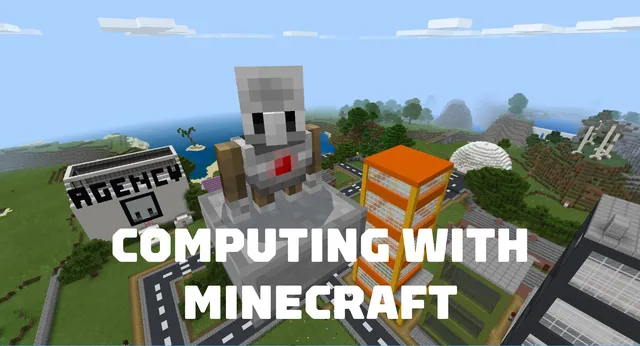
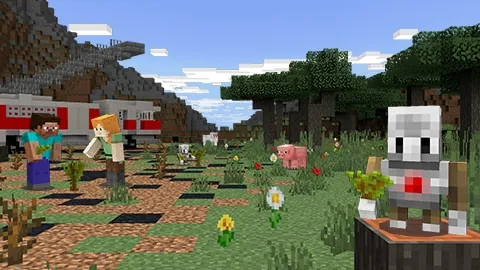
In this beginner computer science unit, students explore basic automation and programming by designing a public park within a Minecraft city. By programming their in-game Agent using block-based code in MakeCode, learners discover how computational thinking simplifies repetitive construction tasks.
Students apply core coding concepts including loops and mathematical operations across three distinct building challenges. They code their Agent to build perimeter fences and water features efficiently, and they implement math functions to disperse flowers across the park landscape.
Learning objectives
By the end of this lesson students will be able to:
- Use loops in block code to construct structures more efficiently.
- Explain how repeating code blocks influences the Agent's in-game actions.
- Apply math functions within code to generate random flower placements.
- Modify the Minecraft world through Agent-driven block programming.
Blocks and items used in this lesson


Key vocabulary
- Loop
- A coding command that repeats a set of instructions multiple times.
- Agent
- A programmable helper character in Minecraft that executes coded tasks.
- MakeCode
- A visual, block-based coding platform used to write programs for Minecraft.
- Math Function
- A code block that performs calculations, such as picking a random number.
Before class
Lesson sequence
Suggested timing: about 60 minutes in total.
- Introduction & Planning10 min
Introduce the park project within the Minecraft city and review how the Agent follows programmed instructions. Guide students in calculating the physical ground space required for the perimeter fence before coding.
- Lesson 1: Code a Park Fence15 min
Direct students to write MakeCode scripts using loop blocks. Students command their Agent to place fence segments around the measured boundary without having to write separate commands for every block.
- Lesson 2: Code a Water Feature15 min
Students expand their loop coding skills by directing the Agent to assemble a water feature inside the park grounds, reinforcing how repeated steps can build complex shapes.
- Lesson 3: Plant Some Flowers15 min
Introduce MakeCode math blocks. Students code the Agent to place flowers at random locations across the park, demonstrating how math functions introduce variety into world design.
- Review & Formative Check5 min
Lead a short discussion on how loops and math functions improved the efficiency of building, and administer the lesson formative assessments found in the educator guide.
Assessment: success criteria
- Student accurately determines the space needed before constructing the fence.
- Student uses loop blocks to code a complete fence border and water feature.
- Student successfully uses math blocks to scatter flowers randomly in the park.
- Student clearly describes how loops change the efficiency of their code.
Differentiation
Pair students together to count fence dimensions and provide starter loop blocks for the Agent's fence script.
Challenge students to adjust their math blocks to randomize flower types or expand the water feature's design.
Knowledge check
5 questions to check understanding after the lesson. Tap an answer to see if it is right; the score appears at the end.
1Which tool do students use to program their Agent in this unit?
Answer: B. The unit focuses on expanding student knowledge of MakeCode block programming.
2Why do students use loops when coding the park fence?
Answer: A. Loops allow students to repeat instructions so they can code building tasks more efficiently.
3What step do students take before coding the park fence in Lesson 1?
Answer: C. Lesson 1 begins with calculating the required space for the fence before writing the code.
4What coding feature is used to plant flowers across the park in Lesson 3?
Answer: D. Students utilize math functions to randomly distribute flowers throughout the park area.
5What structure are students asked to code during Lesson 2?
Answer: B. Lesson 2 of the unit is titled Code a Water Feature.
Resources
- Lesson package (.zip)Everything the author attached to this lesson in one download.
- Computing with Minecraft: Unit 3- Parks and RecreationEDU Guide and Formative Assessments
- Computing with Minecraft: Unit 3- Parks and RecreationClassroom Presentation
- Computing with MinecraftCurriculum Overview
- Lesson worldOpens the world page in Minecraft Education (sign-in with a school account may be needed).
Part of the Computing with Minecraft curriculum
This is lesson 3 of 9 in Computing with Minecraft.
- Unit 1: The Agency
- Unit 2: City Planner
- Unit 3: Parks & Recreation
- Unit 4: A Zoo
- Unit 5: Wind Power
- GameCode
- Hour of Code: Escape Estate
- Hour of Code: Generation AI
- Hour of Code: The Show Must Go On
Frequently Asked Questions
Where are the formative assessments for these lessons located?
Formative assessments for each of the three lessons are located at the end of the educator guide provided in the supporting files.
Can these three lessons be taught across separate class periods?
Yes. While the entire unit can be completed in approximately one hour, teachers can readily divide the fence, water feature, and flower activities into individual short sessions.
What materials should I review before teaching this unit?
Review the Computing with Minecraft curriculum overview and prepare the classroom presentation slides found in the supporting files.
Adapted from Unit 3: Parks & Recreation by Minecraft Education on Minecraft Education, last updated Sep 15, 2023. This classroom version, the timings and the quiz were written by 9Minecraft Education.