- Type
- Lesson plan
- Subject
- Computer Science & Coding
- Topics
- Computer Science
- Ages
- Ages 6-7
- Duration
- 1 hour
- Level
- Beginner
How can we use block code and builder tools efficiently to design and build a functional zoo?
Overview
Computer science can stimulate creative problem-solving and design thinking in young learners. In this unit, students explore how to break down larger building projects into manageable, coded steps while discovering that multiple coding pathways can solve the exact same problem.
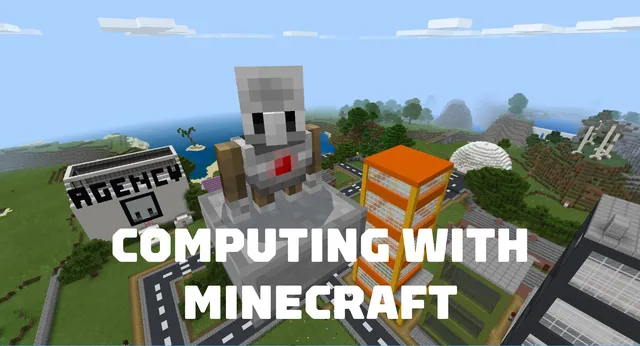
Using Minecraft as a live coding environment, students work with builder blocks to transform their world. Over three structured lessons, learners program a zoo entrance, construct walking paths, and code safe animal enclosures within their Minecraft city.
Learning objectives
By the end of this lesson students will be able to:
- Construct a zoo entrance, paths, and animal enclosures using block code.
- Utilize builder blocks to alter and shape the Minecraft world.
- Recognize that problems can be solved in multiple ways through code.
- Combine several coding concepts using design thinking to finish large projects.
Blocks and items used in this lesson


Key vocabulary
- Builder Blocks
- Coding blocks in Minecraft used to automatically position, place, and construct structures.
- Efficiency
- Finding an organized coding method that solves a problem with fewer or simpler steps.
- Design Thinking
- A creative problem-solving process used to plan, test, and improve projects.
Before class
Lesson sequence
Suggested timing: about 60 minutes in total.
- Concept Introduction10 min
Introduce the zoo project using the prepared classroom presentation. Discuss how coder decisions impact efficiency and introduce the functionality of builder blocks.
- Lesson 1: Zoo Entrance15 min
Direct students to open the world and write code to construct an entrance gate for their zoo, focusing on initial placement and structure design.
- Lesson 2: Zoo Paths15 min
Guide learners to program connecting paths throughout the zoo grounds, encouraging them to find efficient code combinations to lay down walkways.
- Lesson 3: Animal Enclosures15 min
Challenge students to combine their learned coding techniques to build enclosed habitats for zoo animals within their Minecraft city space.
- Review and Assessment5 min
Conduct the formative assessment checks outlined in the educator guide to assess student grasp of builder blocks and problem-solving approaches.
Assessment: success criteria
- Student creates a coded zoo entrance using builder blocks.
- Student successfully codes walking paths across the zoo area.
- Student constructs closed animal enclosures by combining coding concepts.
- Student demonstrates that there is more than one way to achieve a coding result.
Differentiation
Pair students together during the path coding phase and offer guided visual demonstrations of builder block commands.
Encourage students to refine their code so that complex enclosure walls are built using more efficient block sequences.
Knowledge check
5 questions to check understanding after the lesson. Tap an answer to see if it is right; the score appears at the end.
1Which special coding blocks are introduced to help build structures in this unit?
Answer: B. The unit focuses on using builder blocks to help students complete more complex coding tasks.
2What major environment are students coding inside their Minecraft City?
Answer: C. Unit 4 is titled A Zoo and guides students to create entrance gates, paths, and enclosures.
3What is the primary activity in Lesson 2 of this unit?
Answer: A. Lesson 2 is explicitly titled Code Zoo Paths in the unit activities.
4What key idea do students learn about solving coding problems in this unit?
Answer: C. The guiding ideas emphasize that students realize there are multiple ways to solve the same problem efficiently.
5Which of these is the focus of Lesson 3?
Answer: A. Lesson 3 is titled Code Animal Enclosures.
Resources
- Lesson package (.zip)Everything the author attached to this lesson in one download.
- Computing with Minecraft: Unit 4- A ZooEDU Guide and Formative Assessments
- Computing with Minecraft: Unit 4- A ZooClassroom Presentation
- Computing with MinecraftCurriculum Overview
- Lesson worldOpens the world page in Minecraft Education (sign-in with a school account may be needed).
Part of the Computing with Minecraft curriculum
This is lesson 4 of 9 in Computing with Minecraft.
- Unit 1: The Agency
- Unit 2: City Planner
- Unit 3: Parks & Recreation
- Unit 4: A Zoo
- Unit 5: Wind Power
- GameCode
- Hour of Code: Escape Estate
- Hour of Code: Generation AI
- Hour of Code: The Show Must Go On
Frequently Asked Questions
What age and skill level is this unit recommended for?
This unit is designed for beginner students between the ages of 6 and 7.
Where are the formative assessments found?
The formative assessments for each of the three lessons are located at the end of the educator guide in the supporting files.
Adapted from Unit 4: A Zoo by Minecraft Education on Minecraft Education, last updated Sep 15, 2023. This classroom version, the timings and the quiz were written by 9Minecraft Education.