- Type
- Lesson plan
- Subject
- Computer Science & Coding
- Grade
- Middle school (Grades 6-8)High school (Grades 9-12)Adults & educators (Higher education and teacher learning)
- Ages
- Ages 11+
- Duration
- 1 hour
- Level
- Intermediate
How can programmers use conditionals and Boolean logic to help an autonomous vehicle make safe navigation decisions?
Overview
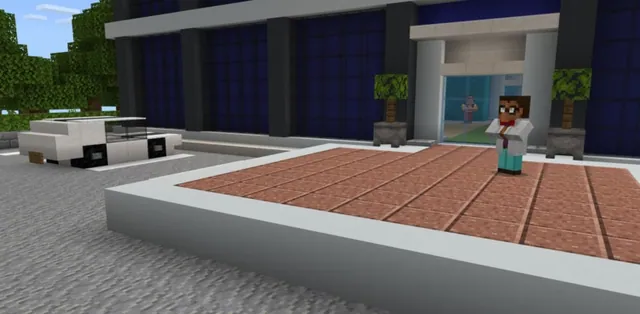
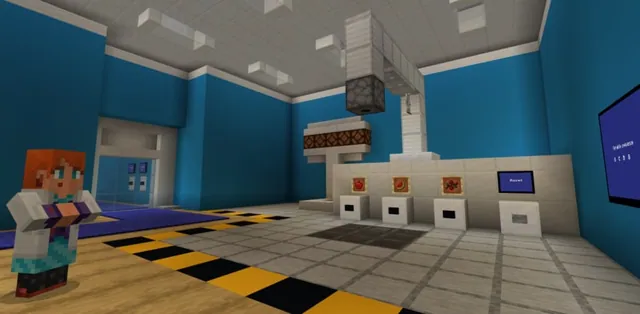
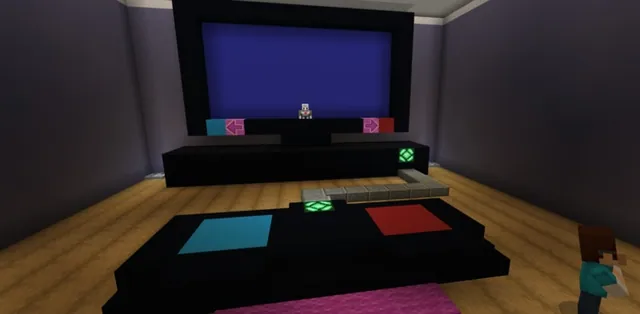
In this lesson, students explore decision-making in computer programming by helping the CodingMine team train their autonomous driving Agent. To prepare the Agent for self-driving scenarios, learners study how to test conditions in code and determine specific actions based on incoming data from the environment.
Students work in a simulated traffic world within Minecraft Education, using Python conditionals and Boolean logic. As they progress through three hands-on challenges, they program the Agent to recognize traffic lights, interpret turn signs, and safely maneuver around randomly placed road obstacles.
Learning objectives
By the end of this lesson students will be able to:
- Explain how Boolean logic represents conditions as true or false
- Construct if, if-else, and elif conditional statements in Python
- Apply comparison operators such as == and the logical operator AND to evaluate conditions
- Program the Agent to detect colors, follow simulated road signs, and navigate around obstacles
Blocks and items used in this lesson


Key vocabulary
- Conditional
- A programming command that runs specific code only when a specified condition evaluates to true or false.
- Boolean Logic
- A system of logic where values evaluate to either true (represented by 1) or false (represented by 0).
- Comparison Operator (==)
- A syntax symbol used to compare a defined value against a game state or coding outcome.
- AND Operator
- A logical operator that verifies whether two separate conditions are both true before executing an action.
Before class
Lesson sequence
Suggested timing: about 60 minutes in total.
- Concept Introduction10 min
Introduce the lesson scenario: CodingMine needs help preparing their Agent to operate as a self-driving car. Use the accompanying presentation to present conditionals, the if, if-else, and elif structure, and Boolean logic (where 1 represents true and 0 represents false).
Explain how the double equals operator (==) compares conditions and how the AND operator checks that two separate conditions are met.
- Activity 1: Stop and Go15 min
Direct students to help the Agent interpret simulated traffic lights along a track:
- Part 1: Code the Agent to continue moving forward whenever green blocks are detected to its left.
- Part 2: Program the Agent to halt when a red block appears to its left.
- Part 3: Add logic so the Agent pauses for 2 seconds upon detecting a yellow block to its left before continuing toward the gold finish.
- Activity 2: Is It Left or Right?15 min
Challenge students to program the Agent to navigate simulated city streets. Students write conditional logic that reads road signs placed along the route, directing the Agent to stop and turn left or right according to the sign instructions.
- Activity 3: Getting Through15 min
Students write obstacle detection code that guides the Agent across a simulated course containing randomly positioned blocks. When the Agent detects a block, that block is highlighted, and the Agent must find a clear path to reach the finish regardless of block positions.
- Review and Formative Assessment5 min
Gather the class to reinforce key computational concepts. Ask students the lesson check questions regarding Boolean 1 and 0 values, conditional definitions, the AND operator, and the double equals syntax.
Assessment: success criteria
- The Agent correctly identifies green, yellow, and red blocks to continue, wait 2 seconds, or stop.
- The Agent successfully evaluates road sign conditions to make correct turns along the course.
- The Agent detects, highlights, and bypasses randomly placed obstacle blocks to reach the goal.
- The student correctly explains the function of the == comparison operator and the AND logical operator during discussion.
Differentiation
Walk through the syntax of the if-elif-else statements using the presentation slides before students code the traffic light and road sign checks.
Encourage students to optimize their obstacle avoidance code in Activity 3 to handle any unexpected layout of obstacle blocks with minimal repeated commands.
Knowledge check
5 questions to check understanding after the lesson. Tap an answer to see if it is right; the score appears at the end.
1In Boolean logic, what do the values 1 and 0 represent?
Answer: B. In Boolean logic, 1 represents true and 0 represents false.
2What is the primary function of a conditional statement in Python?
Answer: A. Conditionals are commands that run specific blocks of code depending on whether something evaluates to true or false.
3What does the AND operator check in a conditional statement?
Answer: B. The AND operator evaluates whether both conditions are true at the same time.
4What does the double equals syntax (==) do in code?
Answer: D. The double equals operator compares a defined condition against the game world or an evaluated code outcome.
5In Activity 1, how is the Agent programmed to respond to a yellow block on its left?
Answer: B. Part 3 of Activity 1 requires the Agent to wait for 2 seconds when detecting a yellow block to its left and then proceed to the gold block.
Resources
- Lesson package (.zip)Everything the author attached to this lesson in one download.
- Python 101-Lesson 6: Driving AroundEDU Guide
- Python 101-Lesson 6: Driving AroundPresentation
- Programming with PythonCurriculum Overview
- Lesson worldOpens the world page in Minecraft Education (sign-in with a school account may be needed).
Part of the Python 101 curriculum
This is lesson 6 of 10 in Python 101.
- Python 101 with MakeCode - Lesson 1
- Python 101 with MakeCode - Lesson 2
- Python 101 with MakeCode- Lesson 3
- Python 101 with MakeCode - Lesson 4
- Python 101 with MakeCode - Lesson 5
- Python 101 with MakeCode - Lesson 6
- Python 101 with MakeCode - Lesson 7
- Python 101 with MakeCode - Lesson 8
- Python 101 with MakeCode - Lesson 9
- Python 101 with MakeCode - Lesson 10
Frequently Asked Questions
What curriculum materials support this lesson?
This lesson includes an educator guide, a step-by-step classroom presentation using the gradual release model, and a Curriculum Overview found under the Supporting Files section.
What age group is this lesson intended for?
The lesson is structured for intermediate coders aged 11-13, 14-18, and 18+, with curricular alignment notes specifically provided for Upper Secondary students in grades 9-12.
Adapted from Python 101 with MakeCode - Lesson 6 by Minecraft Education on Minecraft Education, last updated Feb 4, 2025. This classroom version, the timings and the quiz were written by 9Minecraft Education.