- Type
- Lesson plan
- Subject
- Computer Science & Coding
- Topics
- Computer Science
- Ages
- Ages 8-18
- Duration
- about 65 min (suggested)
How can conditional loops allow the Agent to interact with and respond to its environment?
Overview
Conditional loops allow computer programs to repeat instructions based on live environmental data rather than a fixed count. By utilizing while conditions, coders instruct programs to evaluate states as true or false continuously, making automated tasks adaptable to their surroundings.
In this lesson, learners use Minecraft Education and the MakeCode editor to command the Agent. Students can choose between Blocks, JavaScript, or Python across three progressive challenges before applying conditional loops to an automated life science farming task.
Learning objectives
By the end of this lesson students will be able to:
- Explain the role of conditions and the while command in coding loops.
- Program the Agent to repeat actions based on environmental conditions.
- Apply conditional loops to automate crop cultivation along a designated plot.
Blocks and items used in this lesson


Key vocabulary
- Condition
- The state of an object or environment that evaluates to true or false.
- Conditional Loop
- A programming structure that repeats actions as long as a specified condition is true.
- While
- A programming statement used to keep a loop executing until a condition changes.
Before class
Lesson sequence
Suggested timing: about 65 minutes in total.
- Warm-up and Discussion10 min
Introduce conditional decision-making through real-life scenarios, such as turning a door handle only when a door is closed or wiping surfaces only where a spill is visible.
Discuss how computers make similar choices by checking whether a statement is true or false before repeating an action.
- Tiered Coding Tutorials30 min
Students open MakeCode, choose their preferred language (Blocks, JavaScript, or Python), and work through one or all of the tutorials based on difficulty:
- Tutorial 1 - Novice (5 min): Code the Agent to clear a blocked passage.
- Tutorial 2 - Intermediate (10 min): Program the Agent to construct a bridge across an obstacle.
- Tutorial 3 - Expert (15 min): Guide the Agent through a winding spiral layout.
- Applied Science Challenge20 min
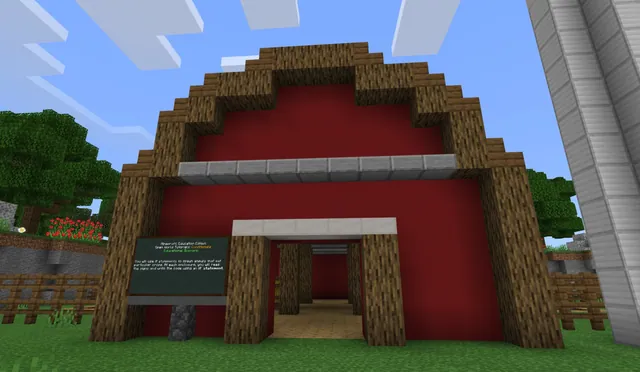
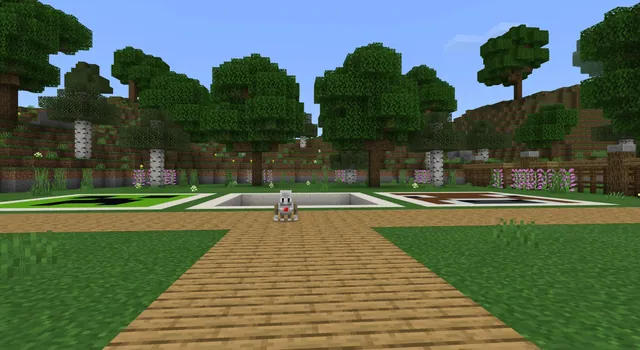
Students apply conditional loops to a life science farming scenario. Working along a plot measuring 1 block wide by 40 blocks long, learners program the Agent to automatically till the land, sow seeds, and apply bone meal to support crop growth.
- Review and Assessment5 min
Regroup to evaluate student understanding of conditional logic. Review the role of the while command and prompt learners to explain how their code responded to environmental conditions.
Assessment: success criteria
- The student defines a condition as a state that evaluates to true or false.
- The student explains how a while loop continues repeating actions until a condition changes.
- The student programs the Agent to navigate, clear, or build in at least one tutorial challenge.
- The student creates a functional conditional loop that tills, plants, and fertilizes a 1x40 block farm row.
Differentiation
Learners needing additional guidance can use the visual Blocks editor and focus on completing the five-minute Novice passage-clearing tutorial.
Students seeking an extra challenge can complete all three tutorial levels in JavaScript or Python before scripting the 40-block farming task.
Knowledge check
5 questions to check understanding after the lesson. Tap an answer to see if it is right; the score appears at the end.
1What is a condition in computer programming?
Answer: B. A condition describes the state of an object or environment that evaluates to true or false.
2How does a conditional loop determine when to run?
Answer: A. A conditional loop continues to perform tasks as long as its designated condition stays true.
3Which keyword is highlighted in the lesson for constructing conditional loops?
Answer: C. The lesson emphasizes the importance of using while with conditional loops.
4What three items does the Agent use during the life science farming activity?
Answer: D. Students program the Agent to farm the plot using a hoe, seeds, and bone meal.
5What are the dimensions of the farming plot in the application task?
Answer: B. The educational farming activity takes place on a row plot measuring 1 block by 40 blocks.
Resources
Part of the Coding Tutorials curriculum
This is lesson 2 of 9 in Coding Tutorials.
- Unit 2: Events
- Conditional Loops
- Conditionals
- Events
- Events in Programming
- For Loops & Nested Loops
- Functions
- Sequencing
- Variables
Frequently Asked Questions
Which programming languages are supported in these activities?
Students can write their programs using visual Blocks, JavaScript, or Python within the MakeCode editor.
Are students required to finish every tutorial?
No, students have the option to pick a single tutorial matching their skill level or attempt all three tutorials before completing the farming challenge.
How long does the entire lesson take?
Completing all three tutorials along with the applied agricultural activity takes approximately one hour.
Adapted from Conditional Loops by Minecraft Education on Minecraft Education, last updated Feb 4, 2025. This classroom version, the timings and the quiz were written by 9Minecraft Education.