- Type
- Lesson plan
- Ages
- Ages 8-13
- Duration
- about 3 hours (suggested)
How does solar energy benefit the ISS, and how can code direct an Agent to build and repair solar panels?
Overview
In this lesson, students investigate the fundamentals of solar energy and discover how it provides vital electrical power to the International Space Station (ISS). Through hands-on experiments, learners build solar ovens to cook food with sunlight and simulate the physical hurdles astronauts face when making manual repairs wearing bulky space gloves.
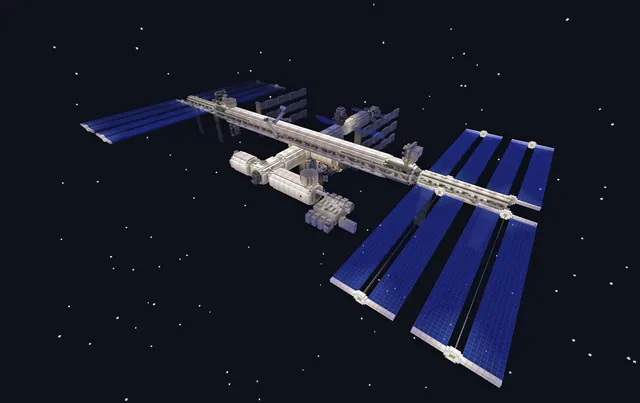
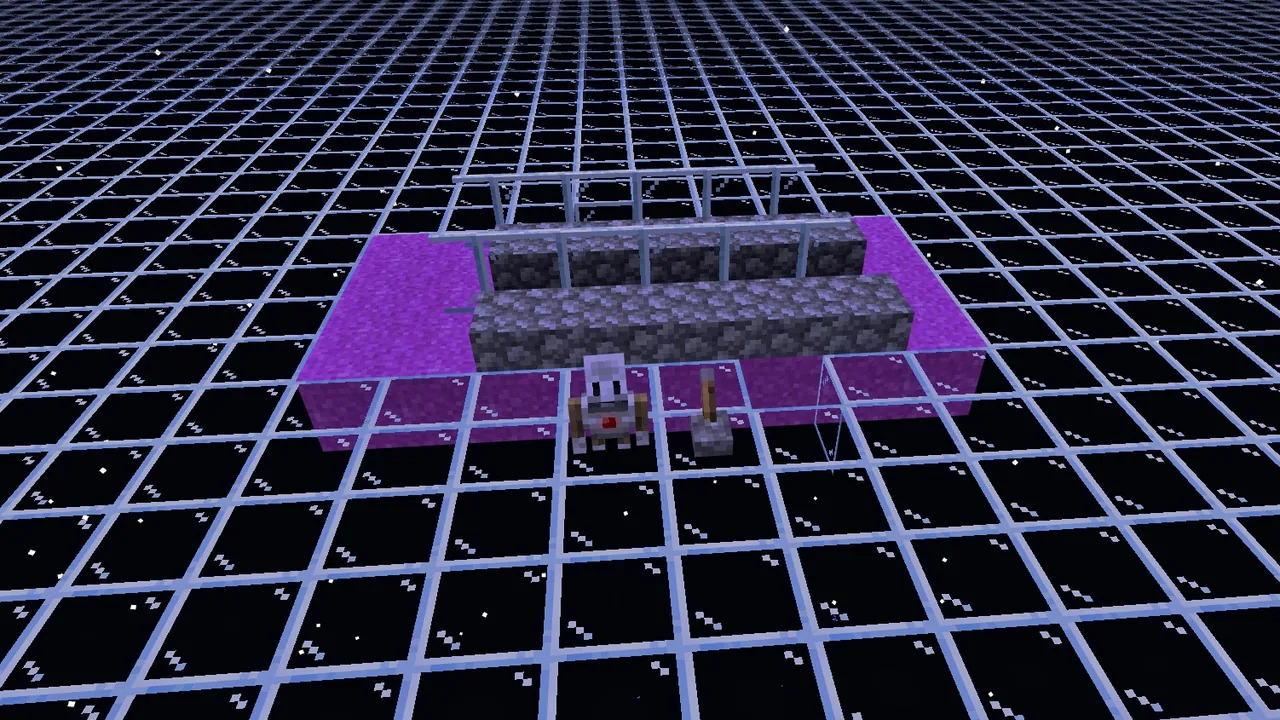
Students then take their problem-solving into Minecraft by working in a flat world to model solar arrays inspired by real ISS designs. Using block-based or text programming, teams instruct their Agent to construct solar panels from scratch and systematically detect and replace damaged or missing components.
Learning objectives
By the end of this lesson students will be able to:
- Explain the role of solar energy in powering the International Space Station.
- Construct a working solar oven to demonstrate how solar energy generates heat.
- Simulate the physical challenges of spacewalk repairs using layered gloves and puzzle pieces.
- Program the Minecraft Agent to construct and replace damaged solar panel blocks.
Blocks and items used in this lesson


Key vocabulary
- Solar Energy
- Energy collected from sunlight that can produce heat or electricity.
- International Space Station (ISS)
- A large research spacecraft orbiting Earth that relies on solar arrays for power.
- Agent
- A programmable robotic helper in Minecraft Education that executes coded commands.
Before class
Lesson sequence
Suggested timing: about 180 minutes in total.
- Day 1: Solar Power and Solar Ovens60 min
Facilitate an opening discussion on how solar power is utilized on Earth and aboard the ISS, recording student knowledge on chart paper. Watch the video How Solar Energy Powers the Space Station to capture additional details.
Have student groups construct solar ovens using pizza boxes, foil, clear page protectors, and black paper. Place s'mores inside, set the ovens in direct sunlight, and log cooking time predictions before eating the finished snacks and reflecting on solar heat transfer.
- Day 2: Spacewalk Glove Simulation60 min
Review how solar arrays power the station and watch Astronauts performed emergency repairs on space station solar energy panel. Direct students to observe the thick gloves worn during extravehicular activities.
Run the Mission X: Crew Assembly activity where students attempt to assemble ~48-piece puzzles while wearing thin cotton and thick winter gloves. Conclude with a class debrief on the physical strain and precision required for manual space repairs.
- Day 3: Coding the Agent to Build and Repair Panels60 min
Have small groups research reference images of ISS solar arrays and enter a flat Minecraft world. Students write code directing the Agent to construct an array that resembles real ISS solar panels.
Once the initial build is complete, have students break specific sections of the array to mimic damage. Teams then update their program so the Agent can detect missing blocks and replace them with functioning panels.
Assessment: success criteria
- Active contribution during discussions concerning solar energy uses on Earth and the ISS.
- Successful completion and reflection on the hands-on solar oven and Mission X glove challenge.
- A functional code script that enables the Agent to construct and repair solar panel structures.
- A Book and Quill entry containing photographs of the build, code screenshots, and process reflections.
Differentiation
Pair students together for the puzzle activity and provide guided pseudocode steps for programming the Agent's movement and block placement.
Challenge advanced students to take their Agent repair code into the Minecraft ISS world and execute repairs on the exterior of the station.
Knowledge check
5 questions to check understanding after the lesson. Tap an answer to see if it is right; the score appears at the end.
1What primary source of power keeps the International Space Station functioning in this lesson?
Answer: B. The lesson focuses on how solar energy captured by panels powers the ISS.
2What is the purpose of wearing cotton and winter gloves during the puzzle challenge?
Answer: D. The Mission X challenge models the physical difficulty astronauts experience when repairing space hardware with bulky gloves.
3What snack do students cook to test thermal solar energy in their pizza box ovens?
Answer: A. Students place graham crackers, chocolate bars, and marshmallows into their solar ovens to make S'mores.
4What in-game assistant do students program in Minecraft to construct and fix solar panels?
Answer: C. Students develop code in Minecraft to make their Agent place and replace panel blocks.
5How do students verify that their Agent can repair damaged solar panels?
Answer: B. Students break sections of their panel build and instruct the Agent to detect and replace missing blocks.
Resources
Part of the International Space Station curriculum
This is lesson 8 of 8 in International Space Station.
- Bone Loss in Space
- Filtering Water on the International Space Station
- International Space Station
- Invisible Forces at Work
- Plants vs. Gravity
- Rockets Away!
- Seeing Earth from the International Space Station
- Solar Panel Setback
Frequently Asked Questions
Can the pizza box solar oven experiment be run as a whole-class demonstration?
Yes. The lesson notes state that the solar oven activity can either be completed in small groups or run collectively as a single classroom demonstration.
Where should students perform their initial Agent coding?
Groups work collaboratively in a flat world first to research, build, and test their solar panel construction and replacement algorithms before attempting extensions in the ISS world.
How do students document and submit their Minecraft work?
Students capture in-game photographs with the camera, take screenshots of their code, and place these artifacts into a Book and Quill, which can then be exported into tools like OneNote, PowerPoint, or Wakelet.
Adapted from Solar Panel Setback by Phygital Labs on Minecraft Education, last updated Jul 28, 2025. This classroom version, the timings and the quiz were written by 9Minecraft Education.