- Type
- Lesson plan
- Subject
- Math
- Topics
- Math & Economics
- Grade
- Early years (Pre-K to Grade 2)Primary (Grades 3-5)Middle school (Grades 6-8)High school (Grades 9-12)
- Ages
- All ages
- Duration
- 30 min
- Level
- Beginner
- Skills
- Creativity
How do real experimental dice rolls compare to expected mathematical outcomes?
Overview
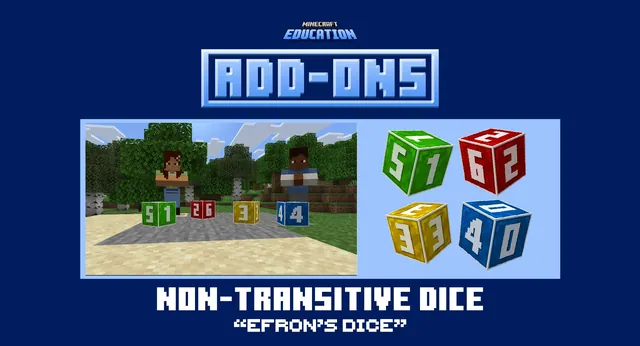
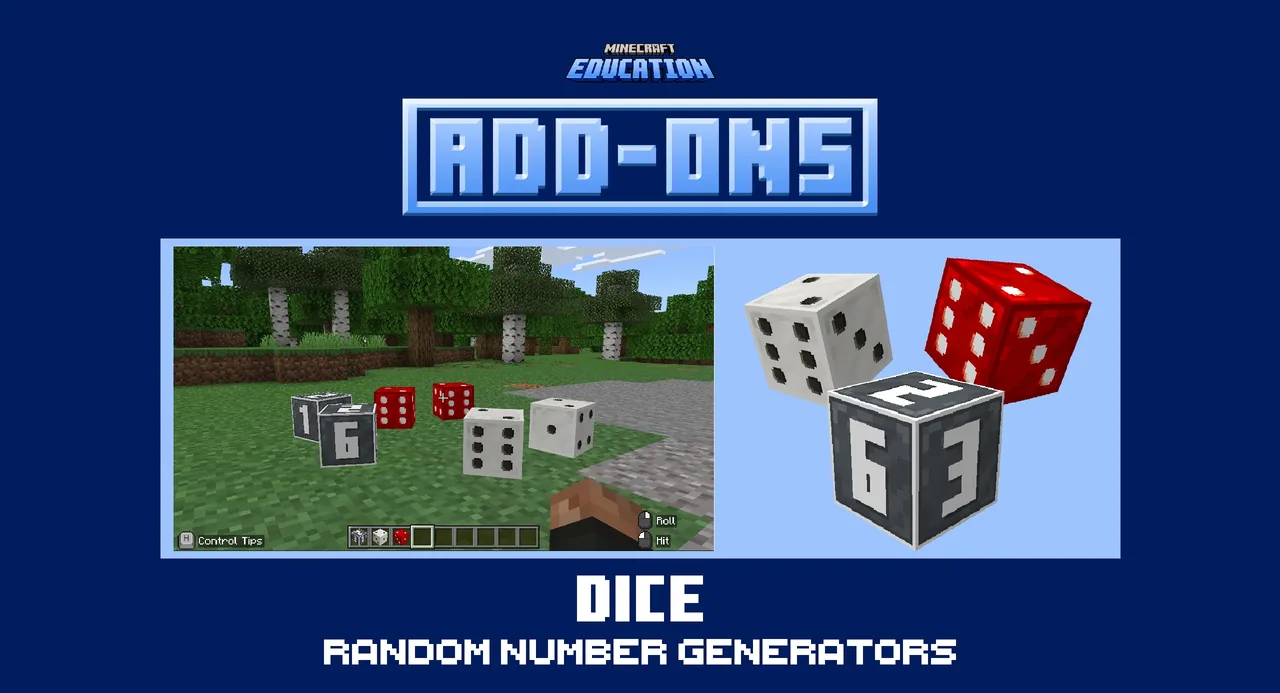
Probability and statistics become concrete when learners can generate, track, and interpret random data firsthand. This lesson utilizes a custom tool pack featuring six-sided dice to introduce randomness and data collection into mathematical investigations.
Within Minecraft Education, students roll dice in various visual styles to produce random results. They tally their rolls, calculate frequencies, compare experimental results against theoretical probability, and use dice rolls to assign tasks or challenge levels.
Learning objectives
By the end of this lesson students will be able to:
- Generate random numbers using the six-sided in-game dice tool pack.
- Record the frequency of dice roll outcomes during classroom trials.
- Compare experimental roll frequencies against expected theoretical outcomes.
- Apply dice rolls to structure roles, tasks, or challenge levels in an activity.
Blocks and items used in this lesson


Key vocabulary
- Random Number Generator
- A system or tool that produces unpredictable numerical results.
- Frequency
- The number of times a particular outcome occurs during an experiment.
- Experimental Outcome
- The actual observed result gathered from conducting trials.
- Expected Outcome
- The result predicted by mathematical probability before trials occur.
Before class
Lesson sequence
Suggested timing: about 30 minutes in total.
- Introduction5 min
Introduce the dice tool pack and demonstrate how rolling acts as a random number generator. Review the concept of six possible outcomes and explain the goal of collecting roll data.
- Data Collection15 min
Have students roll their chosen style of six-sided dice repeatedly. Learners record each roll on a tally chart to determine the frequency of each number from one to six.
- Comparison and Application10 min
Lead a discussion comparing experimental roll frequencies to expected probability. Demonstrate how these rolls can also be applied to assign roles, tasks, or challenge levels in the world.
Assessment: success criteria
- Student successfully rolls the in-game dice to produce random values.
- Student records an accurate frequency chart of their roll results.
- Student identifies differences between observed roll totals and theoretical expectations.
- Student uses dice outcomes to determine tasks or challenge levels.
Differentiation
Pair students together so one rolls the die while the other logs the tally marks on paper.
Ask fast finishers to combine data across multiple groups to see if larger sample sizes match expected outcomes more closely.
Knowledge check
5 questions to check understanding after the lesson. Tap an answer to see if it is right; the score appears at the end.
1How many sides do the dice in this tool pack have?
Answer: B. The add-on provides six-sided dice for classroom use.
2How many visual styles of dice are included in this add-on?
Answer: C. The resource pack includes six-sided dice in three distinct styles.
3What core mathematical concept do students investigate when recording roll results?
Answer: B. The lesson focuses on tracking frequencies and comparing experimental outcomes to expected probabilities.
4In this lesson, what function does the dice add-on serve inside Minecraft?
Answer: A. The dice operate as an in-game random number generator for classroom activities.
5Besides probability tracking, how can the dice be used in classroom activities?
Answer: D. The source suggests rolling dice to assign group roles, tasks, or difficulty tiers.
Resources
- Lesson package (.zip)Everything the author attached to this lesson in one download.
- Teachers GuideTeacher's guide to help you get started using Add-Ons in the classroom.
- Dice Add‑on (Tool Pack) Add-OnUnzip and open the mcaddon in Minecraft Education to add the Dice Add‑on (Tool Pack) Add-On
Part of the Add-ons in the Classroom curriculum
This is lesson 1 of 12 in Add-ons in the Classroom.
- Dice Add‑on (Tool Pack) Add-On
- Egyptian NPC Pack (NPC Pack) Add-On
- Greek NPC Pack (NPC Pack) Add-On
- Greek Skin Pack (Skin Pack) Add-On
- Math Chests Division (Tool Pack) Add-On
- Math Chests Multiplication (Tool Pack) Add-On
- Non-transitive Dice (Tool Pack) Add-On
- Number Blocks (Block Pack) Add-On
- Number Shape Blocks (Block Pack) Add-On
- Roman (NPC Pack) Add-On
- Roman Architecture (Structure Pack) Add-On
- Roman Skin Pack (Skin Pack) Add-On
Frequently Asked Questions
Does this activity require downloading a specific custom world?
No custom world is required because this resource functions as an add-on tool pack that can be loaded into any world.
What support materials are available for setup?
Teachers can watch the included how-to video and refer to the downloadable Teachers Guide for step-by-step guidance.
Adapted from Dice Add‑on (Tool Pack) Add-On by Minecraft Education on Minecraft Education, last updated Apr 9, 2026. This classroom version, the timings and the quiz were written by 9Minecraft Education.