How can we recreate essential spaces in our school using Minecraft to help new students feel welcome?
Overview
Welcoming newcomers into a school community requires empathy, clear communication, and an understanding of shared spaces. In this lesson, students reflect on which school areas matter most to them and why those locations are essential for incoming peers to know.
Working collaboratively, learners research interesting campus details, sketch building blueprints on graph paper, and translate their real-world environment into Minecraft. This project serves as an introductory problem-based learning experience where students practice spatial mapping and cooperative problem-solving.
Learning objectives
By the end of this lesson students will be able to:
- Identify and research key locations within the school that are essential for new students to know.
- Translate real-world architectural layouts onto graph paper before digital construction.
- Construct an accurate, clear representation of at least one school area inside Minecraft.
- Collaborate with peers to resolve differing ideas and assist one another throughout the design process.
Blocks and items used in this lesson


Key vocabulary
- Transpose
- To transfer or map something from one form or place into another, such as real architecture into a digital model.
- Community
- A group of people living or interacting together in a shared space, such as a school.
- Problem-Based Learning
- A teaching approach where students learn by actively solving a realistic, open-ended challenge.
- Collaboration
- Working cooperatively with others to achieve a common goal, especially when blending different perspectives.
Before class
Lesson sequence
- Brainstorm and Select Campus Locations
Introduce the guiding question of welcoming new students. Have students brainstorm and list locations across the school that are meaningful or essential for newcomers to find. Discuss why helping new members feel comfortable matters to the school community.
- Research Campus Facts
Ask students to investigate their chosen areas further. Encourage them to uncover interesting details, historical facts, or specific activities that occur in those rooms that they may not have previously known.
- Draft Outlines on Graph Paper
Before opening Minecraft, have students map their real-world building spaces onto grid paper. Learners draw scaled outlines and plan where key features belong to make digital transposing easier.
- Build in Minecraft
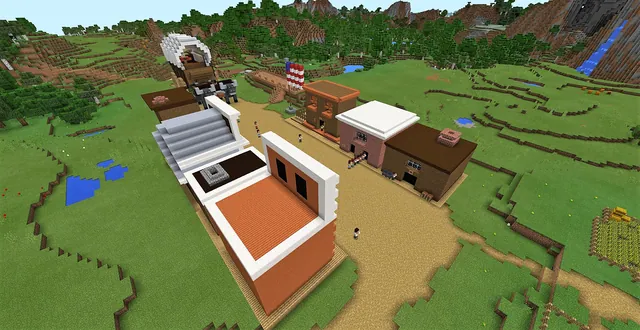
Students launch Minecraft and build their designated school area based on their graph paper plans. Emphasize clarity and accuracy so that a new student viewing the world could easily recognize and navigate the real space.
- Collaborative Review and Reflection
Learners tour each other's spaces to offer help, provide feedback, and resolve conflicting design ideas constructively. Conclude with a reflection on how digital mapping supports welcoming others into the community.
Assessment: success criteria
- Student selects and explains the importance of at least one school area for incoming peers.
- Student produces a graph paper outline mapping reality to a grid before constructing.
- Student recreates at least one school area in Minecraft clearly showcasing its key features.
- Student demonstrates constructive collaboration with classmates when sharing or debating ideas.
Differentiation
Pair learners together to focus on a smaller, distinct school room and assist each other with grid mapping.
Challenge learners to research additional background facts about their area and incorporate informative signage into their digital build.
Knowledge check
5 questions to check understanding after the lesson. Tap an answer to see if it is right; the score appears at the end.
1What is the main purpose of building the school in Minecraft for this project?
Answer: B. The lesson focuses on showcasing important features of the school to welcome and guide new students.
2What planning step should students complete before building their area in Minecraft?
Answer: A. The student activities require drawing the outline on graph paper before constructing in Minecraft.
3How are students expected to handle conflicting ideas during group design?
Answer: C. A core learning objective is learning to collaborate effectively when handling conflicting ideas.
4What should students investigate about their selected school location before constructing?
Answer: D. Students are instructed to find out more about the area, including unknown facts or interesting events that happen there.
5What is the minimum building requirement for the lesson's performance expectation?
Answer: B. The performance expectations state that students are expected to create at least one area showing what the school offers.
Frequently Asked Questions
Is there a starter world provided for this lesson?
No, there is no downloadable world template included. Teachers can set up a blank or flat world for students to start building their school areas from scratch.
What age group is this lesson appropriate for?
The source indicates this lesson can be adapted across a wide spectrum of grade bands, ranging from early childhood through secondary school (ages 3-18).
How does this lesson serve as an introduction to Minecraft in the classroom?
The activity is designed as a preliminary test lesson for problem-based learning, allowing teachers and students to explore spatial mapping and teamwork without requiring prior game mastery.
Adapted from Our School by Joy Hagelthorn on Minecraft Education, last updated Feb 9, 2018. This classroom version, the timings and the quiz were written by 9Minecraft Education.