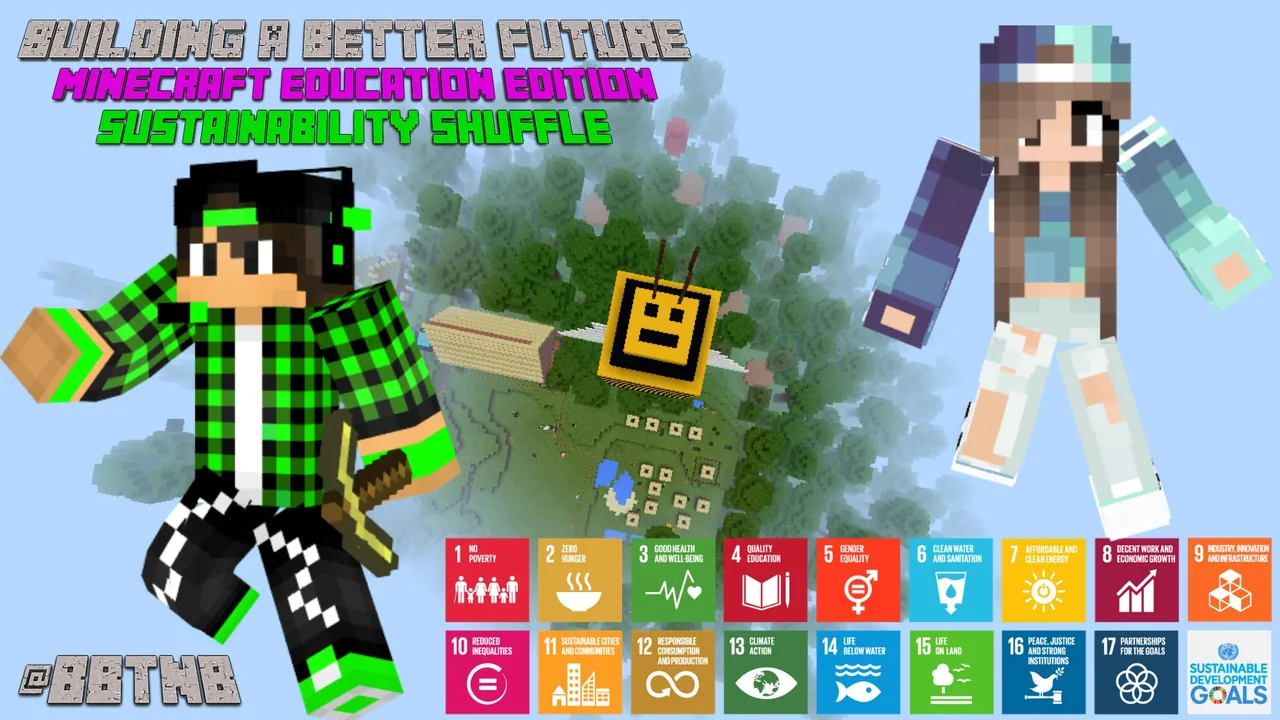
How can we design and model viable solutions in Minecraft to help achieve the United Nations Sustainable Development Goals?
Overview
The United Nations Sustainable Development Goals for 2030 offer a roadmap for tackling urgent global challenges in climate science, conservation, and community leadership. In this project, students explore how young people from around the world have proposed solutions to these issues over a two-year span, building awareness of real-world problems and creative approaches to solving them.
Minecraft Education serves as an open design space where learners transform research into tangible prototypes. After exploring reference videos, research sites, and previous student projects, learners design, construct, and present their own viable solutions, answering in-depth questions about their design choices and their potential real-world impact.
Learning objectives
By the end of this lesson students will be able to:
- Investigate the United Nations Sustainable Development Goals for 2030 using research websites and video media.
- Evaluate student-created solutions developed over a two-year period across the globe.
- Build a viable solution for a chosen or assigned Sustainable Development Goal target in Minecraft.
- Present the completed model locally or online while answering deeper questions about the design process.
Blocks and items used in this lesson


Key vocabulary
- Sustainable Development Goals (SDGs)
- A collection of global objectives set by the United Nations to improve the world by 2030.
- Viable Solution
- An idea or design that is practical, realistic, and capable of working successfully.
- Structure Block
- A specialized block in Minecraft used to capture, save, and export 3D models.
- Augmented Reality (AR)
- Technology that overlays a digital 3D model onto the real world through a camera or tablet screen.
Before class
Lesson sequence
- Introduction and SDG Research
Introduce the United Nations Sustainable Development Goals for 2030. Provide students with curated websites and video media to help them understand specific targets related to climate science, leadership, and community well-being.
- Examining Past Builds
Share examples of student-created SDG builds from around the world collected over the last two years. Guide learners to discuss what makes those models functional, creative, and viable.
- Solution Planning and Construction
Have students select or receive a target SDG. Working in Minecraft Education, students plan and construct a prototype that offers a realistic solution to their assigned challenge.
- Deeper Questioning and Probing
While students build and refine their creations, pose deeper questions to test their logic. Encourage them to explain how their build functions and how it directly aids the SDG target.
- Presenting and Sharing
Organize a showcase where students present their models to classmates or publish them online. Where devices allow, encourage learners to use structure blocks to export their models into augmented reality.
Assessment: success criteria
- The student constructs a model that directly addresses a specific Sustainable Development Goal target.
- The student clearly explains the design and function of their solution during presentations.
- The student provides thoughtful responses to deeper questioning about their build process and product.
- The student demonstrates evidence of research drawn from the provided media and past build examples.
Differentiation
Assign a single, concrete SDG target and provide guiding challenge cards to help structure the initial planning phase.
Challenge students to use structure blocks to export their finished solution into augmented reality and present it using a tablet.
Knowledge check
5 questions to check understanding after the lesson. Tap an answer to see if it is right; the score appears at the end.
1What global framework forms the foundation of this lesson?
Answer: B. The lesson focuses on raising awareness and designing solutions for the United Nations Sustainable Development Goals for 2030.
2What should students review before starting their own Minecraft builds?
Answer: A. The lesson plan directs students to explore two years of past student SDG builds from around the world.
3Which block is suggested for exporting models into augmented reality (AR)?
Answer: C. The source notes that students can use structure blocks to export their builds to AR.
4What must students do both during and after completing their builds?
Answer: B. Guiding ideas and activities require students to answer deeper questions while working on and after finishing their builds.
5Where can students present their finished SDG solutions?
Answer: A. The objectives ask students to present their solutions either in a local small setting or globally online.
Resources
- Lesson package (.zip)Everything the author attached to this lesson in one download.
- LESSON PLANLesson plan guide here
- Questioning DeeperDeeper question examples for during and after build.
- Extension to SDG Challenge Cards17 Challenge cards asking students to build a solution for a specific SDG target. If you loved the Sustainability Shuffle you'll love these.
Frequently Asked Questions
Is there a required world template download for this lesson?
No, this lesson does not require a downloadable world file. Students can design and build their solutions in any creative or flat Minecraft world.
What materials help support deeper reflection during the build?
The lesson includes supporting files titled Questioning Deeper and Extension to SDG Challenge Cards to prompt students throughout the design process.
How can augmented reality be integrated into this project?
Students can use in-game structure blocks to export their 3D creations and view them using augmented reality tools on compatible devices such as Surface tablets.
Adapted from The Sustainability Shuffle by Benjamin Kelly on Minecraft Education, last updated Oct 9, 2019. This classroom version, the timings and the quiz were written by 9Minecraft Education.