- Type
- Lesson plan
- Ages
- Ages 8-18
- Includes
- Quiz: 5 questionsMinecraft world
How can digital design tools help production teams visualize and refine physical theater spaces for an audience and cast?
Overview
Stage design, or mise-en-scène, requires theater production teams to consider how physical space, actor movement, and audience sightlines interact to tell a compelling story. This project introduces learners to production pathways in the dramatic arts by challenging small teams to conceptualize and map out a functional theatrical stage for a specific performance.
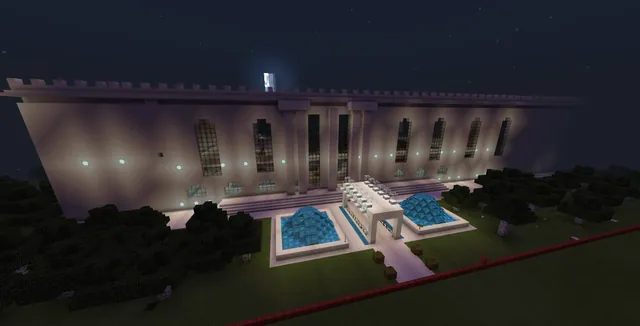
Using a shared Minecraft Education world containing pre-built theater rooms, teams translate hand-drawn graph paper designs into three-dimensional virtual models scaled at 25 centimeters per block. Students construct performance areas, seating, backdrops, lighting, and props before capturing photographs and exporting their sets via structure blocks for digital presentation or 3D printing.
Learning objectives
By the end of this lesson students will be able to:
- Design a functional theatrical mise-en-scène on a 32x32 planning grid.
- Construct a scaled stage environment in Minecraft incorporating seating, lighting, backdrops, and props.
- Collaborate within a design team to establish performance themes, actor entrances, and audience sightlines.
- Export and document the finished virtual stage using structure blocks and the in-game camera.
Blocks and items used in this lesson


Key vocabulary
- Mise-en-scène
- The arrangement of scenery, props, and stage elements to set the visual tone of a theatrical production.
- Structure Block
- A specialized block in Minecraft used to capture, save, and export 3D models.
- Sightline
- The clear line of vision between an audience member and the performance area.
- Scale
- The proportional ratio comparing measurements in a model to real-world dimensions.
- Backdrop
- A painted cloth or structure hung at the back of a stage to establish setting.
Before class
Lesson sequence
- Production Concept and Brainstorming
Organize students into collaborative teams of 3 to 4 designers and have each group select a team name. Teams discuss their theatrical vision, deciding on the play's theme, storyline, scenic setting (such as a castle, forest, or spaceship), audience seating arrangement, and entry and exit routes for the actors.
- Hand-Drawn Layout Drafting
Before building in the digital world, teams draft their stage layout on 32x32 grid paper using pencils and rulers. Encourage students to iterate and test multiple arrangements to ensure functional audience sightlines and logical movement corridors for performers.
- Virtual Stage Construction
Students log in to Minecraft Education and enter the shared flat world titled 'Theatre'. Each group selects one 32x32 block room (representing an 8m by 8m room where each block equals 25cm) and builds exclusively within that space. Learners build out the stage, audience seating, backdrops, lighting rigs, cameras, and key props.
- Documentation and Exporting
Teams capture their set from various perspectives using the in-game camera, flying up slightly to compensate for the smaller scale of the player character. Finally, groups locate the structure block positioned in the front corner of the room to export their finished 3D model for detailing in Paint 3D, online sharing, or 3D printing.
Assessment: success criteria
- The 32x32 graph paper layout clearly establishes stage boundaries, actor access points, and audience seating.
- The in-game Minecraft build accurately translates the team's blueprint to scale with props, lighting, and backdrops.
- All members contribute actively to group planning, production choices, and building tasks.
- The completed set is captured using in-game photography and exported successfully via a structure block.
Differentiation
Provide a pre-marked grid template with basic stage and seating zones so students can concentrate on placing essential props and actor entryways.
Have students open their exported 3D model in Paint 3D to add custom painted surface details and prepare the design for physical 3D printing.
Knowledge check
5 questions to check understanding after the lesson. Tap an answer to see if it is right; the score appears at the end.
1What grid dimensions do students use for their initial hand-drawn stage layout?
Answer: B. The planning blueprint is sketched on 32 x 32 graph paper to match the dimensions of the Minecraft theater rooms.
2In the provided 'Theatre' world, what real-world measurement does one Minecraft block represent?
Answer: C. Each 32-block room represents an 8m by 8m space, which means one block equals 25 centimeters.
3Which in-game item is used to export the completed stage design as a 3D model?
Answer: D. Students navigate to the structure block in the front corner of their room to export their 3D stage model.
4Why should students fly slightly above the ground when taking photos of their stage?
Answer: A. Students are advised to fly up slightly because the player avatar is the size of a small child in this specific build scale.
5What is the recommended group size for stage design teams in this lesson?
Answer: C. The project is structured around small collaborative groups of 3 to 4 designers.
Resources
Frequently Asked Questions
How does the room scale translate to real physical dimensions?
Each room in the world is 32 blocks wide by 32 blocks long, representing an 8-meter by 8-meter theater footprint. At this proportion, every individual block equates to 25 centimeters in real-world measurements.
Does every team need a separate world file?
No. The teacher hosts a single shared flat world named Theatre that contains multiple pre-built rooms, allowing each student team to claim and build within their own assigned room.
What external software can be used after exporting the stage?
Once exported through the structure block, models can be loaded into Paint 3D to paint fine surface details, uploaded to Remix 3D for sharing, or sent to software for physical 3D printing.
Adapted from Quiet on Set! by Lynne Telfer on Minecraft Education, last updated Aug 26, 2021. This classroom version, the timings and the quiz were written by 9Minecraft Education.