- Type
- Lesson plan
- Ages
- Ages 8+
- Duration
- 45 min
- Level
- Beginner
How can teams plan, communicate, and code effectively to create complex 3D hardware models under competitive conditions?
Overview
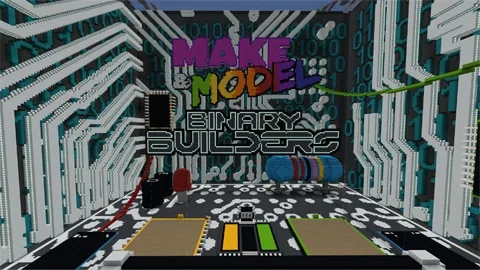
In this lesson, students engage in an esports-style build competition centered on the theme of computer hardware and circuitry. Working in teams, learners coordinate strategies, practice clear communication, and use coding tools to transform ideas into three-dimensional structures under set time constraints.
Using Minecraft Education as a competitive arena, students build themed models or convert geometric representations between two and three dimensions. Classmates participate as builders, analysts, or shoutcasters, then evaluate the final creations using predetermined success criteria and record insights in a dedicated journal.
Learning objectives
By the end of this lesson students will be able to:
- Apply coding and 3D spatial skills to construct a model themed around computer circuitry.
- Collaborate with teammates to establish building strategies and maintain clear communication.
- Evaluate peer builds against defined criteria using in-game voting platforms.
- Reflect on team dynamics and personal strengths within a Professional Play journal to plan future improvements.
Blocks and items used in this lesson


Key vocabulary
- Computer Circuitry
- The internal network of electrical pathways and components that power hardware systems.
- Build Battle
- A competitive timed challenge where teams design and construct models based on a specific theme.
- Success Criteria
- Agreed-upon standards used to guide creation and fairly judge the quality of finished work.
- Shoutcaster
- A commentator who provides live commentary and analysis during an esports competition.
Before class
Lesson sequence
Suggested timing: about 45 minutes in total.
- Introduction and Criteria Setting10 min
Introduce the computer circuitry theme and present the building challenge to the class. Guide students in agreeing upon clear success criteria for evaluating the builds, and organize the class into teams of four to six learners.
- Esports Coding Build Battle20 min
Teams enter the arena and use their coding skills to design and build their circuitry models within the time limit. Spectating students support teams or carry out auxiliary roles such as shoutcasters, media reporters, team coaches, or gameplay analysts.
- Peer Assessment and Voting5 min
Spectators and competing teams examine the completed builds against the agreed criteria. Students then register their votes for the winning creation by moving onto the designated in-game voting platforms within the allotted time.
- Journal Reflection and Goal Setting10 min
Students complete structured reflection questions in their Professional Play journals, examining their communication, teamwork, and personal strengths. Conclude by having learners set actionable goals for their next team competition.
Assessment: success criteria
- The team successfully employs coding to construct a recognizable computer circuitry model in three dimensions.
- Students actively collaborate, assign roles, and communicate effectively during the build phase.
- Peer evaluations are conducted responsibly according to the pre-agreed assessment criteria.
- The Professional Play journal contains thoughtful reflections on personal strengths, teamwork, and improvement targets.
Differentiation
Provide a simple 2D technical drawing of a circuit shape for the team to reference while translating it into 3D blocks.
Have advanced students analyze live match strategies as shoutcasters or reverse-engineer in-game 3D builds into accurate 2D technical drawings.
Knowledge check
5 questions to check understanding after the lesson. Tap an answer to see if it is right; the score appears at the end.
1What is the primary subject theme of this build battle lesson?
Answer: B. The lesson is built around the theme of computer hardware, circuitry, and engineering.
2What is the recommended number of players per team for this activity?
Answer: C. The source explicitly recommends organizing students into teams of 4 to 6 players.
3How do student spectators submit their votes for the winning build?
Answer: A. After the build battle, students cast their votes by standing on allocated in-game voting platforms.
4What tool do students use to document self-evaluations and set goals?
Answer: D. Students record reflections, evaluate their teamwork, and set future targets in a Professional Play journal.
5Which role can a non-building student take on during the build battle?
Answer: B. Spectators can take on production and support roles such as shoutcasters, media reporters, team coaches, or gameplay analysts.
Resources
Part of the Make a Model curriculum
This is lesson 4 of 10 in Make a Model.
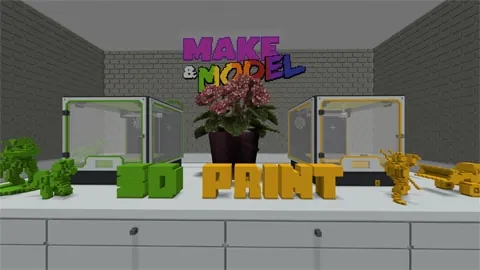
- Make & Model: 3D Print
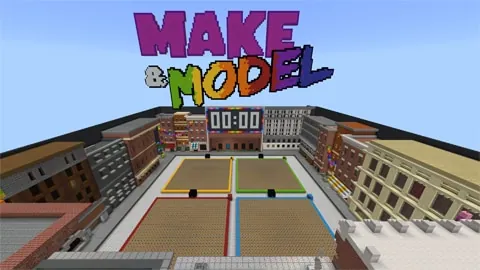
- Make & Model: Practice Plaza X4
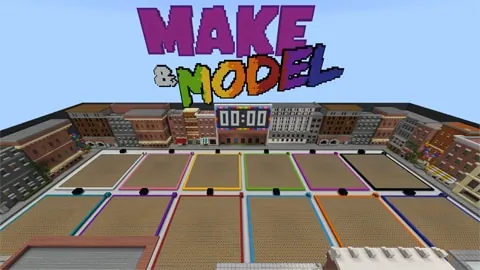
- Make & Model: Practice Plaza X12
- Make & Model: Binary Builders
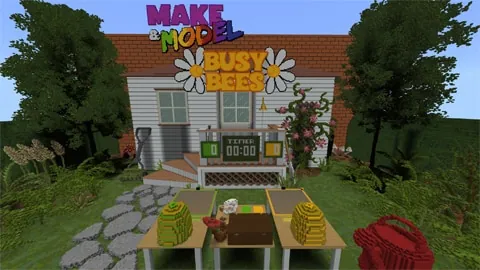
- Make & Model: Busy Bees
- Make & Model: Gold Rush
- Make & Model: NYC Boroughs
- Make & Model: Pirate Cove
- Make & Model: Space Race
- Make & Model: The Lost Library
Frequently Asked Questions
How can I support students who are new to 3D spatial construction?
You can scaffold 3D thinking by giving teams a 2D geometric image to build in the game, or have them practice drawing existing 3D structures on paper before starting the competitive match.
What can students do if they are not on an active building team?
Non-builders can take on active esports production roles, including serving as shoutcasters, live media reporters, gameplay analysts, or team coaches to support their peers.
Adapted from Make & Model: Binary Builders by Minecraft Education on Minecraft Education, last updated Apr 15, 2025. This classroom version, the timings and the quiz were written by 9Minecraft Education.