- Type
- Lesson plan
- Ages
- Ages 8+
- Duration
- 45 min
- Level
- Beginner
How do successful teams communicate, plan, and evaluate their performance during collaborative challenges?
Overview
Collaborative problem-solving and communication are critical components of team success. In this lesson, students explore what makes an effective team by planning, coordinating, and executing creative design tasks under shared evaluation criteria.
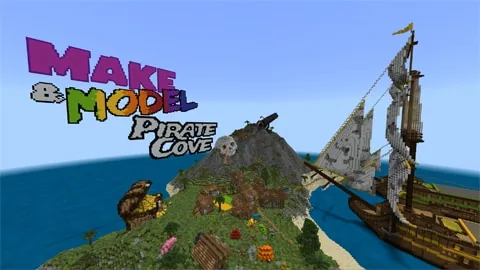
Using the Pirate Cove Minecraft world, teams work aboard two giant pirate ships to complete build battles centered on coding, 3D spatial reasoning, and computational thinking. Non-building peers participate as spectators, analysts, or shoutcasters before evaluating builds on designated voting platforms.
Learning objectives
By the end of this lesson students will be able to:
- Apply coding and 3D spatial thinking skills to complete a collaborative build challenge.
- Establish and apply objective success criteria for peer assessment.
- Demonstrate positive communication and cooperative teamwork within an assigned group.
- Reflect on team performance and personal strengths using a dedicated journal.
Blocks and items used in this lesson


Key vocabulary
- Structure Block
- An in-game block used to capture and export 3D builds for printing or review.
- Peer Assessment
- The process of evaluating classmates' work against predetermined success criteria.
- Shoutcaster
- A commentator who describes gameplay action to spectators during an esports event.
- Computational Thinking
- A structured approach to problem-solving that uses logic, patterns, and step-by-step design.
Before class
Lesson sequence
Suggested timing: about 45 minutes in total.
- Introduction & Criteria Setup10 min
Introduce the challenge aboard the two giant pirate ships. Work with the class to define clear evaluation criteria, or propose a pirate-themed build object. Optionally, challenge teams to translate a 2D geometric shape into 3D space to warm up spatial thinking.
- Team Roles & Planning5 min
Divide learners into teams of 4 to 6 players. Assign remaining students to active spectator roles such as shoutcasters, media reporters, team coaches, or gameplay analysts to observe team communication and strategy.
- Pirate Cove Build Battle15 min
Teams compete on their respective ships using coding, 3D design, and computational thinking to construct their assigned object. Spectators support and analyze gameplay while teachers facilitate active collaboration.
- Voting & Peer Evaluation5 min
Direct students to inspect the completed builds and stand on the designated voting platforms to cast their votes within a set time limit, strictly referencing the agreed success criteria.
- Journal Reflection & Goal Setting10 min
Students record their reflections in their Professional Play journals, evaluating personal strengths, team collaboration, and resilience. Conclude by having students set concrete goals for their next team-based challenge.
Video
Assessment: success criteria
- Student actively collaborates within a 4-to-6 person team to design and build in 3D.
- Student objectively uses established criteria to evaluate peers' builds on voting platforms.
- Student completes a Professional Play journal entry reflecting on personal strengths and teamwork.
- Student utilizes computational thinking or coding within the team build scenario.
Differentiation
Provide simple 2D reference templates and assigned sub-tasks within the team to help learners visualize 3D construction.
Encourage students to use structure blocks to export their designs for 3D printing or assume leadership and gameplay analyst roles.
Knowledge check
5 questions to check understanding after the lesson. Tap an answer to see if it is right; the score appears at the end.
1What is the recommended size for teams competing in the Pirate Cove build battle?
Answer: B. The lesson plan specifically recommends forming teams of 4 to 6 players for the build battle.
2How do students register their votes for the winning team after the build battle?
Answer: C. Student voters cast their votes by standing on designated voting platforms within a set time limit.
3Which tool mentioned in the lesson allows students to export builds for 3D printing?
Answer: A. The introduction notes that builds can be 3D printed using the built-in structure block.
4What document do students create to reflect upon their performance and personal growth?
Answer: D. Students record self-evaluations and reflection notes in a Professional Play journal.
5What role can non-competing students take on during the build battle?
Answer: B. Spectators can act as shoutcasters, media reporters, team coaches, or gameplay analysts during the event.
Resources
Part of the Make a Model curriculum
This is lesson 8 of 10 in Make a Model.
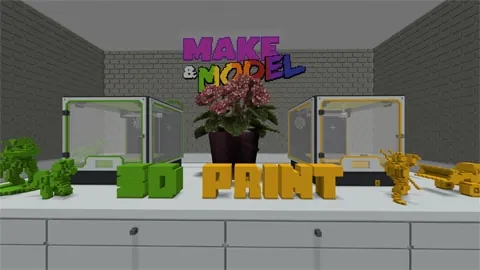
- Make & Model: 3D Print
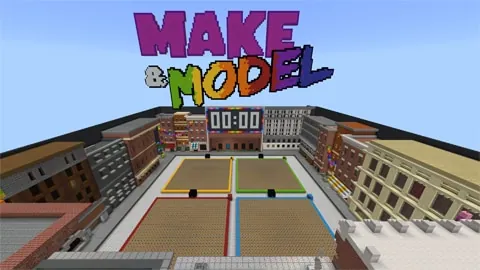
- Make & Model: Practice Plaza X4
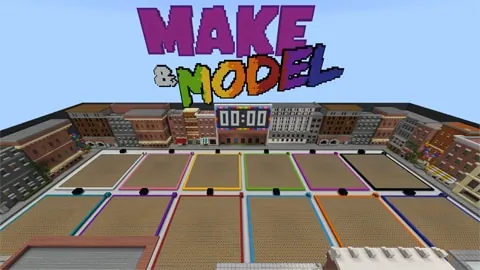
- Make & Model: Practice Plaza X12
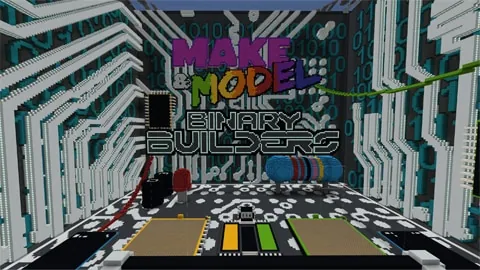
- Make & Model: Binary Builders
- Make & Model: Busy Bees
- Make & Model: Gold Rush
- Make & Model: NYC Boroughs
- Make & Model: Pirate Cove
- Make & Model: Space Race
- Make & Model: The Lost Library
Frequently Asked Questions
Can builds be exported for physical 3D printing?
Yes, the lesson indicates that students can use the built-in structure block to export their completed 3D designs for 3D printing.
What should non-building students do during the match?
Students who are not actively building can participate as shoutcasters, media reporters, team coaches, or gameplay analysts, cheering on teams and studying communication strategies.
Adapted from Make & Model: Pirate Cove by Minecraft Education on Minecraft Education, last updated Apr 15, 2025. This classroom version, the timings and the quiz were written by 9Minecraft Education.