- Type
- Lesson plan
- Ages
- Ages 6-13
- Includes
- Quiz: 5 questionsLesson files
How can we use digital worlds and storytelling tools to share the lessons and experiences gained from places we have explored?
Overview
Holidays and reading offer rich opportunities for students to explore diverse environments and reflect on their personal journeys. In this project, learners look back on their favorite trips, visited attractions, or beloved book settings to consider what those places taught them and why others should explore them.
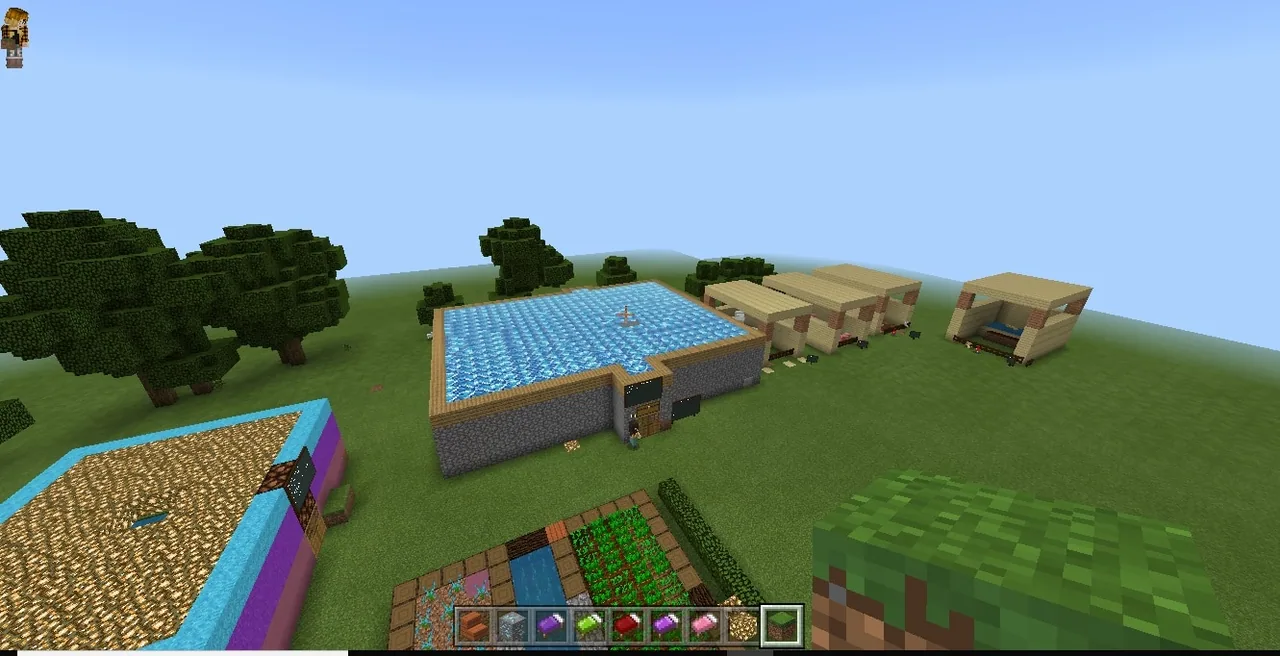
Working in Creative mode, each student recreates their chosen location and designs unique characters or scenes. Using in-game communication tools such as slates, posters, boards, signs, and non-player characters, students narrate their experiences and share their insights through written reflections and oral presentations.
Learning objectives
By the end of this lesson students will be able to:
- Reconstruct a favorite holiday destination, trekking site, farm, resort, or book setting inside Minecraft.
- Design an identifiable character or scene that conveys a personal takeaway or moral message.
- Incorporate in-game storytelling elements such as slates, posters, signs, boards, and non-player characters.
- Deliver a spoken presentation detailing the explored location and produce a written reflection, collage, or animated video.
Blocks and items used in this lesson


Key vocabulary
- Non-Player Character (NPC)
- An interactive in-game character that can be customized to share information or dialogue with visitors.
- Slate
- A small in-game writing board used to present short lines of text or brief instructions.
- Poster
- A medium-sized display board used to convey narrative context or background information.
- Board
- A large display surface in Minecraft suitable for longer descriptions, rules, or messages.
Before class
Lesson sequence
- Brainstorm and Plan
Students select an experience to highlight, such as a farm, resort, fun park, trekking trail, or a setting from a book they read. They reflect on how they found the place, what they learned, and why they would recommend it to others.
- Creative World Construction
Working individually in Creative mode, learners build their chosen environment. They construct identifiable scenes and introduce a character that captures their experience or story.
- Embed Storytelling Tools
Students place text tools throughout their world to guide the viewer:
- Signs and slates for quick observations and labels.
- Posters and boards to provide deeper details about what the place taught them.
- NPCs to deliver spoken lines or guide the audience through the build.
- Reflection and Documentation
Learners summarize their thoughts by writing a short essay, assembling a visual collage, or creating an animated movie about their featured location.
- Student Presentations
Each student delivers a 10 to 15-minute presentation to the class, giving a guided tour of their build and discussing the real-world or literary connections behind it.
Assessment: success criteria
- The world contains a clear, identifiable character or scene that conveys a lesson or value learned.
- The build effectively uses storytelling tools including slates, posters, boards, signs, and NPCs.
- The student delivers a 10 to 15-minute presentation explaining their build and its connection to their chosen place.
- The student submits a completed written essay, collage, or animated movie detailing their reflections.
Differentiation
Provide sentence starters for in-game signs and encourage the student to focus on building a single key structure from their trip or book.
Challenge students to develop multi-stage NPC dialogues and produce an animated video documenting their world's storyline.
Knowledge check
5 questions to check understanding after the lesson. Tap an answer to see if it is right; the score appears at the end.
1Which Minecraft game mode are students instructed to use for this project?
Answer: B. The source specifies that students should construct their world in Creative mode.
2How long should each student's presentation to the class last?
Answer: C. The lesson instructions allocate 10 to 15 minutes for each student presentation.
3Which group of storytelling tools is explicitly required in the source?
Answer: A. The source lists slates, posters, boards, signs, and NPCs as the tools students must use to tell their story.
4Besides the Minecraft build, in what formats can students record their thoughts?
Answer: D. The assessment guidelines state students can pen down thoughts in a small essay, an animated movie, or a collage.
5Which of the following is an approved topic for a student's build?
Answer: C. Guiding ideas include farms, resorts, fun parks, trekking experiences, and stories from favorite books.
Resources
Frequently Asked Questions
Can students collaborate in pairs or small groups?
The source specifies that all students work individually in their own world to reflect on their personal holiday or reading experience.
What options are available for students who did not travel during their break?
Students can build the setting and characters from a favorite book they read rather than a physical vacation spot.
Is there a pre-made world file needed to run this lesson?
No downloadable world is provided with this lesson, meaning students can build directly in a standard Creative mode world.
Adapted from Holiday Adventure by Monica Joshi on Minecraft Education, last updated Jul 13, 2018. This classroom version, the timings and the quiz were written by 9Minecraft Education.