
- Type
- Lesson plan
- Subject
- Computer Science & Coding
- Topics
- Technology
- Grade
- Early years (Pre-K to Grade 2)Primary (Grades 3-5)Middle school (Grades 6-8)High school (Grades 9-12)
- Ages
- All ages
- Skills
- Project Based Learning
- Includes
- Quiz: 5 questions
How can mastering basic controls and building techniques in Minecraft support learning across different school subjects?
Overview
Minecraft Education provides an accessible environment where beginners can quickly learn digital navigation, crafting, and building skills. Mastering these core controls equips both educators and students with the technical confidence needed to complete future classroom projects.
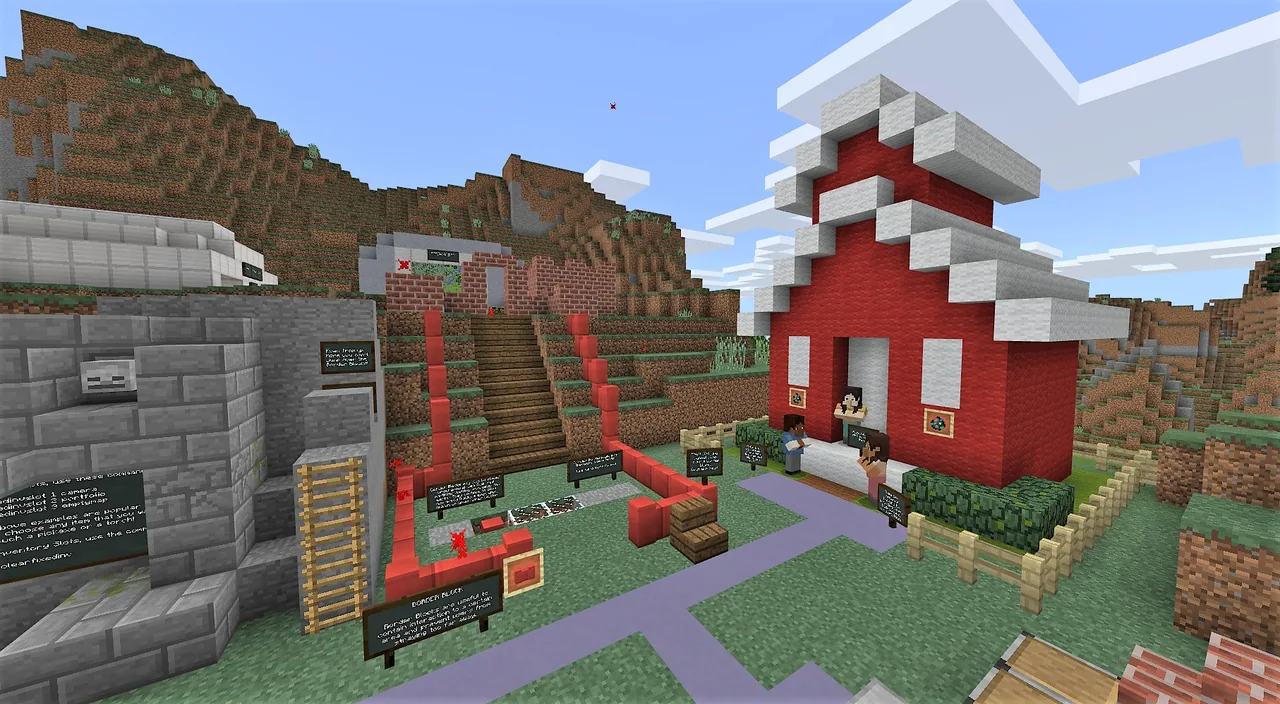
Through pre-built environments like the Tutorial world and Lesson Hub Volume I, learners practice moving, placing blocks, and crafting tools like pickaxes. They also observe how the platform supports diverse curricular concepts such as fractions and storytelling.
Learning objectives
By the end of this lesson students will be able to:
- Navigate a 3D environment by moving in all directions, flying, breaking blocks, and placing blocks.
- Use a crafting table to produce essential items including sticks and pickaxes.
- Construct a starter house using materials chosen from the inventory.
- Examine curriculum-focused examples in Lesson Hub Volume I to identify lesson possibilities.
Blocks and items used in this lesson


Key vocabulary
- Crafting table
- An in-game workstation used to combine gathered ingredients into tools and items.
- Inventory
- The menu where a player stores and selects blocks and tools to use in the world.
- Template world
- A pre-designed world loaded from the game menu to practice skills or complete specific lessons.
Before class
Lesson sequence
- Tutorial World Navigation
Students open the game, select Play, Create New, and load the Tutorial world template. They practice basic movement in every direction, flying, breaking blocks, and placing new blocks into the environment.
- Inventory and Crafting
Learners open their inventory to explore available items and interact with a crafting table. Students practice crafting basic items, focusing on making sticks and a pickaxe.
- First House Construction
Students load into the Town Template or use an open building area to construct their first house. They apply their block placement and inventory skills to finish the structure.
- Curriculum Exploration and Reflection
Students load the Lesson Hub Volume I template world to examine practical lesson examples, such as exploring fractions and the story of the Three Little Pigs. Conclude by discussing what structures connect to current classroom topics.
Assessment: success criteria
- Student successfully completes the movement challenges in the Tutorial world.
- Student demonstrates the ability to move in all directions, fly, place blocks, and break blocks.
- Student successfully crafts a stick and a pickaxe at a crafting table.
- Student builds a complete house structure using inventory materials.
- Student identifies how learning concepts like fractions or stories are illustrated in Lesson Hub Volume I.
Differentiation
Pair students needing help with a partner who can coach them through keyboard, mouse, or touch controls in the Tutorial world.
Have advanced learners design a plan for a custom world that illustrates a topic from another current subject of study.
Knowledge check
5 questions to check understanding after the lesson. Tap an answer to see if it is right; the score appears at the end.
1Which station must be used to craft tools like a pickaxe?
Answer: B. A crafting table is specifically used to assemble materials into items like sticks and pickaxes.
2Which template world presents sample activities for fractions and the Three Little Pigs?
Answer: C. Lesson Hub Volume I contains a collection of learning activities covering math fractions and storytelling.
3What initial structure are students asked to build after exploring their inventory?
Answer: A. The student activities specify exploring the inventory and building your first house.
4Which set of basic physical actions is practiced during the initial tutorial?
Answer: D. The performance expectations state that students should move in all directions, fly, place blocks, and break blocks.
5Which in-game template is suggested to help students when building their first house?
Answer: B. The source suggests using the Town Template found within the game to build the first house.
Frequently Asked Questions
Is prior gaming experience required for students to do this lesson?
No prior experience is necessary, as the lesson relies on the built-in Tutorial world to introduce controls, movement, and crafting from the very beginning.
How can teachers with little Minecraft background use these materials?
Teachers can work through the Tutorial world alongside students to learn the controls, and use Lesson Hub Volume I to see practical examples of how Minecraft maps directly to core academic subjects.
Adapted from Basics of Minecraft Lessons by Shyni Sudheer on Minecraft Education, last updated May 3, 2018. This classroom version, the timings and the quiz were written by 9Minecraft Education.








































