
- Type
- Lesson plan
- Subject
- Computer Science & Coding
- Topics
- Computer Science
- Grade
- Middle school (Grades 6-8)High school (Grades 9-12)Adults & educators (Higher education and teacher learning)
- Ages
- Ages 11+
- Duration
- 3 hours
- Level
- Intermediate
How can we decompose town problems and use sequences, loops, and collaboration to automate solutions with an Agent?
Overview
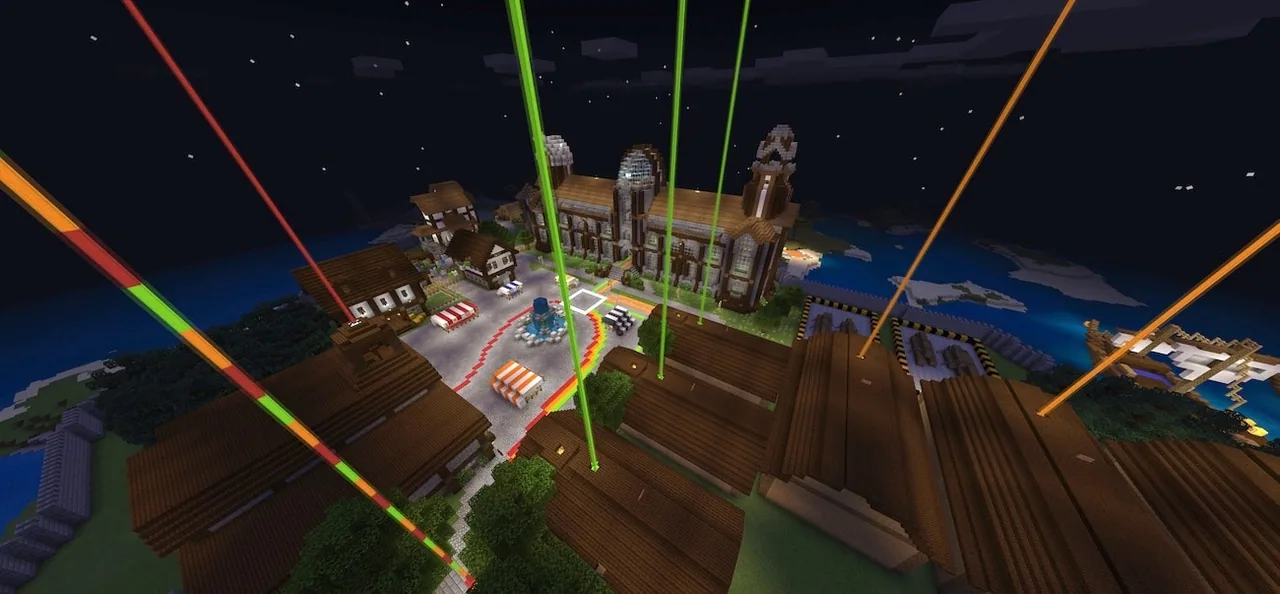
In this multiplayer computer science adventure, students start on the open sea alongside Captain Pappert before being shipwrecked on Seymour Island. After sneaking into the local town through the drainage sewers, learners discover that the settlement faces various problems requiring automated solutions. Working individually and cooperatively, students program their Agent to repair town infrastructure, automate resource collection, and navigate collaborative challenges.
Minecraft Education serves as the interactive environment where abstract coding concepts turn into physical agent actions. Learners can use MakeCode Blocks, MakeCode Python, Azure Notebooks Python, or JavaScript to write sequences, loops, and conditional statements. As students decompose tasks, complete autominer routines, and solve cryptographic puzzles, each finished objective awards points on a shared classroom leaderboard.
Learning objectives
By the end of this lesson students will be able to:
- Decompose complex problems into a clear sequence of programmed instructions.
- Develop functional programs incorporating movement sequences and loops.
- Plan expected program outcomes and debug coding errors systematically.
- Collaborate with peers to navigate multiplayer coding challenges and mazes.
Blocks and items used in this lesson


Key vocabulary
- Decomposition
- Breaking down a large, complicated problem into smaller, manageable parts.
- Loop
- A programming command that repeats a sequence of instructions multiple times.
- Conditionals
- Code statements that perform different actions depending on whether a condition is true or false.
- Debugging
- The process of identifying, analyzing, and removing errors or unintended behavior from code.
- Agent
- A programmable companion in Minecraft Education that executes movement and block-manipulation commands.
Before class
Lesson sequence
Suggested timing: about 180 minutes in total.
- Introduction and Narrative Setup20 min
Introduce the background story: students sail with Captain Pappert, suffer a shipwreck on Seymour Island, and sneak into the town via the sewers. Set the challenge of repairing the town using code to control their Agent.
- Agent Movement and Basic Tasks45 min
Direct students to enter the world and begin Activity 0 (Getting started with your agent), followed by Activity 1 (The Fish and Melon) and Activity 2 (Autominer 1). Students focus on breaking down basic movement paths and earning their first leaderboard points.
- Intermediate Automation and Logic50 min
Have students advance through intermediate tasks including Autominer 2, Autominer 3, Fish Unloading, and Shocking Discoveries. Encourage learners to use loops and conditionals to make their Agent mining and sorting scripts more efficient.
- Multiplayer Collaboration and Cryptography45 min
Pair students up to tackle Multiplayer Maze 1 and Multiplayer Maze 2, which require communication and synchronized coding. Provide the five Robot Cryptography puzzle activities for pairs ready to test algorithmic problem-solving.
- Review and Debrief20 min
Review the class leaderboard and hold a debrief discussion. Ask students which activities were most interesting and why, whether partner collaboration proved useful, and what approaches they could use in the future to work more efficiently together.
Assessment: success criteria
- The student breaks down tasks into accurate step-by-step Agent commands.
- The student constructs working programs utilizing loops and conditional statements.
- The student identifies and fixes bugs in their code when the Agent fails a task.
- The student communicates effectively with a partner to solve multiplayer maze challenges.
Differentiation
Allow learners to program using MakeCode visual blocks and focus on completing beginner tasks before attempting intermediate autominers.
Have students write their scripts in MakeCode Python or Azure Notebooks Python and complete all five Robot Cryptography puzzles.
Knowledge check
5 questions to check understanding after the lesson. Tap an answer to see if it is right; the score appears at the end.
1Where does the class end up shipwrecked after traveling with Captain Pappert?
Answer: B. The narrative sets the shipwrecked adventure specifically on Seymour Island.
2How do students initially sneak into the town on the island?
Answer: A. According to the guiding ideas, students sneak into the town through the town sewers.
3What do students receive each time they complete a town coding task?
Answer: C. The source notes that students receive a point on the leaderboard for each task completed.
4Which activity explicitly requires students to work collaboratively with a peer?
Answer: C. Multiplayer Maze 1 is designated as a collaborative multiplayer activity.
5Which programming concept is used when instructing an Agent to repeat an action multiple times?
Answer: B. Loops are the programming structure taught to handle repetitive sequences and actions.
Resources
- Lesson package (.zip)Everything the author attached to this lesson in one download.
- Classroom PresentationSeymour Island
- Classroom Presentation OverviewSeymour Island
- Student WorkbookRobot Cryptography
- Robot Cryptography Teacher GuideRobot Cryptography
- Educator GuideSeymour Island
- Programming with PythonCurriculum Overview
- Lesson worldOpens the world page in Minecraft Education (sign-in with a school account may be needed).
Frequently Asked Questions
What coding languages are supported in this world?
Students can write their programs using MakeCode Blocks, MakeCode Python, Azure Notebooks Python, or JavaScript, making it adaptable to different grade levels.
How many learners can participate in the multiplayer experience at once?
The lesson is designed as a multiplayer adventure that supports up to 30 students simultaneously in the shared world.
Adapted from Seymour Island by Minecraft Education on Minecraft Education, last updated Sep 15, 2023. This classroom version, the timings and the quiz were written by 9Minecraft Education.








































