
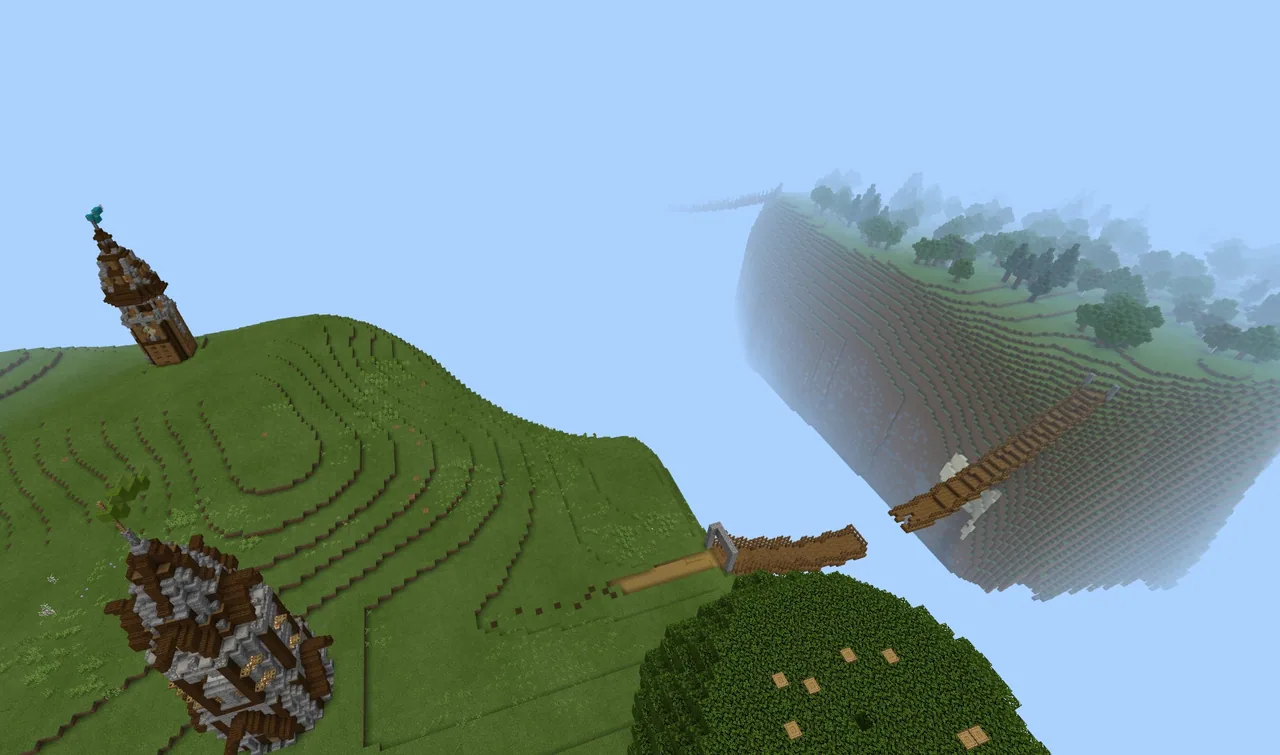
How can a game-based obstacle course help us review and recall content knowledge effectively?
Overview
The Review Game Template allows educators or learners to build an interactive, gamified assessment without having to program complex commands from scratch. By using pre-configured non-player characters (NPCs) across multiple floating islands, the activity transforms routine review questions into a dynamic, fast-paced challenge that encourages recall and engagement.Learning objectives
By the end of this lesson students will be able to:
- Recall and evaluate factual information from a targeted subject area.
- Configure non-player characters (NPCs) with customized review questions and dialogue.
- Navigate a timed, conditional review course while monitoring game performance.
Blocks and items used in this lesson


Key vocabulary
- NPC
- A non-player character that displays dialogue or review questions for players to read.
- WorldBuilder
- A Minecraft permission setting toggled with /wb that allows creators to edit NPCs and protected blocks.
- Adventure Mode
- A game mode where players cannot freely break or place blocks, used here to ensure students play the game as intended.
Before class
Lesson sequence
- Question Planning
Draft short, quick-recall questions using the provided Review Game Questions Document. Keep prompts concise to match the quick-paced nature of the game.
- World Setup and Customization
Switch to creative mode, press T to open chat, and type /wb to enable WorldBuilder status. Copy your planned prompts into each NPC across the six floating isles, and optionally build custom decorative items on each isle to reflect the review topic.
- Game Export and Preparation
Return your character to the start, switch to adventure mode using /gamemode a, clear your inventory with /clear, and save and exit. Rename the world to reflect the subject area in settings and export the file to share with players.
- The Timed Review Run
Players enter the world and begin the challenge. Walking through the first stone gates activates the game timer. Answering an NPC correctly grants a speed effect and builds the bridge forward; an incorrect answer inflicts slowness and leaves the bridge unbuilt.
- Conclusion and Castle Reward
Crossing the final bridge stops the timer and shifts the player into creative mode. Students record their completion times and explore the reward castle at the end of the course.
Assessment: success criteria
- Students accurately answer NPC review questions to trigger bridge construction and speed boosts.
- Customized NPC dialogue boxes clearly present subject-specific review material.
- Students complete the timed floating-isle obstacle course and record their finishing time.
Differentiation
Allow students to reference classroom notes or work in pairs to answer the NPC prompts.
Have students design their own review world for peers, adding thematic structures to each of the six floating isles.
Knowledge check
5 questions to check understanding after the lesson. Tap an answer to see if it is right; the score appears at the end.
1What command must be entered into the chat to edit the NPCs?
Answer: B. Typing /wb activates WorldBuilder mode, which grants permission to open and edit NPC dialogue.
2What happens when a player selects a correct answer from an NPC?
Answer: A. A correct response rewards the player with increased speed and generates the bridge to advance.
3What action starts the review game timer?
Answer: C. The timer begins running as soon as a player passes through the first stone gates.
4How many floating isles are featured in the template world?
Answer: C. The source specifies that the template world contains six different floating isles.
5What reward awaits the player after they cross the final bridge?
Answer: B. Crossing the last bridge halts the timer, shifts the player into creative mode, and unlocks a castle to explore.
Resources
Frequently Asked Questions
Do I need to know how to code command blocks to use this template?
No. All command mechanics and bridge-building features are pre-programmed. You only need to type your questions into the NPC dialogue boxes.
Can students choose more than one answer on an NPC?
Yes. The NPCs allow players to click multiple options, but all associated status effects from their selections will remain active.
What settings should be applied before exporting the world for student play?
Move your character to the start, switch the game mode to adventure using /gamemode a, clear the inventory with /clear, and rename the world in the settings menu before clicking export.
Adapted from Review Game Template World by Ben Spieldenner on Minecraft Education, last updated Nov 5, 2019. This classroom version, the timings and the quiz were written by 9Minecraft Education.








































