- Type
- Lesson plan
- Ages
- Ages 11-13
How can virtual tools be used to model and pitch urban redevelopment solutions that meet the future needs of a city?
Overview
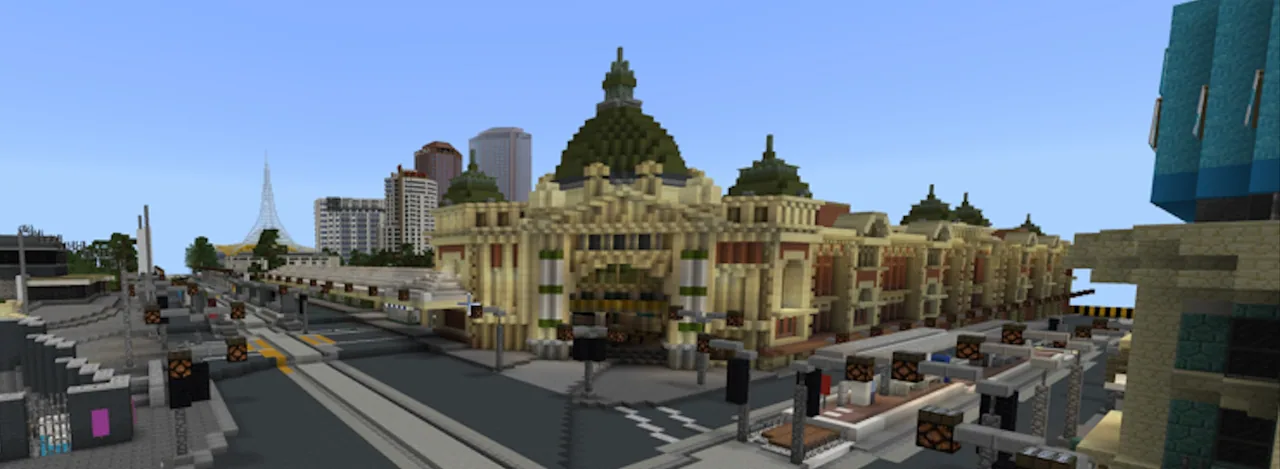
In this project-based urban design lesson, students investigate how cities evolve and how governing bodies make choices regarding public spaces. Working collaboratively, groups explore the central business district to locate an area in need of renewal, formulate a structured proposal to justify modifications, and estimate the resources needed for construction.
Using the Mini Melbourne world alongside street mapping tools, learners pitch their redevelopment concepts to their peers for council approval. Approved teams divide specific responsibilities, build their architectural improvements within Minecraft Education, track their daily progress through written reflections, and reveal their finished designs to the class on the interactive display.
Learning objectives
By the end of this lesson students will be able to:
- Identify a site within the Melbourne central business district that requires modernization or improvement.
- Draft a persuasive council submission outlining redevelopment goals, community benefits, and estimated costs.
- Collaborate in a team by assigning specific construction tasks and identifying required building materials.
- Build the approved urban redevelopment within the Mini Melbourne virtual environment.
- Present the completed design to the class, explaining its features, construction process, and intended purpose.
Blocks and items used in this lesson


Key vocabulary
- CBD
- Central Business District; the commercial, civic, and business heart of a city.
- Redevelopment
- The process of clearing, rebuilding, or renovating an urban site to improve its use.
- Proposal
- A formal written plan presented to an authority or group for consideration and approval.
Before class
Lesson sequence
- Site Research and Selection
Students form groups of four to five. Using the Melbourne CBD map, Google Maps street view, and the Mini Melbourne world, teams survey the city boundaries to locate a space they believe is in need of an upgrade.
- Council Proposal and Class Vote
Teams write a persuasive proposal addressed to the Melbourne council, represented by the teacher and peers. The document must explain why the selected site should change, what will be built, and the estimated costs. The class reviews and votes on the submissions to decide which projects move forward.
- Construction Planning
Once approved, groups create an actionable construction plan. Every student is assigned specific duties, and the group produces a complete material list detailing the in-game resources needed, such as brick, glass, and stone types.
- Minecraft Construction and Daily Reflection
Students log in to the Mini Melbourne world to build their approved enhancements. Following each building session, every group member writes a reflection paragraph detailing what they accomplished and the current progress of the project.
- The Grand Opening Presentation
The teacher opens the Mini Melbourne map on the Interactive Whiteboard. Each group presents their revamped area to the class, highlighting key features, architectural choices, and the specific ways the site serves Melbourne's community.
Assessment: success criteria
- The written proposal clearly argues the need for redevelopment and considers project costs.
- The team distributes distinct building roles and inventories necessary construction materials.
- Each student submits written reflection paragraphs documenting their ongoing work after each build session.
- The final presentation on the Interactive Whiteboard highlights how the completed build improves the urban environment.
Differentiation
Provide a structured proposal template with pre-listed material categories to help groups organize their ideas.
Have students develop a detailed budget justification and incorporate multi-purpose community amenities into their site.
Knowledge check
5 questions to check understanding after the lesson. Tap an answer to see if it is right; the score appears at the end.
1What is the recommended group size for this urban design project?
Answer: B. The project instructions specify that students should organize into teams of four to five.
2What must happen before a team is permitted to begin building in the Minecraft world?
Answer: A. Teams must write a proposal detailing changes and costs, which must be voted on and approved before construction begins.
3What is each student required to produce after every building session?
Answer: C. At the end of each session, every team member writes a paragraph summarizing their individual help and the state of construction.
4Which tool is paired with the CBD map and Mini Melbourne to find areas needing an upgrade?
Answer: B. Step one directs teams to combine the CBD map, Mini Melbourne, and Google Maps street view during their site search.
5Where is the Mini Melbourne world displayed during the final grand opening presentation?
Answer: D. Step five states that the teacher opens the map on the Interactive Whiteboard so groups can discuss their finished builds with the class.
Resources
- Lesson package (.zip)Everything the author attached to this lesson in one download.
- Mini Melbourne Minecraft StartupA guide for teachers to download the Mini Melbourne map and set up the world before students start.
- Mini Melbourne Project OutlineRevamp Melbourne project outline for students including rubric
- Melbourne CBD MapMap delineating the boundaries of Mini Melbourne
Frequently Asked Questions
How is student achievement evaluated in this project?
Assessment is guided by the rubric outlined in the Mini Melbourne Project Outline document, taking into account the final presentation and teacher observations of teamwork throughout the design process.
How long should each stage of the revamp take?
Session counts and time limits are flexible and can be assigned by the teacher to fit class schedules and student needs.
Adapted from Revamp Melbourne by Victorian Minecraft Innovators on Minecraft Education, last updated Jul 14, 2022. This classroom version, the timings and the quiz were written by 9Minecraft Education.