
- Type
- Lesson plan
- Ages
- Ages 6-10
- Includes
- Quiz: 5 questionsLesson files
How do computers turn individual squares of color into full pictures, and how can we use blocks to create art?
Overview
Computers and digital screens display complex images using tiny individual colored squares called pixels. In this lesson, students discover how images break down into structured rows and columns of color, bridging the gap between foundational computer science principles and visual art.
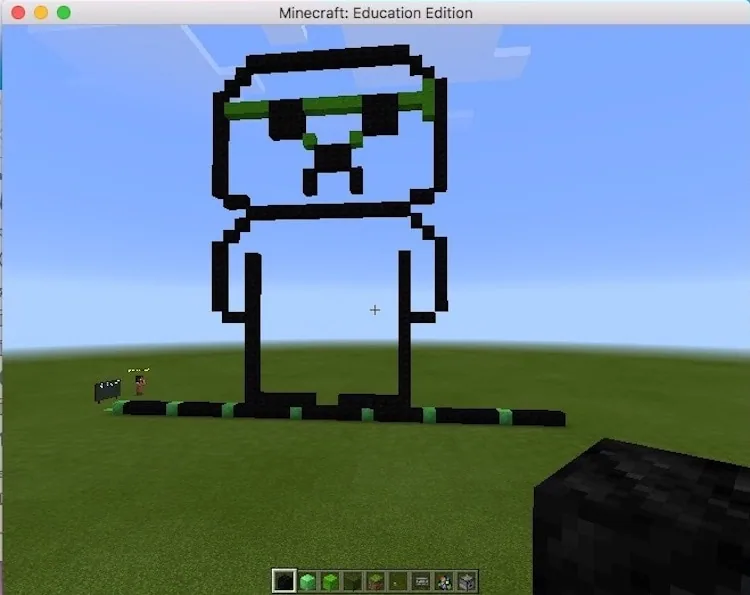
Students begin by mapping out an image on paper grids to understand how resolution and pixel placement work. They then translate their paper plans into a new Minecraft: Education Edition world in Creative mode, placing colored blocks one by one to recreate their artwork and documenting their finished pieces using the camera and portfolio.
Learning objectives
By the end of this lesson students will be able to:
- Define what a pixel is and describe how digital screens display pictures.
- Use rows and columns on graph paper to plan an image in pixel format.
- Recreate a planned pixel design accurately using colored blocks in Minecraft: Education Edition.
- Capture images of finished artwork using the in-game camera and portfolio to share with classmates.
Blocks and items used in this lesson


Key vocabulary
- Pixel
- A tiny square of color that combines with others to make up an image on a digital screen.
- Grid
- A pattern of intersecting horizontal rows and vertical columns used to map out images.
- Portfolio
- An in-game Minecraft item used to store and present pictures taken with the camera.
Before class
Lesson sequence
- Introduction to Pixels
Ask students if they have heard the term pixel and discuss how screens display images using tiny squares. Explain how individual colored squares align in rows and columns to form larger pictures.
- Paper Grid Planning
Distribute graph paper or pixel art sheets. Students sketch their chosen reference image onto the grid, placing marks in the center of squares before filling them with color to define their pixel format.
- Building in Minecraft
Students open Minecraft: Education Edition and create a new world in Creative mode. Using their paper blueprints as a reference, they place colored blocks corresponding to their planned grid coordinates.
- Documentation and Gallery Share
Students use the in-game camera and portfolio to photograph their completed builds. They review each other's work respectfully and share how their designs translated from paper to blocks.
Assessment: success criteria
- Student accurately explains the concept of a pixel and how computers use them to make pictures.
- Student successfully translates a reference idea onto graph paper using colored grid squares.
- Student builds a block representation in Minecraft that matches their paper design.
- Student documents their final piece using the camera and portfolio while respecting classmates' workspaces.
Differentiation
Provide students with smaller grids or simple outlines, reminding them to mark a single dot in each square before coloring.
Challenge advanced students to use larger grids with more intricate color gradients or detailed reference images.
Knowledge check
5 questions to check understanding after the lesson. Tap an answer to see if it is right; the score appears at the end.
1What is a pixel?
Answer: B. The lesson defines a pixel as the tiny unit of color that computers use to show images.
2What should students do on paper before coloring in their grid squares?
Answer: A. The instructions note students should draw in the middle of each square before adding color.
3Which Minecraft game mode do students use to build their pixel art?
Answer: D. Students load a new world in Creative mode so they have immediate access to building materials.
4Which in-game tools do students use to document and share their completed builds?
Answer: C. Students are instructed to use the camera and portfolio to take pictures and share their designs.
5How is a graph paper sheet organized to help students plan pixel art?
Answer: A. The learning objectives emphasize using rows and columns to draw art on grid paper.
Resources
Frequently Asked Questions
Do students need an existing world download to start building?
No custom world download is needed. Students open a regular new world in Creative mode to construct their artwork.
What should a student do if they forget to bring an image from home?
Students can draw an image directly from memory on their graph paper sheet, mapping it out square by square before building.
Adapted from Pixel Art Gallery by Paola Lopez Campos on Minecraft Education, last updated May 4, 2018. This classroom version, the timings and the quiz were written by 9Minecraft Education.












































