- Type
- Lesson plan
- Ages
- Ages 6-13
- Duration
- about 11 hours (suggested)
- Includes
- Quiz: 5 questionsLesson files
How can digital pixel art and gallery design be combined in Minecraft to inform and engage an audience?
Overview
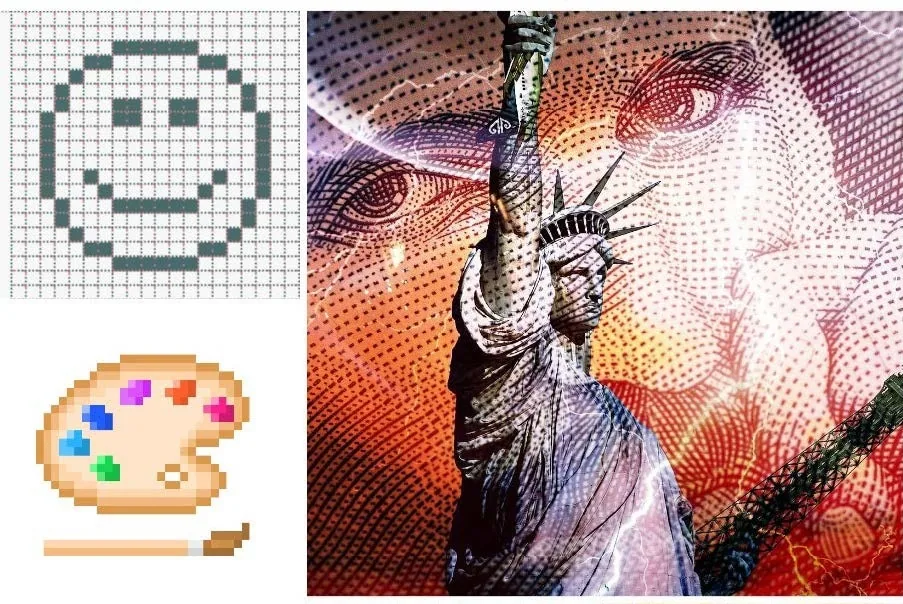
Pixel art connects visual expression with the history of digital design and gaming. In this project, learners explore the work of digital artists and designers, analyze varied artistic approaches, and study how individual square units come together to form recognizable imagery.
Using Minecraft, student teams design and build a virtual gallery complete with custom pixel art displays. They place Non-Player Characters (NPCs) that link to external research documents, and they finalize the experience by recording a narrated video tour of their gallery space.
Learning objectives
By the end of this lesson students will be able to:
- Investigate the history of pixel art along with notable digital designers and artists.
- Collaborate to create a detailed gallery plan that accounts for visitor spaces, layout, and scale.
- Construct accurate pixel art and an accompanying exhibition space in Minecraft.
- Integrate Non-Player Characters (NPCs) that link to external informational presentations.
- Record a screen capture walkthrough with voiceover narration to share the gallery with a broader audience.
Blocks and items used in this lesson


Key vocabulary
- Pixel Art
- A form of digital art where images are created and edited at the level of individual pixels.
- Non-Player Character (NPC)
- An in-game character used to deliver information, dialogue, or external web links to players.
- Scale
- The proportional relationship between the size of a planned image and the blocks used to build it.
- Walkthrough
- A guided digital tour, often recorded with audio commentary, showing a completed build.
Before class
Lesson sequence
Suggested timing: about 660 minutes in total.
- Research and Artist Study90 min
Introduce pixel art history and guiding questions. Students research digital designers, gather examples of pixel art, and evaluate different visual techniques to form their own opinions.
- Gallery Planning and Design90 min
Working in teams, learners agree on the artwork they want to feature. They draft a detailed structural plan for their gallery, determining visitor flow, accessibility, scale, and specific interactive spaces.
- Collaborative World Building240 min
Students enter Minecraft to construct their gallery according to their plan. Teams coordinate to translate their planned pixel art designs block-by-block and construct an appealing exhibition environment.
- Information Integration with NPCs120 min
Learners assemble informational content about their artwork using Sway, PowerPoint, or online documents. They configure in-game NPCs at exhibition stations and hyperlink them to these research presentations.
- Video Walkthrough and Reflection120 min
Teams record a video walkthrough of their completed gallery. Students provide live or recorded voiceover commentary explaining their design choices, artwork history, and collaborative process.
Assessment: success criteria
- Student research includes clear evaluations of digital artists and pixel art examples.
- The gallery layout reflects intentional planning for visitor access, display spacing, and scale.
- Pixel art pieces within Minecraft accurately translate digital reference designs.
- NPCs are placed effectively and contain working links to detailed research documents.
- The video walkthrough features clear, informative voiceover narration explaining the project.
Differentiation
Provide students with low-resolution grid templates to help them map out pixel coordinates before placing blocks in the world.
Ask advanced learners to design multi-room gallery wings with specialized hospitality areas and detailed interactive research presentations linked to NPCs.
Knowledge check
5 questions to check understanding after the lesson. Tap an answer to see if it is right; the score appears at the end.
1What is the primary visual style students investigate and recreate during this project?
Answer: B. The lesson centers on exploring the history of pixel art and building pixel art pieces in Minecraft.
2What should students prepare during the planning stage before building in Minecraft?
Answer: A. The planning phase requires learners to agree on images and create a detailed plan considering layout and scale.
3How is background information about the artwork shared with visitors inside the Minecraft world?
Answer: B. Learners create information in Sway, PowerPoint, or online docs and hyperlink them from appropriately placed NPCs.
4Which formats does the lesson suggest for creating the informational content linked to NPCs?
Answer: A. The lesson explicitly lists Sway, PowerPoint, or an online document as options for the informational content.
5How do students share their finished gallery with a wider audience in the final stage?
Answer: C. The final activity requires students to create a screen recording and voiceover walkthrough of their gallery.
Resources
Frequently Asked Questions
Does this lesson require an existing custom Minecraft world template?
No. The source indicates that there is no downloadable world, meaning students create their gallery builds from scratch based on their research and planning.
How much instructional time is required for this unit?
The five stages add up to roughly ten or more hours of work, making this suitable as an extended multi-session unit across art and digital literacy classes.
What subjects does this project integrate?
The project covers Art and Design, Reading and Writing, and Digital Literacy through visual design, written research, and technical Minecraft skills.
Adapted from Pixel Art Gallery by Hwb MLCs on Minecraft Education, last updated Apr 27, 2021. This classroom version, the timings and the quiz were written by 9Minecraft Education.