- Type
- Lesson plan
- Ages
- Ages 3-10
- Duration
- about 4 hours (suggested)
- Includes
- Quiz: 5 questionsLesson files
How do key community figures help us, and how can we use interactive digital spaces to teach others about their roles?
Overview
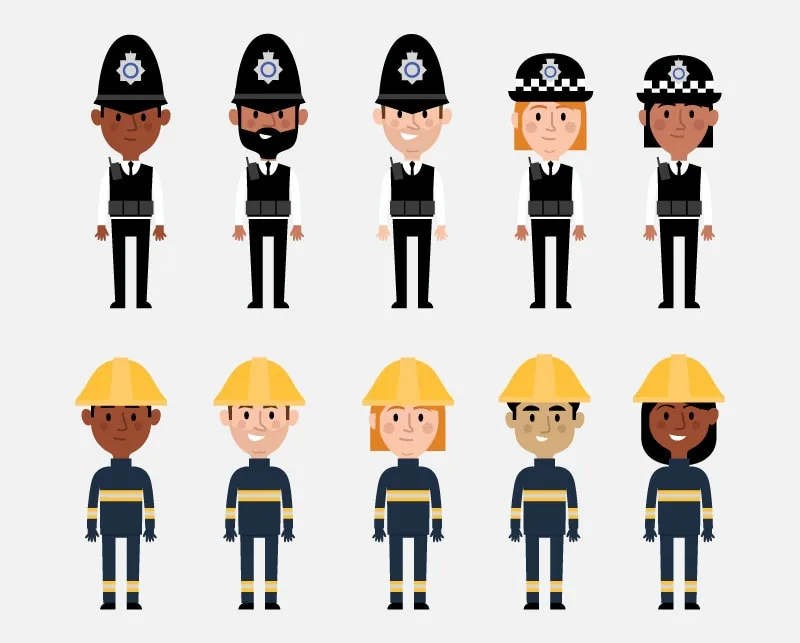
Members of our community assist us in countless ways every day, from emergency response to healthcare. In this unit, students work in small teams to investigate essential community figures such as firefighters, paramedics, and police officers, examining their daily responsibilities, specialized gear, and workplaces.
Using Minecraft Education, student groups launch a flat world to construct dedicated facilities representing each role. Learners place and customize Non-Player Characters (NPCs) to teach visitors about each profession and provide hyperlinks to real-world resources, ending with a collaborative peer tour and written reflection.
Learning objectives
By the end of this lesson students will be able to:
- Investigate the daily duties, gear, and workplaces of key community helpers using online and offline sources.
- Design and construct a dedicated community facility within an assigned perimeter in a shared flat world.
- Configure Non-Player Characters (NPCs) with informational dialogue and web links to direct visitors to external resources.
- Record reflections and peer feedback inside an exported Book and Quill after touring other groups' builds.
Blocks and items used in this lesson


Key vocabulary
- NPC (Non-Player Character)
- An interactive character in Minecraft that teachers and students can program to display dialogue and open web links.
- Griefing
- The act of deliberately damaging, altering, or destroying another player's build without permission.
- Book and Quill
- An in-game item used to write multi-page text, sign finished work, and export documents out of Minecraft.
Before class
Lesson sequence
Suggested timing: about 240 minutes in total.
- Researching Community Helpers45 min
Introduce community helpers with guiding questions about local jobs, workplaces, and tools. Divide students into groups of four to five and have each member select a distinct helper to research.
- What does this person do to help the community?
- What specific tools, vehicles, or resources do they need (such as ambulances, hoses, or lifeboats)?
- Where is their primary work station located (such as a clinic or fire house)?
Students record notes and save relevant web links for their digital build.
- Design and World Setup35 min
Learners map out their structures on squared paper, setting room layouts, perimeter boundaries, and the planned dialogue for their NPC. One host in each team generates a new flat world and distributes the join code to teammates so everyone can enter the shared space.
- Feature Demonstration20 min
Demonstrate how to spawn and modify NPCs in Minecraft Education. Show learners how to enter dialogue explaining their helper's responsibilities and how to attach URLs linking directly to external reference pages or documents.
- Collaborative Construction90 min
Students construct their assigned facility within their team's world. Once structures are complete, learners place their NPC, paste their descriptive dialogue, and configure external links to their saved research websites.
- World Tours and Reflection50 min
Address the concept of griefing and the importance of respecting peer creations. Students join other teams' worlds to explore the facilities and speak with the NPCs. Each visitor notes things they appreciated and records three facts learned inside a Book and Quill, then signs and exports the document for teacher review.
Assessment: success criteria
- The student accurately documented their helper's responsibilities, equipment, and work location.
- The in-game building matches the planning sketch and stays within designated boundaries.
- The NPC features clear, informative dialogue and an active hyperlink to an external resource.
- The student completed, signed, and exported a Book and Quill noting three new facts learned from touring peers' worlds.
Differentiation
Provide pre-selected research websites and a fill-in-the-blank script template for writing the NPC dialogue.
Incorporate additional communication items such as slates, boards, posters, or extra written logs to provide deeper operational details.
Knowledge check
5 questions to check understanding after the lesson. Tap an answer to see if it is right; the score appears at the end.
1What three main aspects do learners research about their chosen community helper?
Answer: A. The lesson directs students to discover what the helper does, what resources or equipment they use, and where they are based.
2How do learners bring external web resources into their Minecraft environment?
Answer: C. Students configure their Non-Player Characters to hyperlink out to relevant web pages and online documents.
3What world type do student teams launch for their building project?
Answer: B. The lesson instructions specify that groups spawn into a new flat world to build their community bases.
4What ethical concept must teachers review before students visit each other's worlds?
Answer: B. The lesson notes that visiting peer worlds is the ideal moment to address and prevent griefing behaviors.
5How do students export their tour reflections for teacher evaluation?
Answer: A. Learners record three key learnings in a Book and Quill, sign the book, and export the file to share with the teacher.
Resources
Frequently Asked Questions
Can this lesson plan be adapted for remote or distance learning?
Yes. The project brief can be distributed through online classroom channels, and the technical demonstrations covering NPCs and hyperlinking can be recorded as short videos for students to watch independently.
How many students should work together in each multiplayer world?
The activity is designed for small teams of four to five students, with one learner hosting the world and distributing the join code to the rest of the group.
What extra tools can fast finishers use to expand their builds?
Learners who finish early can place slates, posters, boards, and additional books to provide more detailed context about their community helper's daily work.
Adapted from People Who Help Us by Hwb MLCs on Minecraft Education, last updated Apr 27, 2021. This classroom version, the timings and the quiz were written by 9Minecraft Education.