
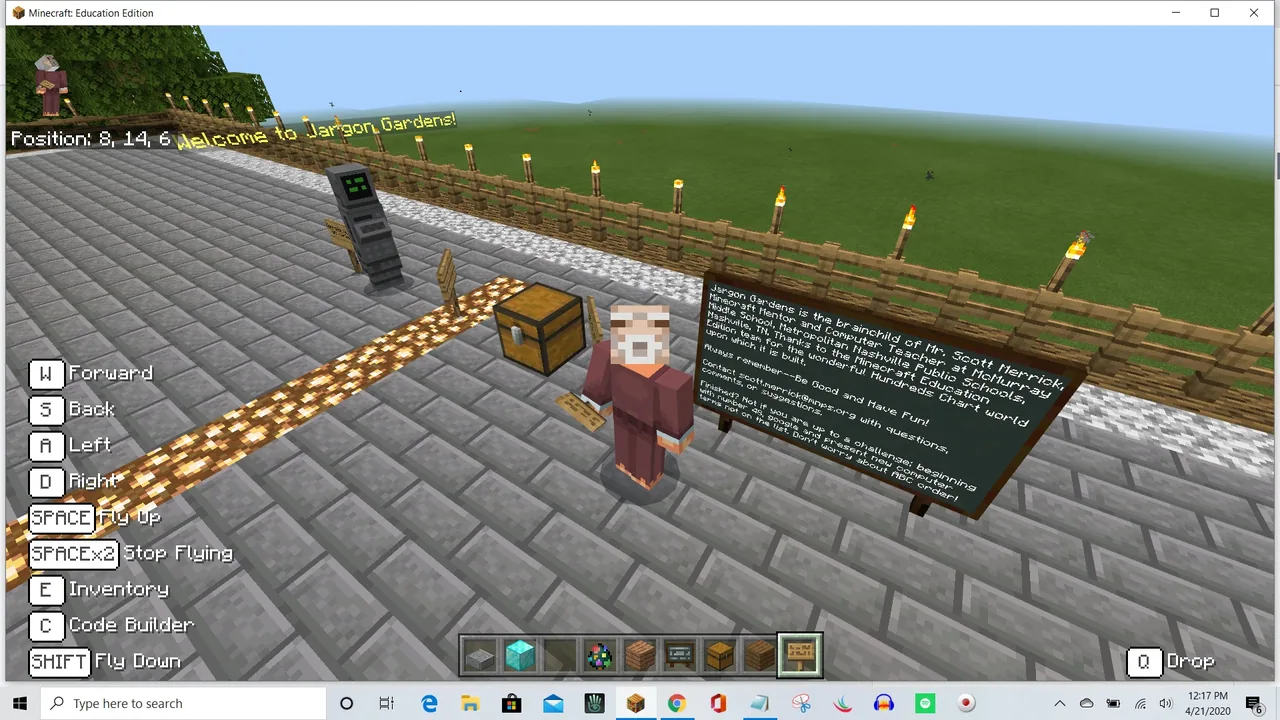
How can computer terminology be defined and demonstrated visually inside Minecraft?
Overview
Understanding specialized terminology is essential for effective communication in digital literacy and computer science. In this lesson, students explore common computer vocabulary and learn how to communicate technical ideas clearly to others.
Using Minecraft: Education Edition, learners claim numbered stations within a shared world. At each location, they annotate definitions onto large chalkboards and build physical or functional models that visually demonstrate how each computing concept works.
Learning objectives
By the end of this lesson students will be able to:
- Research and record accurate definitions for common computer terms.
- Construct dedicated informational stations that explain and demonstrate digital terminology.
- Hone in-game building skills by modeling abstract technology concepts.
Blocks and items used in this lesson


Key vocabulary
- Jargon
- Specialized words or expressions used by a particular field or profession.
- Terminology
- A collection of terms and technical words associated with a specific subject.
- Digital Literacy
- The ability to understand, navigate, and communicate using computer technologies.
Before class
Lesson sequence
- Term Selection
Introduce the concept of computer terminology. Have students use the randomizer link or NPC prompt to select their assigned vocabulary word.
- Research and Chalkboard Setup
Students locate their assigned numbered station in Minecraft. They conduct research on their chosen term and write a clear, accurate explanation on the large chalkboard.
- Demonstration Construction
Learners design and build a visual or interactive representation that demonstrates the function or meaning of their computer term at their station.
- Station Walk and Review
Students tour the completed Jargon Gardens, reading peers' chalkboards and examining the demonstrations to broaden their technical vocabulary.
Assessment: success criteria
- The large chalkboard at the assigned station displays an accurate definition of the computer term.
- The station includes a thoughtful build that demonstrates or illustrates the term.
- The student participates constructively, either collaboratively or through independent completion of term stations.
Differentiation
Provide the beginning vocabulary resource directly to students who need extra reading and research assistance.
Challenge advanced students to claim additional stations and create complex, interactive demonstrations using redstone or mechanics.
Knowledge check
5 questions to check understanding after the lesson. Tap an answer to see if it is right; the score appears at the end.
1What is the primary goal of creating stations in Jargon Gardens?
Answer: B. The lesson focuses on researching, defining, and building demonstrations for computer terms.
2How do students select which computer term to research?
Answer: A. Students draw their vocabulary word randomly from a web-based randomizer linked in the lesson.
3Where in the Minecraft world do students record their researched definitions?
Answer: C. The activity requires students to write their findings onto a large chalkboard at their station.
4What should students do if multiplayer hosting is not available?
Answer: B. The source directs students to complete as many terms as possible on their own if collaboration cannot be hosted.
5Along with writing a definition, what are students asked to build at their station?
Answer: D. The learning objectives require students to create stations that both define and demonstrate the meaning of each term.
Resources
Frequently Asked Questions
Can students work together in the same world?
Yes, students can host and collaborate in a shared world, or they can complete their station descriptions independently if hosting is not supported.
What tool helps students pick their assigned words?
An online random picker tool is linked through an introductory in-game character to help students select a term randomly.
Adapted from Jargon Gardens by Scott Merrick on Minecraft Education, last updated May 14, 2020. This classroom version, the timings and the quiz were written by 9Minecraft Education.







































