
- Type
- Lesson plan
- Subject
- Art, Music & Design
- Topics
- Art and Design
- Grade
- Early years (Pre-K to Grade 2)Primary (Grades 3-5)Middle school (Grades 6-8)High school (Grades 9-12)
- Ages
- All ages
- Duration
- about 35 min (suggested)
- Includes
- Quiz: 5 questionsLesson files
How can you use limited time and resources to design an expressive themed build and evaluate peer work fairly?
Overview
Build battles challenge learners to produce creative, expressive designs under strict time limits. Working within a short timeframe encourages students to manage available resources quickly, trust their design instincts, and focus on essential visual elements connected to a central theme.
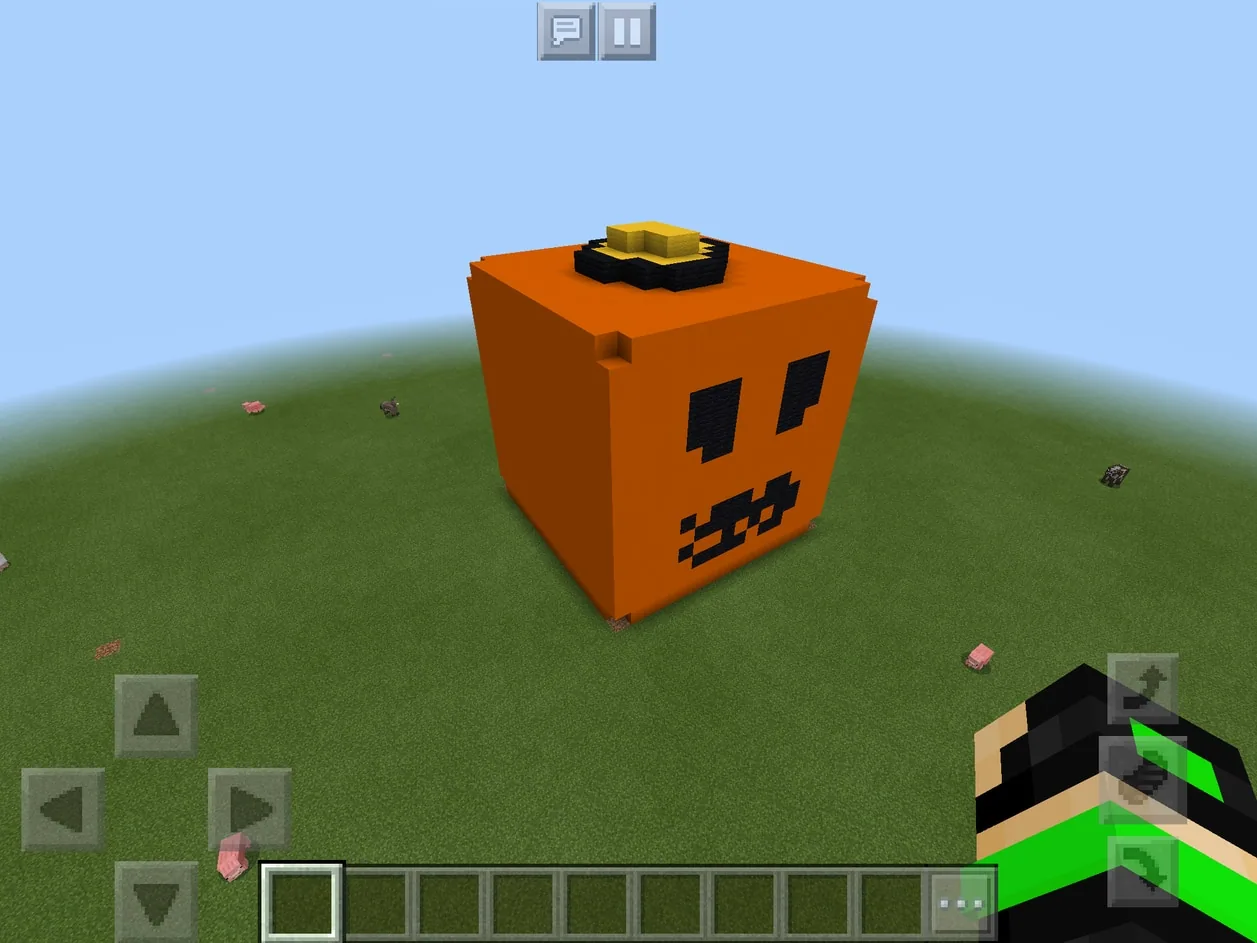
In this activity, students create individual flat creative worlds in Minecraft to build their interpretation of a Halloween prompt. Afterward, students capture screenshots of their creations and post them to a shared Padlet board, where they practice peer evaluation by rating classmates' submissions on a numerical scale.
Learning objectives
By the end of this lesson students will be able to:
- Construct an original, artistic Minecraft model based on the Halloween theme within a timed limit.
- Capture a clear in-game screenshot representing the finished build.
- Publish the screenshot to a shared Padlet board using a direct link or QR code.
- Evaluate classmates' builds constructively using a quantitative star rating scale.
Blocks and items used in this lesson


Key vocabulary
- Build Battle
- A timed challenge where players compete to design and construct models based on a specific prompt.
- Flat World
- A Minecraft world preset consisting of an entirely level surface ideal for unobstructed building.
- Padlet
- An online collaborative bulletin board where users can post media, text, and peer feedback.
- Reactions
- An interactive feature within Padlet that allows viewers to rate, like, vote, or grade posts.
Before class
Lesson sequence
Suggested timing: about 35 minutes in total.
- Briefing and World Setup5 min
Introduce the build battle format and establish the rules. Announce the Halloween theme, explain the time limit, and direct students to launch Minecraft and create a new individual flat world in Creative mode.
- Timed Build Battle15 min
Start the projected countdown timer and signal students to begin building. Remind students to monitor the clock, select blocks purposefully, and complete their model before time expires.
- Screenshot Capture and Submission5 min
When the timer sounds, instruct students to stop building, find an angle that showcases their creation best, and take a screenshot. Direct them to save and quit their world, open the shared Padlet via link or QR code, and post their screenshot as a note.
- Peer Review and Export10 min
Once all screenshots appear on the board, instruct students to review the gallery and assign a 1-to-5 star rating to each peer build once. After rating every classmate, students may award their own build five stars for participation. Export the completed board as a PDF or image file for display.
Assessment: success criteria
- Student successfully creates an individual flat creative world and builds a structure related to the Halloween theme.
- Student completes the build within the designated 10 to 15-minute window.
- Student captures and uploads an image of their project to the collaborative Padlet board.
- Student participates in peer assessment by rating each classmate's submission.
Differentiation
Encourage learners who struggle with speed to focus on a single recognizable Halloween object, such as a basic pumpkin or ghost silhouette.
Challenge advanced builders to incorporate complex detailing, color gradients, or depth within the strict time constraint.
Knowledge check
5 questions to check understanding after the lesson. Tap an answer to see if it is right; the score appears at the end.
1What type of Minecraft world should each student create for this build battle?
Answer: B. The lesson directs each student to set up an individual flat creative world on their device.
2Approximately how long do students have to construct their builds during the challenge?
Answer: A. The source specifies a limited building duration usually around 10 to 15 minutes.
3How do students transfer their finished builds to Padlet for review?
Answer: C. Learners are asked to take the best screenshot of their build and post it to the Padlet board.
4Which Padlet evaluation setting is selected for peer assessment in this lesson?
Answer: D. The lesson specifically uses the Star rating reaction, allowing builds to be rated on a 1-5 scale.
5Under what condition may students award their own build a 5-star rating on Padlet?
Answer: C. Students can award themselves five stars as a participation reward after voting for all other classmates.
Resources
Frequently Asked Questions
Can students use mobile devices or tablets for this activity?
Yes. The lesson permits any Minecraft platform, including Minecraft: Pocket Edition on tablets or phones as well as Minecraft: Education Edition.
Do students need to install the Padlet application?
No. Padlet can be accessed directly through an internet browser on any device using a custom link or QR code, making the app optional.
How can the finished student work be archived or shared beyond the classroom?
The teacher can export the finished Padlet board as an image or PDF file to share on social media or within the school community.
Adapted from Halloween Build Battle by Kyriakos Koursaris on Minecraft Education, last updated Aug 23, 2018. This classroom version, the timings and the quiz were written by 9Minecraft Education.










































