
- Type
- Lesson plan
- Ages
- Ages 6-13
- Duration
- about 80 min (suggested)
- Includes
- Quiz: 5 questions
How can we use command blocks and coordinate geometry to build an engaging, well-balanced puzzle game?
Overview
Find the Button is an engaging puzzle genre that introduces learners to computer science concepts and level design principles. Students explore how code controls game behavior, learning to balance difficulty, construct clear multi-stage puzzles, and use spatial geometry to direct player movement.
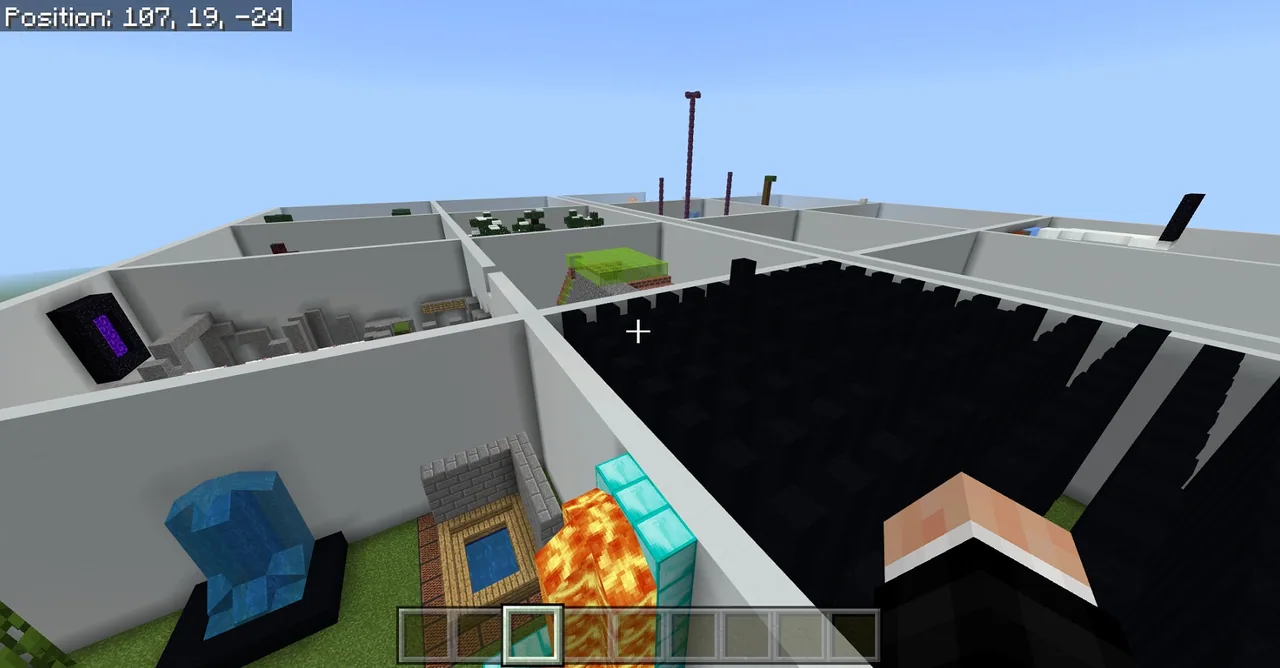
Using Minecraft Education, learners analyze a pre-made challenge map in Creative Mode to discover how command blocks function. They then claim their own workspace on a shared grid to program teleportation triggers, text prompts, and block-placement mechanics before exchanging constructive feedback with peers.
Learning objectives
By the end of this lesson students will be able to:
- Construct a multi-stage Find the Button puzzle within an assigned building plot.
- Program command blocks using coordinates to display messages and teleport players to the next stage.
- Analyze sample builds in Creative Mode to understand how commands trigger game actions.
- Evaluate peer levels by providing constructive feedback and iterating on puzzle balance.
Key vocabulary
- Command Block
- An in-game block that executes text commands when powered by redstone.
- Coordinate Geometry
- The system of numerical values used to identify exact locations in the game world.
- Teleportation
- Instantly moving a player to a specific coordinate using coded commands.
- Iteration
- The process of testing, reviewing feedback, and making improvements to a design.
Before class
Lesson sequence
Suggested timing: about 80 minutes in total.
- Explore & Deconstruct15 min
Have students play through the sample Find the Button map as regular players. Once they finish, direct them to switch into Creative Mode to examine how the creator used command blocks to run the game.
- Code Walkthrough15 min
Distribute the reference handout and walk through the command block examples. Review how coordinate geometry directs teleportation and explain how text prompts communicate game progress to players.
- Build & Program30 min
Open the starter world and instruct each learner to claim one square on the building grid. Students construct their puzzle room, conceal their button, and program a command block to teleport the player into the adjacent level upon success.
- Playtest & Iterate20 min
Have students swap places to play each other's levels and offer constructive feedback on puzzle balance. Students then return to their own plots to correct bugs, adjust difficulty, and apply improvements based on peer suggestions.
Assessment: success criteria
- Student correctly configures command blocks to display messages and teleport players.
- Student demonstrates accurate use of coordinate geometry when setting target locations.
- Student produces a balanced puzzle level that avoids being excessively easy or unreasonably difficult.
- Student offers helpful feedback to classmates and iterates on their own project based on critique.
Differentiation
Provide learners with pre-written command syntax cards focusing solely on basic teleport and message commands.
Challenge advanced students to use setblock commands that remotely activate secondary command chains and add multi-phase puzzle mechanics.
Knowledge check
5 questions to check understanding after the lesson. Tap an answer to see if it is right; the score appears at the end.
1What special in-game block is used in this lesson to automate game actions and run text commands?
Answer: B. Command blocks are the primary tool used to execute code and automate actions in the lesson.
2How do students investigate how the example game works during the opening activity?
Answer: D. Students switch to Creative Mode after playing to see how command blocks were placed and wired.
3Which math concept is primarily used to set teleport locations and place buttons in the lesson?
Answer: A. Coordinate geometry provides the specific spatial positions needed for teleportation and block placement.
4What should happen when a player successfully finds and presses the button at the end of a student's level?
Answer: C. Students are instructed to end each level by teleporting the player to the adjacent level.
5What command progression is suggested for students ready to add advanced puzzle stages?
Answer: B. The source specifies using setblock commands to remotely power external command blocks as a progression.
Frequently Asked Questions
How many students can work in the starter world at the same time?
The default starter world grid provides plots for up to 25 students simultaneously. If you have a larger group, you can clone the grid structure to create additional plots before class begins.
What should I do if students find command syntax overwhelming?
Start with simple teleportation commands and basic message displays before introducing advanced commands. The accompanying reference handout provides clear syntax examples that students can follow step by step.
Adapted from Find the Button by Philip Golden on Minecraft Education, last updated Jun 6, 2022. This classroom version, the timings and the quiz were written by 9Minecraft Education.









































