
- Type
- Lesson plan
- Grade
- Early years (Pre-K to Grade 2)Primary (Grades 3-5)Middle school (Grades 6-8)High school (Grades 9-12)
- Ages
- Ages 6-18
- Duration
- More than 3 hours
- Level
- Intermediate
- Includes
- Quiz: 5 questions
How can we use commands and algorithmic logic to design interactive gameplay experiences?
Overview
This unit introduces students to computational thinking and digital literacy by connecting fundamental programming concepts directly to game design. Through interactive training modules, learners explore how structured sequences, branching paths, and variables control interactive experiences inside digital worlds.
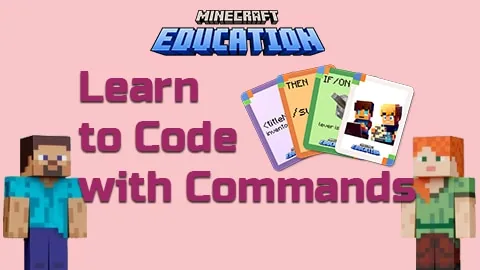
Using a dedicated Minecraft Education world divided into four themed training centres, students progress through color-coded challenges at beginner, intermediate, and advanced tiers. Working alongside instructional videos, notebooks, and unplugged coding cards, learners practice writing slash commands to build custom game mechanics and solve challenges based on clear user stories.
Learning objectives
By the end of this lesson students will be able to:
- Identify and write Minecraft slash commands to create simple game events and interactions.
- Design and trace algorithms that use branching, comparison operators, and iteration.
- Define game design problems and evaluate solutions using user stories and given design criteria.
- Implement control structures and variables inside Minecraft to solve level challenges.
Blocks and items used in this lesson

Key vocabulary
- Slash Command
- A text-based instruction entered into Minecraft to trigger specific actions or change the game state.
- Algorithm
- A step-by-step set of instructions designed to perform a specific task or solve a problem.
- Branching
- A programming path where the computer makes a decision based on whether a condition is true or false.
- Iteration
- The repetition of a process or group of instructions in a program.
- User Story
- A short, simple description of a feature or game mechanic told from the perspective of the player.
Before class
Lesson sequence
Suggested timing: about 240 minutes in total.
- Orientation and Unplugged Practice30 min
Introduce the core concepts of algorithms and game commands. Have students work with the unplugged slash command coding cards to practice writing and sequencing instructions away from screens, mapping out ideas in their student diaries.
- Beginner Training Centres (Green Track)60 min
Guide students into the Minecraft world to explore the four training centres. Direct all learners to complete the seven beginner (green) activities, using the OneNote guide and video tutorials to learn basic command syntax and player inputs.
- Intermediate Logic and Branching (Orange Track)60 min
Students advance to intermediate challenges where they build algorithms involving branching conditions and iteration. Learners trace their logic on printable mud maps and test their command execution in real time within the training centres.
- Advanced Mechanics and ELSE Statements (Purple Track)60 min
More experienced students tackle the purple track, completing advanced activities that introduce complex ELSE logic, variables, and alternative problem pathways based on user stories and design criteria.
- Review and Expansion Showcase30 min
Have students share their command-driven game mechanics with peers. Review student diaries and training progress against the user stories. Fast finishers can preview the blue expansion area featuring additional triggers and commands.
Assessment: success criteria
- The student correctly follows and describes algorithms using sequencing, branching, and iteration.
- The student completes all required beginner-level command tasks across the four training centres.
- The student evaluates digital game solutions against co-created user stories and design criteria.
- The student documents command structures and problem-solving steps in their diary or OneNote.
Differentiation
Keep learners focused strictly on the Green beginner activities while using the physical coding cards and mud maps to plan out commands before typing them into the game.
Direct students to complete the Purple advanced exercises with ELSE statements, or move into the Blue expansion zone to experiment with five additional triggers and twelve advanced commands.
Knowledge check
5 questions to check understanding after the lesson. Tap an answer to see if it is right; the score appears at the end.
1What color represents the beginner track across the training centres?
Answer: B. The prep notes state that Green represents Beginners, Orange is Intermediate, Purple is Advanced, and Blue is the expansion area.
2Which core requirement must every student complete across the training centres?
Answer: C. The guiding ideas explain that every student is expected to complete the beginner sections of each training centre.
3How many total core student activities are outlined across the beginner, intermediate, and advanced tiers?
Answer: C. The student activities section lists 24 student activities in total, consisting of 7 beginners, 7 intermediate, 8 advanced, 3 branching, and 8 ELSE statements.
4What do students use to define problems and check if their game solutions meet player needs?
Answer: A. The performance expectations state that students define problems and check solutions using design criteria and user stories.
5What additional content does the blue expansion area provide?
Answer: B. The source specifies that the expansion lessons contain five additional triggers and twelve commands to complete.
Frequently Asked Questions
How long is this learning sequence intended to run?
The core curriculum requires more than three hours, but it is structured to support an entire learning cycle. Depending on your timetable, it can span a full school term, a semester, a summer camp, or an after-school coding club.
Do I have to assign a formal final assessment project?
No, a formal final project is optional. While you can assign a contextualized game design project, you will gather sufficient evidence through the 24 training centre tasks and student diaries to evaluate student progress without one.
What unplugged materials are available for offline instruction?
Teachers can print slash command coding card activities, printable mud maps, and student diaries to help learners plan and visualize their algorithmic thinking before typing in the game.
Adapted from Learn to Code with Commands by Nathan Richards on Minecraft Education, last updated Mar 6, 2024. This classroom version, the timings and the quiz were written by 9Minecraft Education.








































