
- Type
- Lesson plan
- Ages
- Ages 11-13
- Includes
- Quiz: 5 questions
How can you use block-based code to program an agent to build a complete structure?
Overview
In this computer science lesson, students apply visual programming concepts to command an automated coding agent. By translating procedural block-based code into physical in-game structures, learners develop essential computational thinking, sequencing, and problem-solving skills.
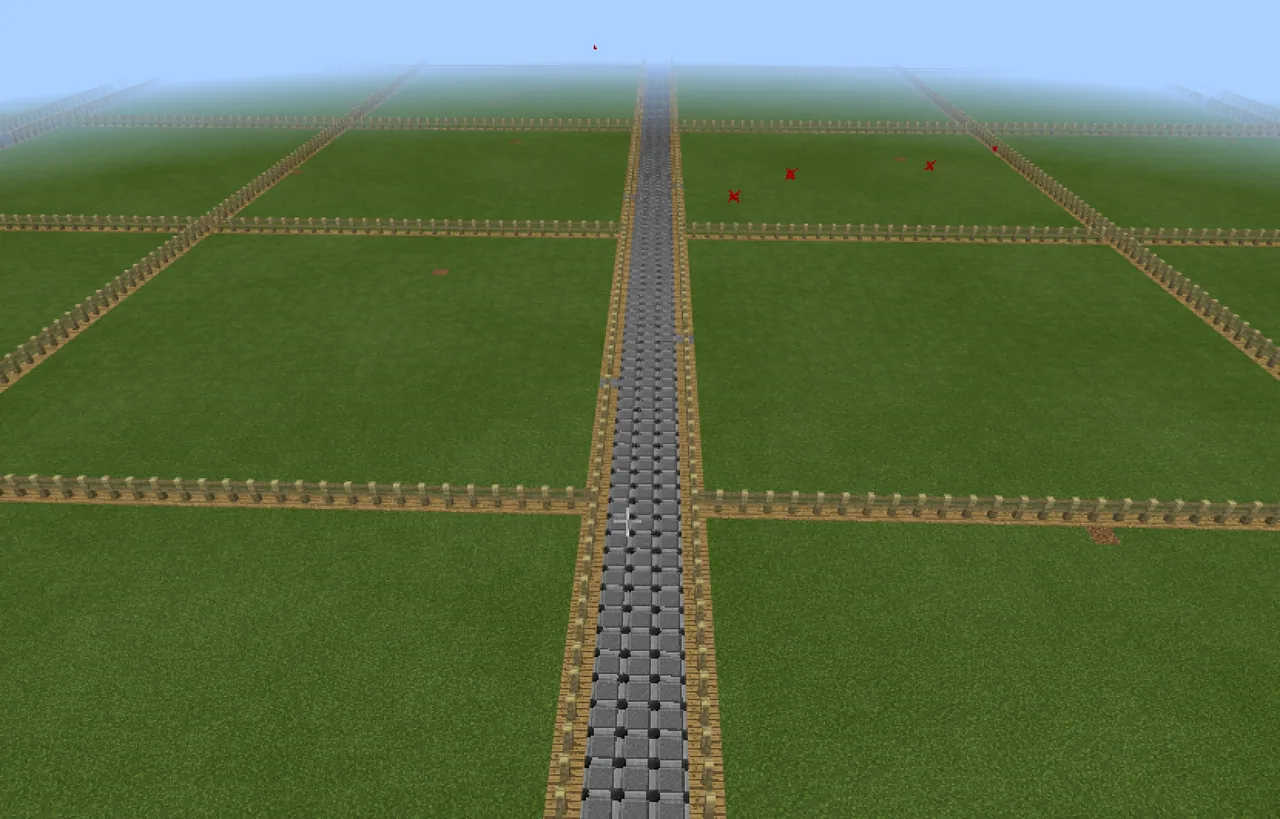
Working inside a Creative mode world, each student designates a build plot and links Minecraft to an external coding environment like Tynker or Scratch. Learners must rely strictly on the agent to place all blocks, debugging their code whenever their automated assistant encounters logical or spatial errors.
Learning objectives
By the end of this lesson students will be able to:
- Mark and identify a personal building site using a named sign and a gate.
- Program a coding agent to construct a custom structure using blockly code.
- Debug coding errors by reading instructions aloud and tracing the agent's actions.
- Document completed code by saving and uploading screenshots to Google Drive for teacher assessment.
Blocks and items used in this lesson


Key vocabulary
- Coding Agent
- An in-game helper character controlled exclusively through coded instructions.
- Blockly Code
- A visual programming method using interlocking blocks to create algorithms.
- Code Connection
- An application that connects Minecraft to coding tools like Tynker or Scratch.
- Debugging
- The process of identifying and correcting errors within computer code.
Before class
Lesson sequence
- Claiming Build Territory
Students enter the Creative mode world, select an open area for their project, and mark their plot boundary using a gate and a sign containing their name.
- Connecting the Code Environment
After securing their build locations, students launch the Code Connection application and open either Tynker or Scratch to prepare their workspace without needing to move their agent immediately.
- Programming the Agent
Students supply their agent with the necessary building blocks from their Creative inventory and assemble block-based scripts to direct the agent's movement and block placement.
Remind learners that player avatars are strictly prohibited from placing structure blocks directly.
- Debugging and Peer Tracing
If the agent does not build or move as expected, students read their code aloud or work with a peer to walk through the instructions step by step to identify the bug.
- Code Documentation and Assessment
Students capture a screenshot of their final script, save their project within their chosen coding editor, and upload the image to Google Drive to share with the teacher for review.
Assessment: success criteria
- The build site is properly identified with a gate and a sign displaying the student's name.
- All structural blocks are placed solely by the coding agent without avatar assistance.
- The visual code correctly executes the planned architectural layout.
- A clear screenshot of the code is uploaded to Google Drive and shared with the teacher.
Differentiation
Have struggling students read their code aloud line by line while a partner role-plays the agent's movements to isolate errors.
Encourage advanced students to use Tynker project features to program larger, multi-layered architectural designs.
Knowledge check
5 questions to check understanding after the lesson. Tap an answer to see if it is right; the score appears at the end.
1Which entity is allowed to place blocks for the building project?
Answer: C. The lesson strictly requires all building to be performed by the coding agent rather than the player character.
2How must students identify their designated build plot upon entering the world?
Answer: A. Students are directed to put up a sign with their name and a gate on their land so others know it is taken.
3What strategy is suggested to help students find bugs when the agent fails to build?
Answer: B. The guiding questions suggest reading code aloud and walking through the actions with a partner to trace bugs.
4Why is this lesson conducted in Creative mode?
Answer: C. Creative mode allows students to freely equip their coding agent with whatever blocks or resources it requires.
5How do students submit their finished programming work for evaluation?
Answer: B. Students take a screenshot of their code, back it up to Google Drive, and share it with the teacher for assessment.
Frequently Asked Questions
Which coding platforms can be used with Code Connection in this lesson?
Students can use visual block-based platforms such as Tynker or Scratch to write scripts for the coding agent.
Can students manually help their agent build if it runs out of time?
No, the performance expectations state that all construction must be completed exclusively by the coding agent and never by the player avatar.
Adapted from Coding Assessment World by Rebecca Elliott on Minecraft Education, last updated Sep 14, 2017. This classroom version, the timings and the quiz were written by 9Minecraft Education.






































