
- Type
- Lesson plan
- Subject
- Computer Science & Coding
- Topics
- Computer Science
- Ages
- Ages 6-10
How can you teach the Agent to successfully navigate a pathway using simple code commands?
Overview
This introductory computer science lesson introduces young learners to the fundamentals of coding by guiding an in-game helper called the Agent. Students learn how to open the coding editor and assemble straightforward instruction sequences to navigate pathways, building confidence in early algorithmic thinking.
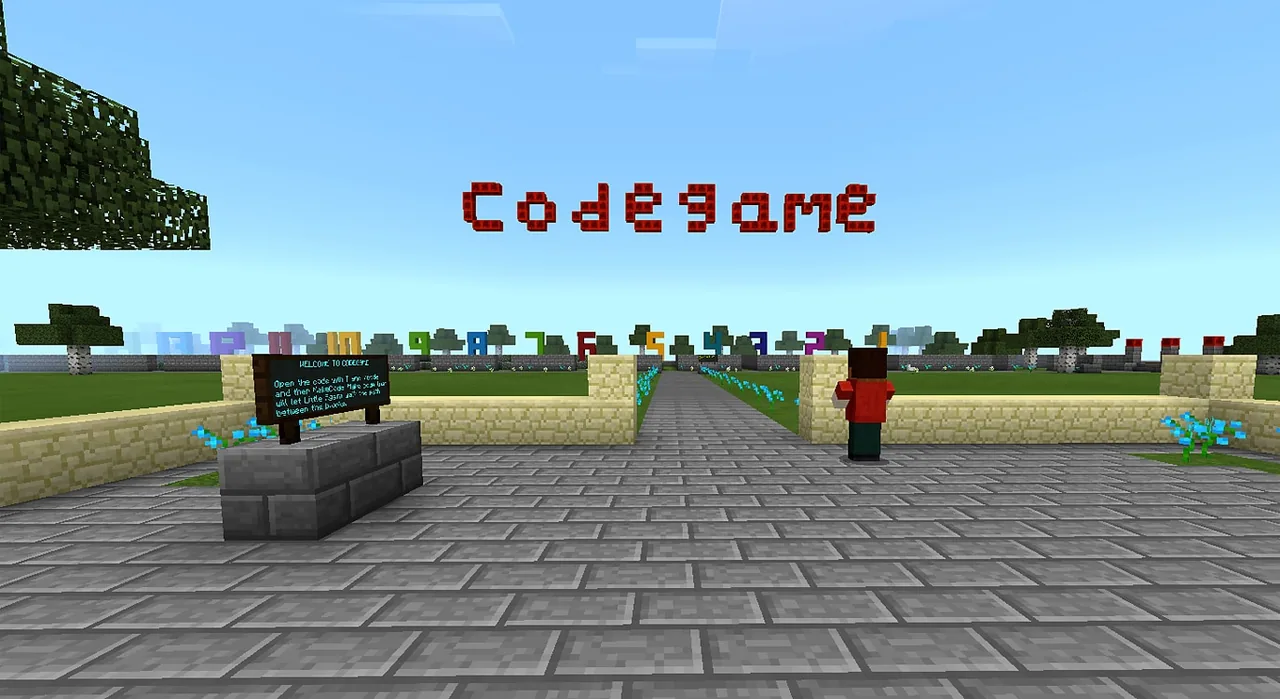
Using a pre-built world configured in immutable creative mode, individual students are assigned one of fourteen distinct path challenges. Once they guide their Agent through their assigned course, learners move to a designated building zone to experiment freely with blocks and construct their own puzzle challenges together.
Learning objectives
By the end of this lesson students will be able to:
- Launch the MakeCode coding interface using chat commands or connection shortcuts.
- Program the Agent using a sequence of basic navigation commands to solve a designated path puzzle.
- Apply conditional logic such as if-else statements to make the Agent navigate paths more efficiently.
- Collaborate with peers in the designated building area to design custom block structures and puzzles.
Blocks and items used in this lesson


Key vocabulary
- Agent
- A programmable in-game character that can move, turn, and execute tasks in Minecraft.
- MakeCode
- The coding environment used to write and run commands for the Agent.
- Conditional Logic
- Rules that tell a program to take different actions based on whether a condition is true or false, such as if and else.
- Immutable World
- A world setting where players cannot break or place blocks, except in designated build areas.
Before class
Lesson sequence
- Introduction and Code Launch
Introduce the lesson objective to the class: guiding the Little Agent through a pathway puzzle using code. Demonstrate how to open the coding workspace by pressing T on the keyboard and entering /code, or by using the Code Connection shortcut.
- Pathway Coding Challenge
Assign each student their specific pathway number from the 14 available tracks. Students write simple code sequences to guide their Agent step-by-step through their designated path between the barriers.
- Logic Extension and Building
After completing their pathway puzzle, students travel to the open building area where world restrictions allow block placement. Students experiment with block building and work collaboratively to construct their own puzzle pathways for others to try.
Assessment: success criteria
- Student successfully launches the MakeCode interface independently or with minimal guidance.
- The Agent reaches the end of the assigned pathway using written code commands.
- Student demonstrates cooperation and block manipulation within the permitted building zone.
- Advanced students successfully integrate if-else logic to streamline their navigation code.
Differentiation
Assist learners with opening the coding interface via the /code command and keep their code sequences to simple, single-step movement commands.
Challenge advanced students to use conditional logic blocks like if and else rather than long strings of manual movement commands.
Knowledge check
5 questions to check understanding after the lesson. Tap an answer to see if it is right; the score appears at the end.
1How do players open the MakeCode editor inside the game?
Answer: B. The source states that players launch MakeCode by pressing T and entering /code or by using the shortcut.
2How many individual pathways are provided in the world for students to work on?
Answer: B. The lesson setup specifies that there are 14 similar but different pathways available, one for each student.
3What should students receive from the teacher before starting the pathway challenge?
Answer: A. The teacher instructions state to only give students the number of the path they work in.
4What are students encouraged to do in the building area after solving their pathway?
Answer: C. The source explains that students walk to the building area to experiment, build with blocks together, and create their own puzzles.
5What coding concept can more advanced students use instead of writing numerous manual commands?
Answer: C. The source notes that more developed students can be asked to use logic such as if and else instead of many commands.
Resources
- Lesson package (.zip)Everything the author attached to this lesson in one download.
- Photo 1Overview
- Photo 2One of the paths
- Photo 3The building area. Covered underneath with allow blocks.
- Minecraft worldEnglish version. (Icelandic version will be submitted later)
- Photo 1Overview
- Photo 2Pathway
- Photo 3Building field
- Photo 4Result of building activites
- Photo 5Agent trying to walk the path after coding.
Frequently Asked Questions
Can students place blocks anywhere in the world?
No. The world is configured in creative mode but remains immutable, meaning blocks can only be placed and modified within the designated building area.
What should I do if a student struggles to open the coding window?
Ensure they press the T key to open the text chat bar, type /code, and press enter, or assist them in using the Code Connection shortcut key.
Adapted from Codegame by Jón Stefánsson on Minecraft Education, last updated Jun 3, 2022. This classroom version, the timings and the quiz were written by 9Minecraft Education.








































