- Type
- Lesson plan
- Ages
- Ages 8-13
- Includes
- Quiz: 5 questions
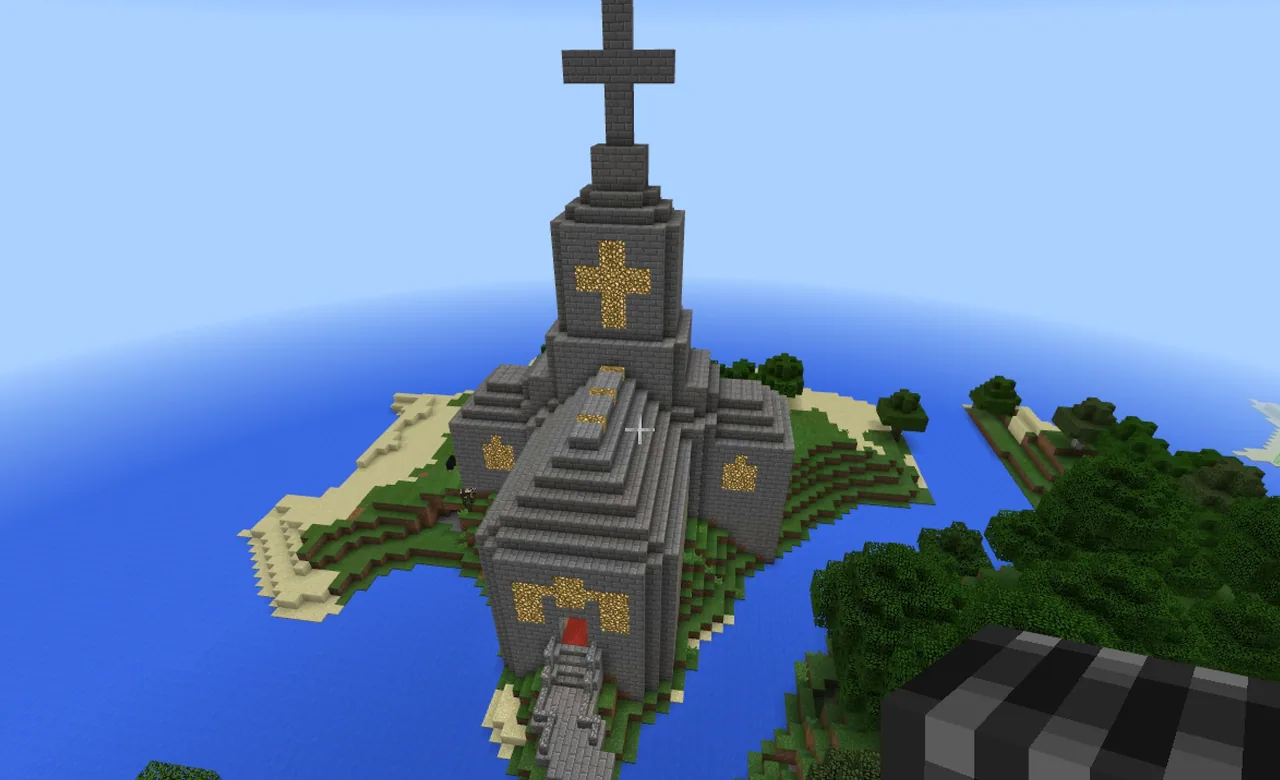
How can we design and construct a cathedral in Minecraft that reflects traditional architectural symbols and prominent placement?
Overview
In this cross-curricular project, students examine historic cathedrals from around the world to understand their architectural features, cultural significance, and symbolic elements. Working in collaborative groups, learners research real-world examples, select a patron saint, and design a floor plan that incorporates important signs and symbols.
Minecraft serves as the construction medium where student teams translate their 2D architectural plans into a shared 3D structure. After having their design approved by the teacher, groups select elevated terrain in their assigned world to ensure their cathedral achieves visual prominence before presenting their finished work.
Learning objectives
By the end of this lesson students will be able to:
- Investigate cathedral architecture and religious symbols across the globe using Google Street View.
- Design a collaborative cathedral floor plan that incorporates traditional signs, symbols, and a chosen patron saint.
- Construct a prominent cathedral model on elevated terrain within an assigned Minecraft world.
- Present and explain the architectural and symbolic choices of the completed cathedral to peers.
Blocks and items used in this lesson


Key vocabulary
- Cathedral
- A large and principal church, typically associated with an important administrative region or bishop.
- Floor Plan
- A scale diagram or drawing of a room or building viewed from directly above.
- Prominence
- The quality of standing out or being easily seen from a distance, such as a structure placed on a hill.
- Patron Saint
- A recognized holy person chosen as a special protector or namesake for a church, group, or place.
- Symbol
- An image, shape, or object that stands for a deeper idea, belief, or meaning.
Before class
Lesson sequence
- Global Research
Students use Google Street View to explore cathedrals across different parts of the world. They observe architectural shapes, structural heights, and specific religious signs and symbols displayed inside and outside the buildings.
- Group Design and Floor Planning
Working in small teams, students plan their cathedral project. They decide on a cathedral name, select a patron saint to dedicate it to, sketch a floor plan, and list the key signs and symbols they will build into the design.
- Plan Review and Site Selection
Groups present their proposed plans to the teacher for review and approval. Once cleared, teams enter the assigned Minecraft world and scout for building sites, looking for a hill so the building achieves prominence.
- Cathedral Construction
Students collaborate in Minecraft to construct the cathedral based on their approved floor plan. They erect walls and roofs while ensuring their planned signs and architectural symbols are fully represented.
- Presentation and Sharing
Each team presents their completed cathedral to the class. Students justify their floor plan, explain the choice of patron saint, and point out the architectural symbols included in their build.
Assessment: success criteria
- The initial group plan includes a cathedral name, a designated patron saint, and a sketched floor plan.
- The final Minecraft build incorporates identifiable signs and symbols studied during research.
- The cathedral is constructed on elevated ground, such as a hill, to give it prominence.
- The team effectively presents their structure and explains their design choices to the class.
Differentiation
Provide students with a visual checklist of common cathedral symbols and a simple cross-shaped floor plan template to guide their research and drawing.
Encourage advanced teams to research historical architectural styles and incorporate complex rooflines, vaulted ceilings, and detailed interior layouts into their build.
Knowledge check
5 questions to check understanding after the lesson. Tap an answer to see if it is right; the score appears at the end.
1Which tool are students instructed to use to research real-world cathedrals?
Answer: B. The lesson specifically directs students to research cathedrals around the world using Google Street View.
2What must students create and submit before they begin building in Minecraft?
Answer: A. Teams must create a plan featuring floor layout and symbols and present it to the teacher before building.
3What teacher milestone is required before students scout a building site in their world?
Answer: C. The activity instructions state that students can find a building place only after presenting their plan to the teacher.
4Why are students encouraged to build their cathedral on a hill?
Answer: D. The lesson states that students should ideally build on a hill for prominence.
5Which specific decision must groups make when planning the identity of their cathedral?
Answer: B. One of the guiding questions requires students to decide what saint they will name their cathedral after.
Frequently Asked Questions
Do I need a special downloadable world template to run this lesson?
No, there is no custom world file required. You can host any standard Minecraft world that features varied terrain with hills suitable for prominent building sites.
How should student groups be assessed at the end of the project?
Assessment relies on reviewing the team design plan, observing the inclusion of researched symbols on elevated terrain, and evaluating the final group presentation.
Adapted from Build a Cathedral by Rebecca Elliott on Minecraft Education, last updated Jun 14, 2021. This classroom version, the timings and the quiz were written by 9Minecraft Education.