
- Type
- Lesson plan
- Ages
- Ages 8-18
Are human-made reef developments such as sunken shipwrecks beneficial or harmful to ocean ecosystems?
Overview
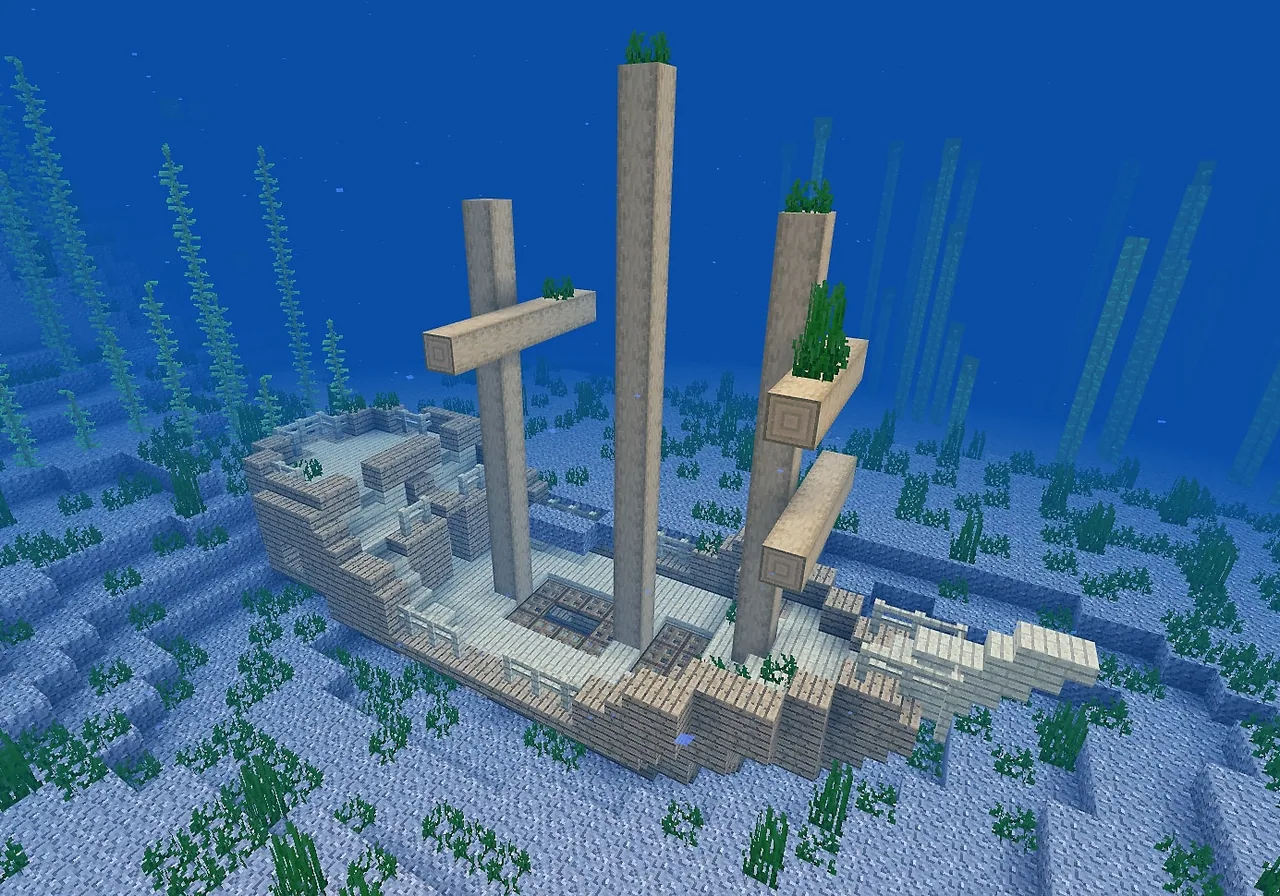
Shipwrecks resting on the seafloor frequently evolve into flourishing marine ecosystems, prompting conservationists to purposefully sink decommissioned vessels to kickstart new coral reefs. However, the intentional placement of artificial structures in the ocean remains a subject of environmental debate, raising critical questions about marine conservation methods and habitat protection.
In Minecraft, students explore this ecological transition through both scientific inquiry and computer science. Learners construct underwater structures, use coding loops and block-replacement commands to simulate a time-lapse transformation into coral, and export 3D models using the Structure Block to evaluate their designs.
Learning objectives
By the end of this lesson students will be able to:
- Debate whether intentionally sinking shipwrecks to create artificial reefs helps or harms marine habitats.
- Investigate the primary causes of coral reef decline and the strategies used to seed new growth.
- Simulate the ecological evolution of a shipwreck into a reef using MakeCode loops, fill commands, and replace commands.
- Export and evaluate 3D models of underwater structures using Minecraft Structure Blocks and Paint 3D.
Blocks and items used in this lesson


Key vocabulary
- Artificial Reef
- A human-made underwater structure placed on the ocean floor to encourage marine life and coral growth.
- Reef Seed
- A structure intentionally submerged to provide a stable base for new coral colonies to establish themselves.
- Fill Command
- A coding instruction that fills a targeted set of coordinates with a chosen block type.
- Replace Command
- A coding command that substitutes one specific block type with another within a designated area.
- Structure Block
- A specialized block in Minecraft used to capture, save, and export 3D models of in-game creations.
Before class
Lesson sequence
- Research and Inquiry
Introduce the driving question about whether man-made reefs aid or disrupt marine life. Students research the causes of coral reef decline, explore how natural and sunken shipwrecks become ecosystems, and gather evidence from diverse sources to support their viewpoints.
- Classroom Debate
Divide the class into two teams to debate the issue: should shipwrecks continue to be sunk as artificial reefs, or should a moratorium be implemented? Invite local guest experts to judge the debate based on the quality of research and argumentation presented.
- Coding the Reef Time Lapse
Students build an underwater structure or shipwreck using stained glass blocks. Using MakeCode repeat loops, fill commands, and replace commands, learners automate the gradual transformation of stained glass into various living coral blocks to model ecological succession over time.
- Sculpting and 3D Export
Students design an original underwater sculpture intended to serve as a reef seed and apply code to simulate coral colonization. Using the in-game Structure Block, learners export before-and-after snapshots as 3D .glb files and review their components using Paint 3D.
Assessment: success criteria
- Presents research-based arguments during the debate on artificial reef development.
- Successfully codes repeat loops, fill commands, and replace commands to transform stained glass into coral blocks.
- Creates an original underwater sculpture designed to function as an artificial reef seed.
- Exports before-and-after 3D model files (.glb) of their underwater build using the Structure Block.
Differentiation
Provide template code snippets for the fill and replace commands so students can focus on selecting coordinates and coral block types.
Challenge students to design complex multi-tier sculptures and write multi-stage code that simulates progressive coral colonization over multiple distinct phases.
Knowledge check
5 questions to check understanding after the lesson. Tap an answer to see if it is right; the score appears at the end.
1Why are shipwrecks sometimes intentionally sunk by conservationists?
Answer: B. Intentional sinking provides a hard structure on the seafloor to seed and promote the growth of new coral reef ecosystems.
2What core question do student teams investigate and debate during this lesson?
Answer: C. The student debate focuses directly on whether human-made reef development is beneficial or harmful to marine environments.
3Which two coding commands are combined with repeat loops to simulate reef growth in Minecraft?
Answer: A. The lesson directs students to use Fill and Replace commands to substitute stained glass blocks with living coral blocks.
4Which Minecraft tool allows students to export 3D models of their builds as .glb files?
Answer: B. Structure Blocks allow learners to capture 3D volumes in Minecraft and export them directly as .glb files.
5Which application is used by students to model or inspect parts of their shipwreck reef outside of Minecraft?
Answer: B. The lesson objectives state that students will use Paint 3D to model components of their shipwreck reef.
Resources
- Worlds & MakeCode Files
- Lesson worldOpens the world page in Minecraft Education (sign-in with a school account may be needed).
Frequently Asked Questions
How does coding connect to the marine science topic in this lesson?
Students use MakeCode loops along with fill and replace commands to systematically swap glass blocks for coral blocks, simulating the passage of time as an artificial structure is colonized by marine life.
Who should be invited to evaluate the student debate?
The lesson suggests reaching out to local community or marine science experts to act as volunteer guest judges for the debate presentations.
What files do students generate for assessment?
Learners use the in-game Structure Block to export before-and-after 3D model files in .glb format, documenting the transformation of their underwater structure.
Adapted from Evolving Shipwrecks by Minecraft Education on Minecraft Education, last updated Dec 19, 2022. This classroom version, the timings and the quiz were written by 9Minecraft Education.






































