
- Type
- Lesson plan
- Subject
- Computer Science & Coding
- Topics
- Computer Science
- Grade
- Primary (Grades 3-5)
- Ages
- Ages 8-10
- Includes
- Quiz: 5 questions
How can repeat loops and chat commands help the Agent build geometric shapes efficiently?
Overview
In this computer science activity, learners explore the Agent as a programmable robot in Minecraft. They discover how to group instructions using chat commands in Microsoft MakeCode, which acts as a practical introduction to the concept of functions.
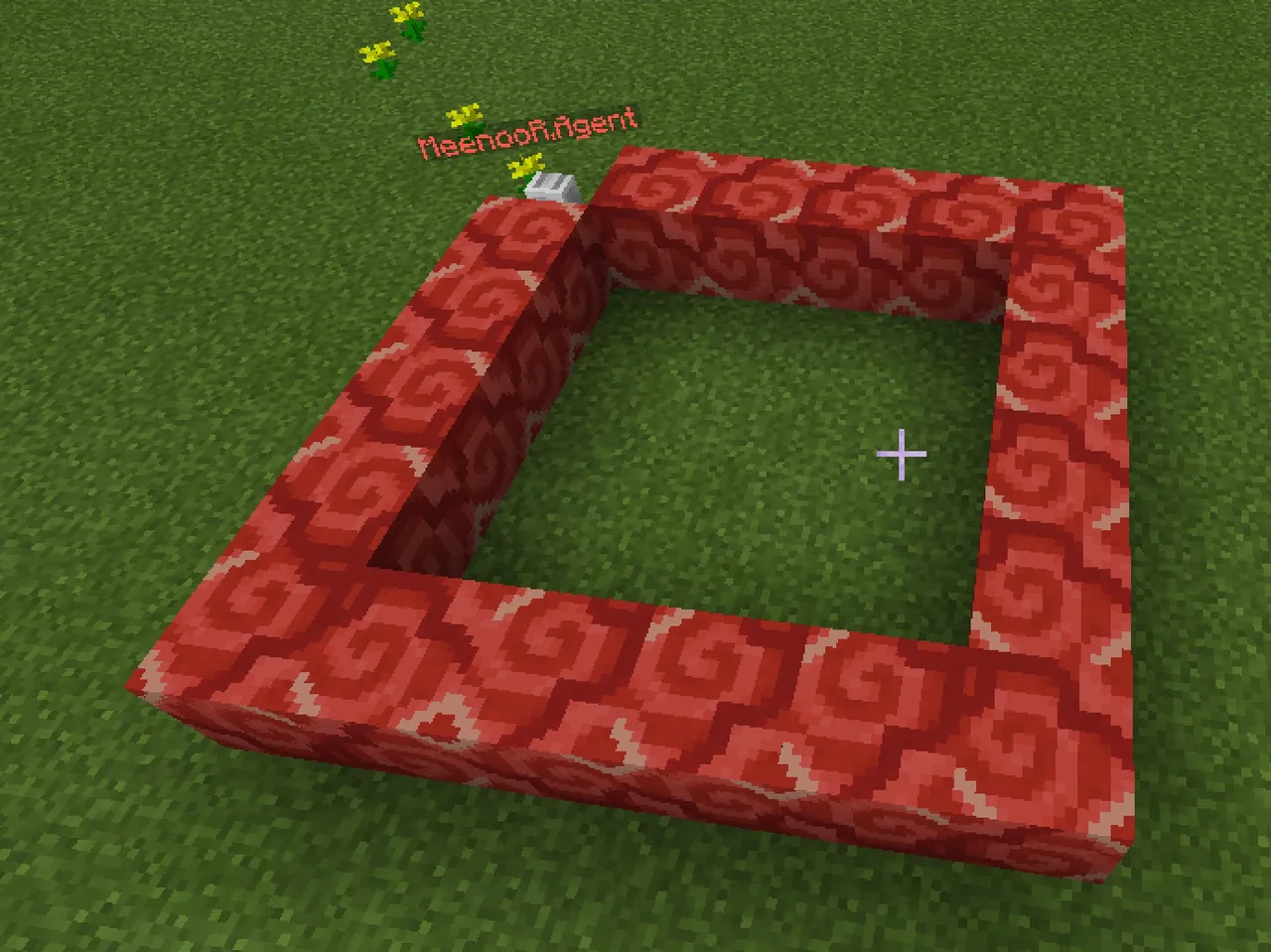
Students begin by programming simple navigation and teleportation routines before loading building supplies into the Agent's inventory. By combining an automated placement toggle with a repeat loop, students command their Agent to draft a four-sided square.
Learning objectives
By the end of this lesson students will be able to:
- Program chat commands to teleport and steer the Agent in multiple directions.
- Transfer building materials directly from the player inventory into the Agent inventory.
- Use a repeat loop in MakeCode to construct a four-sided square structure.
- Identify how to adjust existing code to change the shape or add height to a build.
Blocks and items used in this lesson


Key vocabulary
- Agent
- A personal in-game robot that can be programmed to move, build, or dig.
- Function
- A computer science concept where multiple commands are grouped together under one name.
- Repeat Loop
- A coding block that runs the instructions placed inside it a set number of times.
- On Chat Command
- A MakeCode event block that triggers code when a specific word is typed into the game chat.
Before class
Lesson sequence
- Teleporting the Agent
Introduce the Agent as a personal coding assistant. Have students drag an On Chat Command block from the Player drawer, rename it to come, and attach an Agent Teleport to Player block from the Agent drawer. Students open chat with t, type come, and verify the Agent appears beside them.
- Programming Basic Movement
Guide students to create four separate chat commands: forward, back, left, and right. Attach Agent Move blocks set to move 5 blocks forward or backward, and attach Agent Turn blocks for turning left and right. Students test each command in chat to navigate the Agent.
- Stocking the Agent's Inventory
Explain that the Agent requires materials to build. Instruct students to right-click their Agent in Minecraft to open its inventory screen, then move building blocks of their choice from their player inventory into the Agent's slots.
- Looping a Square Structure
Create a new chat command called square. Place an Agent Place on Move block set to true, then add a Repeat loop set to 4 times. Inside the loop, place an Agent Move block set forward by 5 and an Agent Turn block. Students run the command and observe the Agent constructing the perimeter.
- Review and Extension Discussion
Prompt students to evaluate the build and observe where the Agent finishes. Ask how they could modify their code to add height to the structure or what changes would be required to construct a rectangle instead of a square.
Assessment: success criteria
- The Agent successfully teleports to the player when 'come' is typed in chat.
- The Agent moves and turns according to the programmed directional chat commands.
- The Agent contains building blocks in its inventory before running the building program.
- The student explains how the repeat loop executes the four sides of the square.
Differentiation
Help students pair each directional word with a single matching move or turn block before moving on to the loop.
Challenge students to adjust their repeat loop and step counts to turn the square into a rectangle or add vertical layers.
Knowledge check
5 questions to check understanding after the lesson. Tap an answer to see if it is right; the score appears at the end.
1What key is pressed in Minecraft to open the chat window for entering commands?
Answer: B. Pressing 't' opens the chat screen where players enter their typed chat commands.
2In computer science, what is a function?
Answer: A. The lesson defines a function as a way to group commands together, using the example of waving.
3How do players open the Agent's inventory to give it building materials?
Answer: C. Right-clicking directly on the Agent opens its personal inventory window.
4Which block automatically places a block every time the Agent takes a step?
Answer: D. Setting the Agent Place on Move block to true puts the Agent into builder mode as it travels.
5How many times does the repeat loop run to complete the perimeter of the square?
Answer: B. The Agent needs to move forward and turn four times to form the four sides of a square.
Frequently Asked Questions
Why does the Agent fail to place blocks during the build command?
The Agent requires blocks in its own inventory to place them. Make sure students right-click the Agent and drag blocks from their personal inventory into the Agent's inventory slots.
Can students choose any block type for the square?
Yes. Students may transfer any blocks of their choice from their player inventory into the Agent's inventory before triggering the building command.
Why might the Agent get stuck on the final block of the square?
As the square completes, the Agent may encounter the very first block it laid down, which can block its path if space is limited.
Adapted from How to build a Square by Minecraft Education on Minecraft Education, last updated Dec 15, 2022. This classroom version, the timings and the quiz were written by 9Minecraft Education.










































