
How can we design and build simple digital models in Minecraft that solve everyday physical problems?
Overview
This lesson introduces learners to design thinking by challenging them to create physical tools using digital modeling. By examining everyday problems such as wasting leftover toothpaste, students explore how basic design choices can produce practical, functional household solutions.
Using Minecraft as a prototyping environment, learners construct a functional model and utilize structure blocks to capture their work. By manipulating spatial coordinate axes and exporting their builds into standard 3D files, students bridge the gap between virtual construction and real-world 3D printing.
Learning objectives
By the end of this lesson students will be able to:
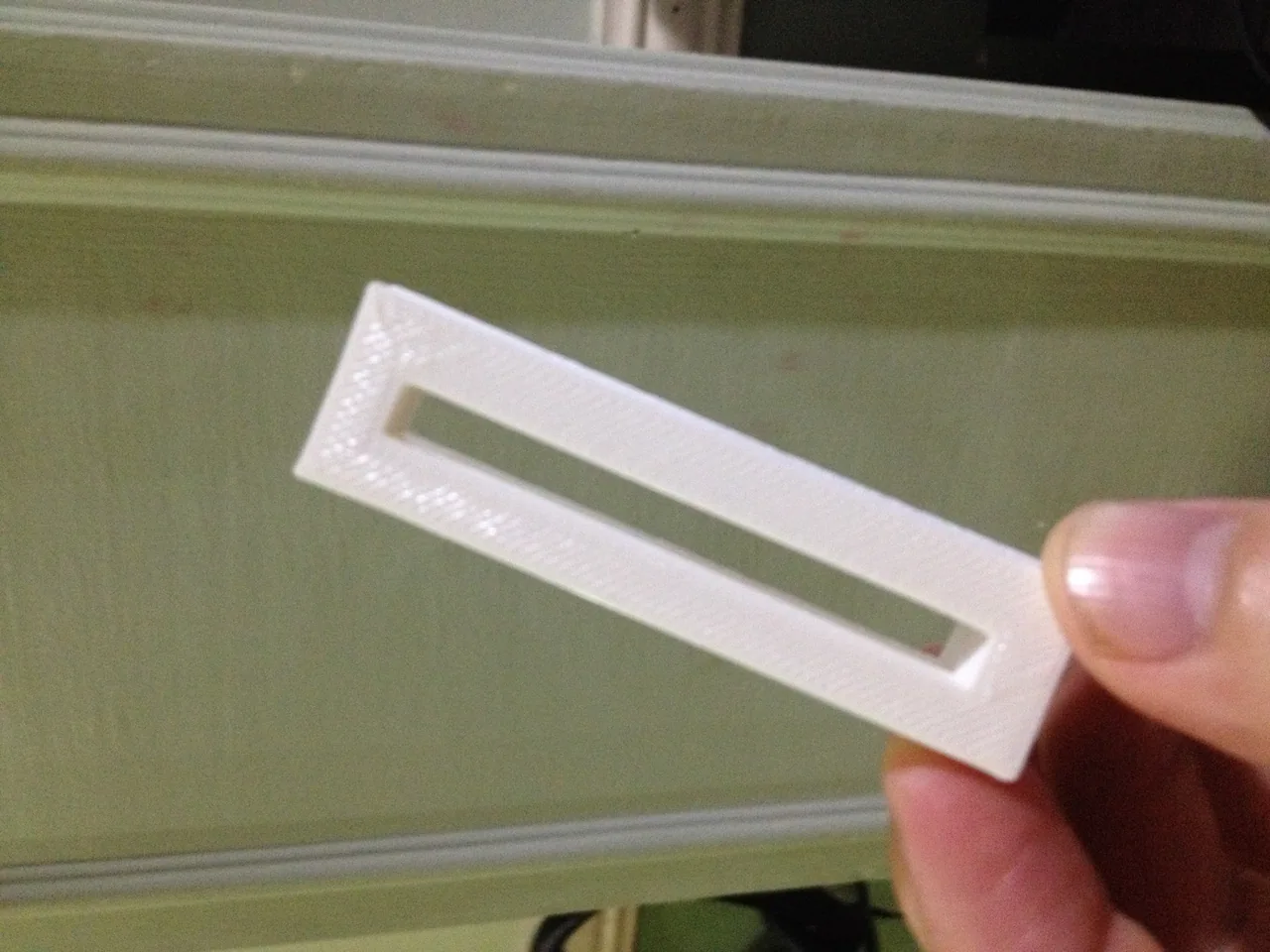
- Build a 3D model of a toothpaste squeezer from visual prompts and descriptions.
- Adjust structure block coordinate values along the X, Y, and Z axes to frame a model.
- Export a finished Minecraft model as a 3D digital file ready for 3D printing.
- Design an original, simple object that serves a practical daily function.
Blocks and items used in this lesson


Key vocabulary
- Structure Block
- A specialized block used to define, capture, and export 3D volumes in Minecraft.
- .GLB
- A standard 3D file format that can be opened in 3D modeling programs and prepared for 3D printing.
- Design Thinking
- A problem-solving process that focuses on creating practical solutions through testing and iteration.
- X, Y, and Z Axes
- The three coordinate dimensions used to define the width, height, and depth of a build volume.
Before class
Lesson sequence
- Inquiry and Brainstorming
Show students the picture or model of the toothpaste squeezer. Ask them to determine what it does, why it is important to prevent waste, and how the item could be improved.
- Collaborative Modeling
Direct students to work in groups or as a class to recreate the toothpaste squeezer in Minecraft. Allow learners to experiment without heavy step-by-step guidance so they can learn through trial and error.
- Structure Block Sizing and Export
Have students type /give @s structure_block or /give @a structure_block to obtain a structure block. Students place it near their build, open its menu, and adjust the X, Y, and Z values to fit the object before naming and exporting it as a .GLB file.
- Custom Design Creation
After successfully exporting the squeezer, challenge students to use their imagination to design their own simple, useful object in Minecraft to export and print.
Assessment: success criteria
- The student creates a workable, simple toothpaste squeezer model in Minecraft.
- The student manipulates the X, Y, and Z structure block boundaries to capture the full build.
- The model is successfully exported as a .GLB file for 3D printing.
- The student designs an original object that serves a practical, real-world purpose.
Differentiation
Pair students together to assist with calculating and adjusting the X, Y, and Z bounding box dimensions in the structure block.
Encourage advanced learners to refine their original tools to use the minimum amount of material while remaining sturdy.
Knowledge check
5 questions to check understanding after the lesson. Tap an answer to see if it is right; the score appears at the end.
1Which block is used to capture and export 3D builds in Minecraft?
Answer: B. The structure block is the tool used to set boundary areas and export 3D files.
2What file extension is generated when exporting a model through the structure block?
Answer: C. Structure blocks export 3D models as .GLB files.
3Which command gives the active player a structure block?
Answer: A. The command /give @s structure_block gives the command runner the block.
4What settings must students adjust inside the structure block to frame their build?
Answer: D. Tinkering with the X, Y, and Z axes adjusts the capture area to enclose the model.
5What specific everyday object are students asked to recreate first in this lesson?
Answer: B. Students first build and export a toothpaste squeezer before designing their own item.
Resources
Frequently Asked Questions
What programs can read the exported .GLB files?
Exported .GLB files can be opened in Microsoft 3D Builder as well as standard CAD and 3D printing slicer software.
Why does the lesson recommend minimal teacher guidance during the build phase?
Stepping back allows students to encounter non-working builds, which drives critical thinking and problem-solving through design iterations.
Adapted from Build & 3D Print Useful Stuff by Ben Parsons on Minecraft Education, last updated Sep 15, 2021. This classroom version, the timings and the quiz were written by 9Minecraft Education.








































