- Type
- Lesson plan
- Ages
- Ages 8-18
How can we upcycle local pollutants to design a functional, cost-effective green garden for our school community?
Overview
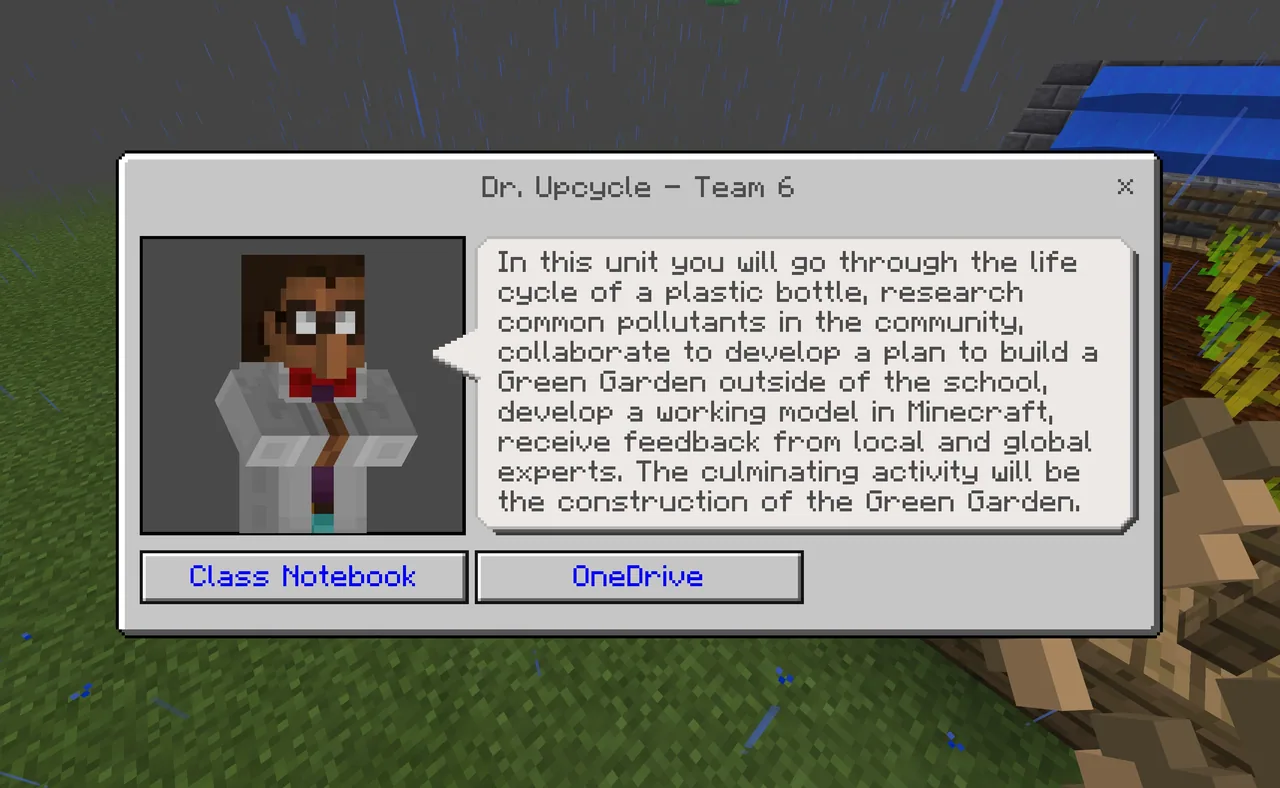
This unit encourages students to improve their school grounds and local community by designing a Green Garden built around upcycled waste materials. Working in collaborative teams, students investigate neighborhood pollutants, conduct a kick-off litter clean-up, and brainstorm how discarded materials, such as old tires, can be transformed into useful garden features like planters, mulch, or fencing.
Students translate their ideas into measurable designs, first drafting scale layouts on graph paper and then building working virtual prototypes in Minecraft: Education Edition. Along the way, teams compute area, perimeter, volume, and material costs, record their step-by-step algorithms, and export 3D models with structure blocks to test them in real-world school spaces using Mixed Reality Viewer for expert feedback.
Learning objectives
By the end of this lesson students will be able to:
- Plan a green garden layout on graph paper using precise measurements.
- Construct a digital prototype of an upcycled garden inside Minecraft: Education Edition.
- Calculate the perimeter, area, and volume of the garden space and estimate material quantities.
- Document step-by-step construction algorithms to allow other teams to replicate the build.
- Export 3D garden structures to collect feedback from local professionals or guest experts.
Blocks and items used in this lesson


Key vocabulary
- Upcycling
- The process of transforming waste materials or pollutants into new, useful items for the garden.
- Structure Block
- A specialized Minecraft block used to capture, save, and export 3D building models.
- Algorithm
- A detailed, step-by-step sequence of actions or instructions used to complete a task or build.
- Mixed Reality Viewer
- An application used to overlay exported 3D digital models onto real-world outdoor locations.
Before class
Lesson sequence
- Site Survey and Litter Clean-Up
Lead students on a clean-up walk around the school or neighborhood to collect litter and note common local pollutants. Have groups inventory their findings and brainstorm how discarded items can be repurposed, such as turning tires into planters, garden borders, or mulch.
- Role Assignment and 2D Garden Planning
Organize students into interdependent teams and assign project leads: Master Builder, Chief Scientist, Computational Expert, and Algorithmisist. Groups select their garden location on campus, measure dimensions, and produce a detailed plan on graph paper.
- Minecraft Construction and Math Calculations
Students recreate their graph paper designs inside Minecraft: Education Edition, including plants, vegetables, flowers, or birdhouses. The Computational Expert calculates area, perimeter, and volume of materials, while the Algorithmisist documents the build steps so another team could reconstruct the garden.
- Model Export and Expert Feedback
Using structure blocks, teams export their 3D models and project them onto real school spaces via Mixed Reality Viewer. Students present these overlays to local builders, architects, or guest scientists via Skype to gather critique and iterate on their garden designs.
Assessment: success criteria
- Completed graph paper plan matches the digital garden model built in Minecraft.
- Mathematical calculations accurately determine the perimeter, area, volume, and material costs.
- Student documentation clearly outlines step-by-step instructions to recreate the build.
- Design incorporates specific, researched pollutants that have been upcycled for garden use.
Differentiation
Provide pre-scaled graph paper templates and guided calculation formulas for perimeter and area before students begin building.
Have students automate their garden construction using Code Connection in Minecraft or partner with local organizations to physically construct the garden.
Knowledge check
5 questions to check understanding after the lesson. Tap an answer to see if it is right; the score appears at the end.
1Which project lead role is responsible for recording the step-by-step build instructions?
Answer: C. The Algorithmisist logs the step-by-step procedures so another group could reconstruct the project.
2How does the lesson suggest upcycling old tires within the garden design?
Answer: B. The source mentions using tires ground up for mulch, stacked for planters, or placed as a protective barrier.
3Which Minecraft tool is used to export the completed garden build for augmented viewing?
Answer: A. Students export their virtual garden using a structure block before opening it in Mixed Reality Viewer.
4What planning step must teams complete before building their garden in Minecraft?
Answer: B. Teams agree on dimensions and sketch their garden layout on graph paper before loading into Minecraft.
5What specific math concepts must the Computational Expert calculate for the garden?
Answer: B. The source requires calculating the area, perimeter, and volume of the garden space and material quantities.
Resources
- Lesson package (.zip)Everything the author attached to this lesson in one download.
- Sample Garden ExportImage of garden exported into Mixed Reality using a structure block.
- Sample GardenSample Garden screenshot, using CodeBuilder to execute the code for the garden. Taken at E2 for Educator Challenge.
Frequently Asked Questions
Do students work only within their assigned team role?
No. The roles are interdependent, meaning all members contribute to every part of the project while each designated lead takes final ownership of their specific duty.
Is actual physical construction of the garden mandatory to finish this unit?
No. Physically building the garden on school grounds with local partners is listed as an optional bonus extension; the core lesson is completed through digital design, math calculations, and expert review.
Adapted from Upcycling: Green Garden Unit by Mark Grundel on Minecraft Education, last updated Mar 26, 2018. This classroom version, the timings and the quiz were written by 9Minecraft Education.