- Type
- Lesson plan
- Subject
- Language Arts
- Topics
- Reading and Writing
- Ages
- Ages 6-10
- Duration
- about 60 min (suggested)
How does changing a character or setting alter the plot of a story?
Overview
In this literacy lesson, students examine how literary elements such as characters, setting, and plot interact to form a narrative. By engaging with familiar fairy tales, learners discover that altering a single element directly transforms the entire direction of a story.
Using the StoryTime Setting world in Minecraft: Education Edition, students explore interactive scenes from classic tales. They then choose a story to modify, constructing an alternative character or environment in-game, capturing their work with screenshots, and analyzing the impact of their revisions in a reflection journal.
Learning objectives
By the end of this lesson students will be able to:
- Recount verbally the events of three traditional fairy tales in small groups.
- Navigate interactive storybook scenes within the Minecraft: Education Edition world.
- Modify a story element by building a revised character, setting, or plot component in the game.
- Explain in a journal entry how specific build changes alter the original narrative.
Blocks and items used in this lesson


Key vocabulary
- Character
- A person, animal, or entity taking part in the action of a story.
- Setting
- The specific time, location, and environment in which a story happens.
- Plot
- The sequence of events and actions that make up a narrative.
- NPC
- A non-player character controlled by the game that provides instructions or dialogue.
Before class
Lesson sequence
Suggested timing: about 60 minutes in total.
- Warm-up: Fairy Tale Recount10 min
Organize students into groups of three. Ask each group to verbally recount the core events of Hansel and Gretel, The Three Little Pigs, and Jack and the Beanstalk before launching the game.
- World Launch and Controls10 min
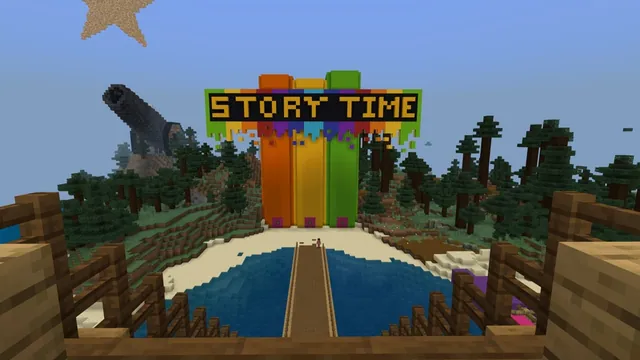
Have students open the world, spawning inside a storybook ship facing the title StoryTime. Demonstrate how to rotate their view, use WASD keys to walk down the stairs, open chests, interact with objects, and speak with the NPC Storyteller at the base of the books.
- Fairy Tale Exploration15 min
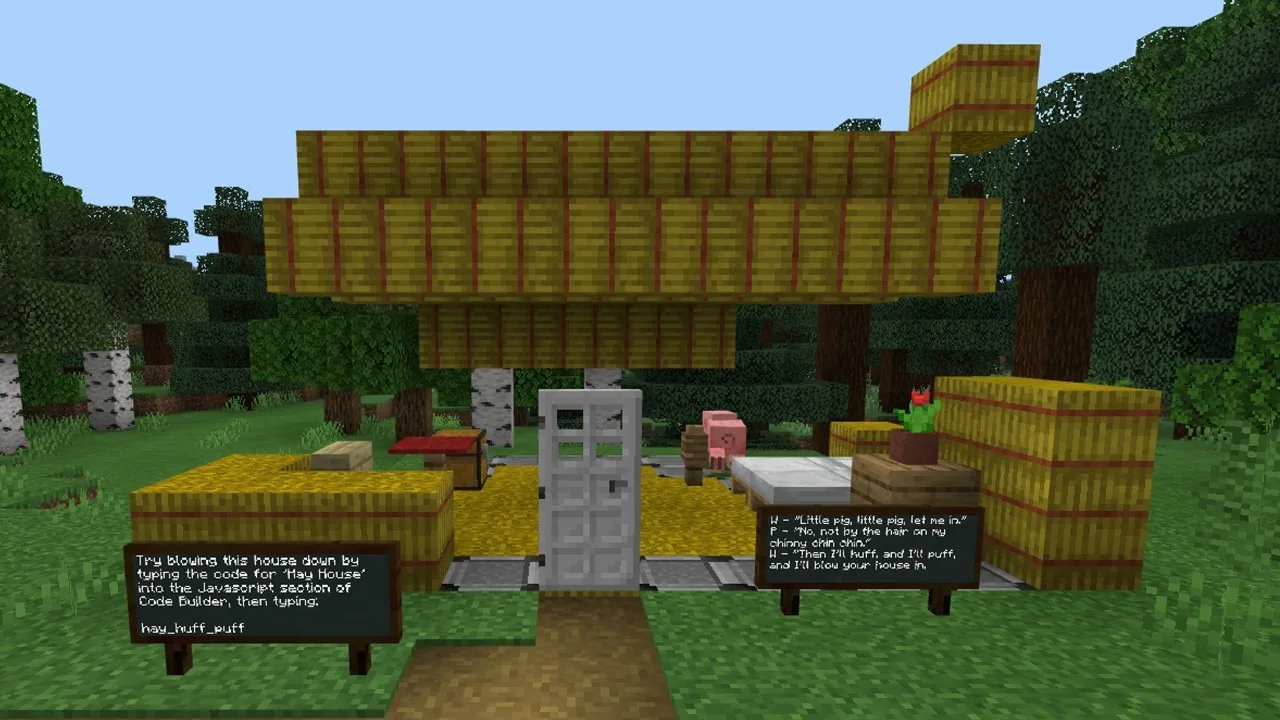
Students use the teleport buttons on the giant storybooks to visit the three tales. Remind students to read all signs carefully so they do not get lost. Teleport buttons at locations like the witch's candy house, the brick house, and Jack's village allow return trips to the main dock.
- Design and Build an Alternative15 min
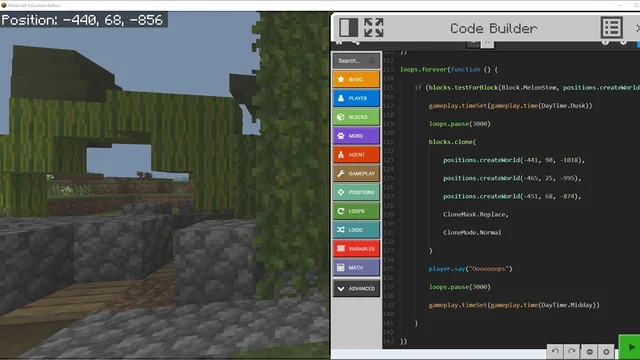
Students select one story to modify. They brainstorm adjustments to a character, setting, or plot, then build their revision directly in the game or adjust relevant in-game code to reflect their new narrative direction.
- Screenshot and Journal Reflection10 min
Students take an in-game screenshot of their modified scene and paste it into their journal platform. They write an explanation analyzing how their physical build or coding changes altered the plot compared to the original fairy tale.
Assessment: success criteria
- Student accurately recounts the events of the chosen fairy tale.
- Student constructs an in-game modification that clearly alters a character, setting, or plot event.
- Student documents their build using a screenshot.
- Student writes a journal entry explaining the specific impact their changes had on the story.
Differentiation
Students who struggle with typing can use speech-to-text dictation tools to complete their journal reflections.
Early finishers can capture multiple screenshots of their modified tale and combine them with voice narration to create a short video story.
Knowledge check
5 questions to check understanding after the lesson. Tap an answer to see if it is right; the score appears at the end.
1Which three fairy tales are explored in the StoryTime Setting world?
Answer: A. The lesson specifically focuses on Hansel and Gretel, The Three Little Pigs, and Jack and the Beanstalk.
2Where do students appear when they first load into the lesson world?
Answer: B. The source notes that players spawn inside a storybook ship facing the words StoryTime above giant books.
3What command can a stuck student type into the chat to respawn back at the starting ship?
Answer: C. The teacher tips state that typing /remove @p in the chat will allow the student to respawn back on the ship.
4Why should students save a local backup copy of the world before they begin building?
Answer: D. A local copy ensures learners can restart or recover if essential story elements are destroyed during exploration.
5Which character greets students at the base of the giant storybooks to offer guidance?
Answer: A. The instructions mention that NPC Storyteller greets students at the bottom of the storybooks.
Resources
Part of the Storytime curriculum
This is lesson 2 of 3 in Storytime.
Frequently Asked Questions
How do students travel between the fairy tale areas and the main selection hub?
Students interact with teleport buttons located on the storybooks and within the scenes, such as outside Jack's house or near the brick house, to move back and forth to the dock selection area.
What should I do if students rush through scenes and get stuck?
Remind students to slow down and read all in-game signs. Many learners get excited and skip ahead because they know the original tales, causing them to miss key navigational directions.
What materials are needed for the journaling portion of the lesson?
Students need access to a writing tool such as Microsoft Word, OneNote Class Notebook, or a printed copy of the Storytime Settings Planning Page to record their screenshots and explanations.
Adapted from Story Time - Lesson 2 of 3 by Phygital Labs on Minecraft Education, last updated Oct 22, 2021. This classroom version, the timings and the quiz were written by 9Minecraft Education.