- Type
- Lesson plan
- Subject
- Science
- Topics
- Science
- Grade
- Primary (Grades 3-5)
- Ages
- Ages 8-10
- Duration
- about 60 min (suggested)
How can people positively impact an environment to protect themselves from the potential dangers of a volcanic eruption?
Overview
In this culminating lesson, learners reflect on how human engineering can mitigate natural hazards. Students synthesize their scientific understanding of volcanic eruptions and ecosystem impacts by reviewing their design work and evaluating any unintended consequences their proposed solutions might create.
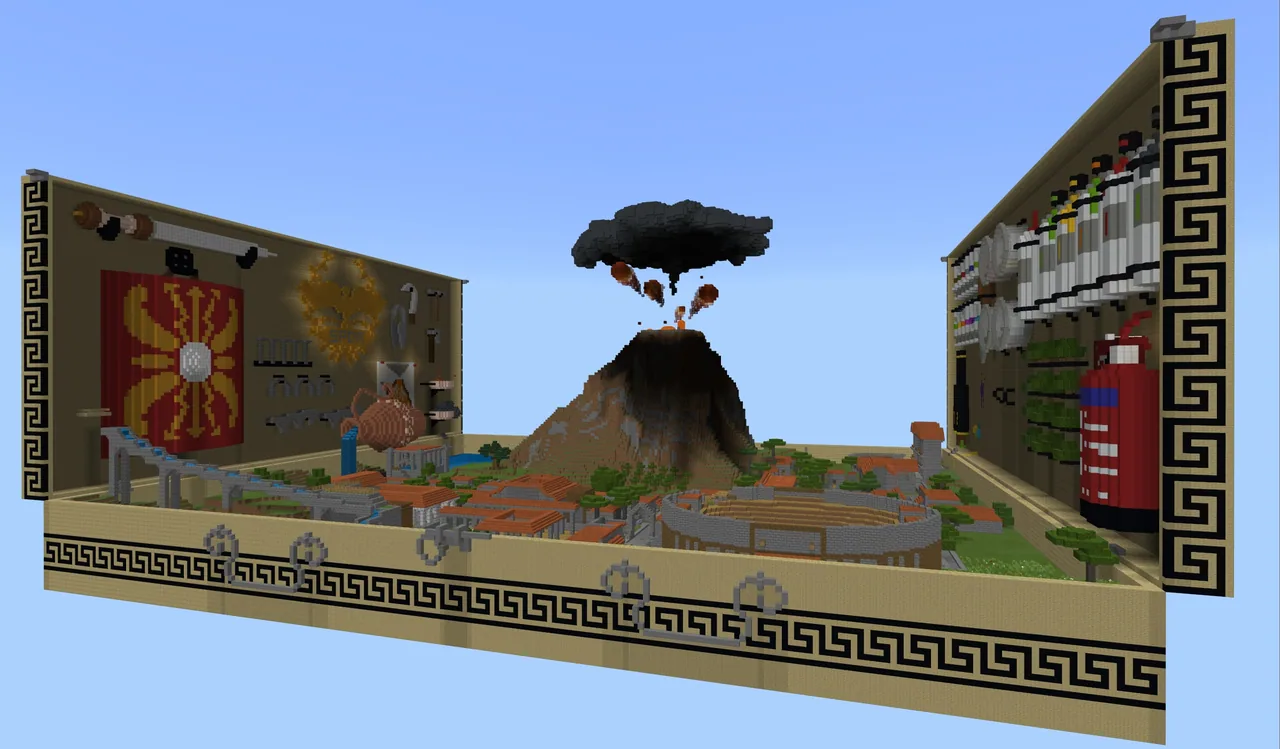
Using the Minecraft world of modern Pompeii, students capture evidence of their hazard mitigation systems with the in-game Camera and Portfolio or screen capture tools. They then assemble their findings, explain their progression through the science cycle, and share their mitigation designs with classmates.
Learning objectives
By the end of this lesson students will be able to:
- Present a recommended safety system designed to protect modern Pompeii from volcanic hazards.
- Document key build components and multiple viewing angles using the in-game Camera and Portfolio or screencasting tools.
- Explain how the proposed design moved through each stage of the science cycle.
- Identify the limitations and environmental impacts of the proposed mitigation system.
Blocks and items used in this lesson


Key vocabulary
- Science cycle
- A process of observing, questioning, designing, testing, and refining solutions based on evidence.
- Mitigation
- Actions or systems designed to reduce the harm and danger caused by natural hazards.
- Ecosystem
- A community of living organisms interacting together with their physical environment.
- Portfolio
- An in-game book tool used in Minecraft to collect photos and written notes.
Before class
Lesson sequence
Suggested timing: about 60 minutes in total.
- Warm-up and Project Review10 min
Review the unit's essential question and explain that students will present their completed hazard mitigation systems. Walk through the available presentation tools and the criteria outlined in the Pompeii Toybox Rubric.
- Capture Build Evidence15 min
Students enter their Pompeii world and use the in-game Camera and Portfolio, or operating system screen capture tools, to document their work. Direct them to capture multiple angles and detail views of their safety mechanisms.
- Assemble Presentations20 min
Learners compile their images into a selected format, such as a Word report, Sway visual story, Wakelet portfolio, or PowerPoint deck. Presentations must answer the guiding questions and summarize thinking across all stages of the science cycle.
- Peer Sharing and Submission15 min
Organize a sharing session using small-group presentations or a 50/50 gallery walk where half the class presents at their screens while the other half observes. Collect final student work through digital submission.
Assessment: success criteria
- Student presentation includes organized text and original imagery that directly answer the unit's essential question.
- Student work clearly demonstrates all stages of the science cycle.
- Presentation identifies the limitations of the proposed design and its impact on the local ecosystem.
- Final product is submitted through the designated digital submission channel.
Differentiation
Offer struggling students a structured report template that prompts for specific images and brief sentence captions for each stage of the science cycle.
Arrange for advanced students to share their presentations with an expert from a volcano research center or national park via Skype.
Knowledge check
5 questions to check understanding after the lesson. Tap an answer to see if it is right; the score appears at the end.
1What is the primary objective of the student presentation in this lesson?
Answer: B. The source states students present a system designed to keep people safe from volcanic eruptions without negatively impacting the ecosystem.
2Which tools are recommended for capturing images of student builds in Minecraft?
Answer: B. The lesson advises students to use the in-game Camera and Portfolio or built-in operating system screen capture features.
3What must students explain about their engineered system in addition to how it works?
Answer: C. The objectives specify that students must identify limitations and explain additional impacts their proposed system might have.
4Which framework must students demonstrate throughout their final presentation?
Answer: A. The rubric and activities require students to outline their thinking across all parts of the science cycle.
5What peer-sharing format does the lesson suggest for viewing classmates' projects?
Answer: B. The source suggests either small-group presentations or a 50/50 gallery walk where half the class acts as presenters and half as viewers.
Resources
- Lesson package (.zip)Everything the author attached to this lesson in one download.
- Pompeii Toybox RubricResource
Frequently Asked Questions
What software can students use to assemble their final presentations?
Students can use several digital tools depending on preference, such as a written report in Word, a visual story in Sway, a portfolio in Wakelet, or a slide presentation in PowerPoint.
How is student achievement evaluated in this lesson?
Assessment relies on the Pompeii Toybox Rubric, which rates presentations on original imagery, supporting facts, clear answers to the essential question, and evidence of the science cycle.
How can teachers extend this lesson beyond the classroom?
Teachers can schedule a Skype session to let students present their findings and engineering solutions to an expert at a volcano research center or a national park.
Adapted from Pompeii Toybox Lesson 5 of 5 by Phygital Labs on Minecraft Education, last updated Jul 14, 2022. This classroom version, the timings and the quiz were written by 9Minecraft Education.