- Type
- Lesson plan
- Topics
- Digital LiteracyMusic
- Ages
- Ages 8-18
- Duration
- 3 hours
- Level
- Intermediate
- Includes
- Quiz: 5 questions
How can redstone mechanisms and note blocks be used to demonstrate core musical concepts?
Overview
Musical Mania introduces students to core music theory concepts across six structured mini-lessons: notes and scales, time signatures, rhythm, melody, tempo and dynamics, and chords and instruments. Students explore how these musical building blocks interact to create expressive compositions.
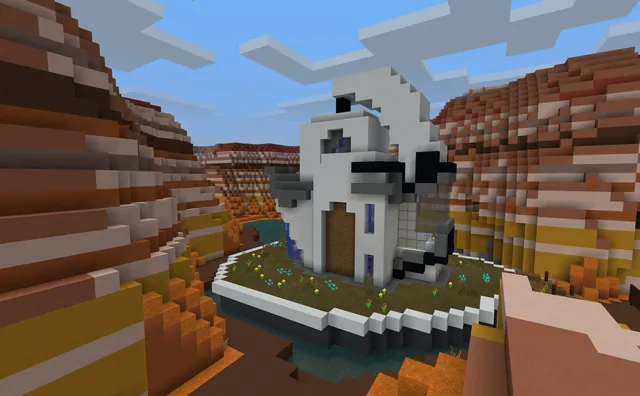
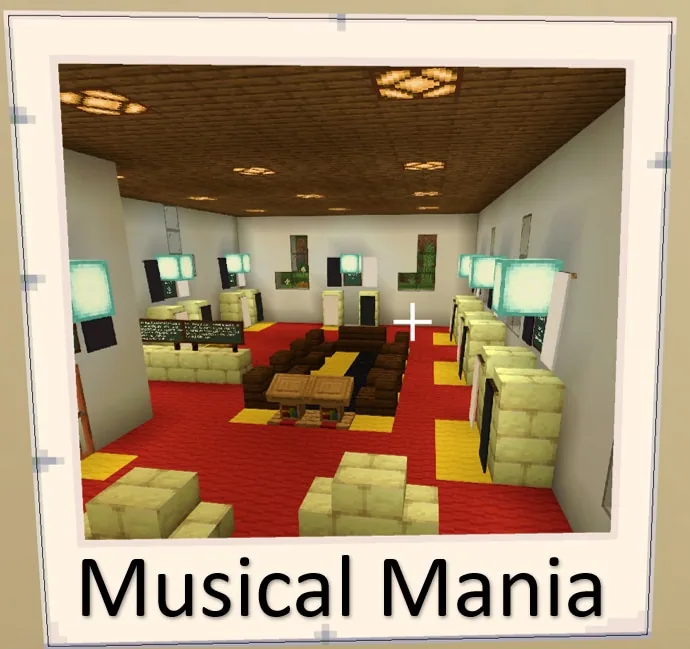
Set within a dedicated bandhall world, learners consult instructional boards and an NPC named Maestro to complete guided tasks. By combining note blocks with redstone circuits and repeaters, students translate abstract musical theory into audible, interactive redstone creations.
Learning objectives
By the end of this lesson students will be able to:
- Identify foundational musical concepts including notes, scales, rhythm, melody, tempo, dynamics, and chords.
- Construct timed redstone circuits using repeaters to trigger note blocks accurately.
- Document learning progress and discoveries using the in-game camera and book and quill.
- Apply music theory principles to complete an original in-game musical build challenge.
Blocks and items used in this lesson


Key vocabulary
- Note Block
- A Minecraft block that plays a single musical tone when activated by a player or a redstone signal.
- Redstone Repeater
- A redstone component that delays a signal, functioning as an adjustable timer between musical notes.
- Tempo
- The speed or pace at which a section of music is played.
- Dynamics
- The variation in volume and intensity between different sounds or musical passages.
- Time Signature
- A musical notation indicating how many beats are grouped into each bar or measure.
Before class
Lesson sequence
Suggested timing: about 180 minutes in total.
- Bandhall Orientation20 min
Students spawn outside the bandhall, enter the facility, and interact with the non-player character named Maestro. Direct learners to read the instructional boards carefully, pointing out that pressing the I key enables Immersive Reader for reading assistance.
- Sequential Mini-Lessons90 min
Learners proceed through the six mini-lesson stations in strict order:
- Lesson 1: Notes and Scales
- Lesson 2: Time Signatures
- Lesson 3: Rhythm
- Lesson 4: Melody
- Lesson 5: Tempo and Dynamics
- Lesson 6: Chords and Instruments
Students follow station directions and complete each interactive activity before moving to the next room.
- Portfolio Documentation25 min
Throughout their exploration, students photograph key station milestones using the in-game camera and record their observations, vocabulary definitions, and reflections inside a book and quill.
- Musical Build Challenge35 min
Students put their knowledge into practice during the culminating build challenge. Using note blocks, redstone dust, and repeater timers, learners construct an original musical sequence that demonstrates at least two of the concepts explored during the lessons.
- Listening Showcase and Wrap-Up10 min
Conclude the session with a brief listening walk where students play their redstone compositions for classmates and share one music concept they successfully represented in the game.
Assessment: success criteria
- Completion of all six mini-lesson stations in the specified sequential order.
- Functional use of redstone repeaters to control rhythm and timing between note blocks.
- A completed book and quill containing camera photos and notes explaining the explored musical concepts.
- Participation in the build challenge with a working redstone music composition.
Differentiation
Encourage struggling readers to use the Immersive Reader shortcut (key 'I') on all boards and pair learners up to troubleshoot redstone repeater timing together.
Invite experienced builders to incorporate multiple instrument sounds and complex time signatures into their final build challenge composition.
Knowledge check
5 questions to check understanding after the lesson. Tap an answer to see if it is right; the score appears at the end.
1What is the name of the non-player character who guides students inside the bandhall?
Answer: B. The source notes specify that students interact with an NPC named Maestro upon entering the bandhall.
2Which keyboard key can learners press while aiming at a board to open Immersive Reader?
Answer: C. Students can point at any instructional board and click the I key to access text-to-speech and accessibility support via Immersive Reader.
3In what order should students complete the mini-lessons in the world?
Answer: A. The curriculum specifies that learners must visit each lesson in the designated numerical order from 1 through 6.
4Which redstone component is highlighted in the teacher notes for creating timers between sounds?
Answer: D. Teacher prep notes state that teachers should understand how redstone repeaters function as timers to space out musical notes.
5Which items are students encouraged to use to record their journey and key learning points?
Answer: B. Learners are specifically encouraged to document their progress using the in-game camera and book and quill.
Frequently Asked Questions
Do I need to be a music specialist to run this lesson?
No advanced music training is required, but teachers should possess a basic understanding of core concepts such as rhythm, tempo, and scales, as well as how redstone repeaters function as delays.
How can students who struggle with reading manage the instructional boards?
Learners can look directly at any sign or board in the world and press the I key to launch Immersive Reader for text-to-speech narration and reading support.
Adapted from Musical Mania by Barri Mock on Minecraft Education, last updated Jun 17, 2022. This classroom version, the timings and the quiz were written by 9Minecraft Education.