
- Type
- Lesson plan
- Subject
- Computer Science & Coding
- Topics
- Computer Science
- Grade
- Primary (Grades 3-5)
- Ages
- Ages 8-10
- Duration
- about 60 min (suggested)
- Includes
- Quiz: 5 questions
How can grouping multiple coding commands into a single function help us control events in Minecraft?
Overview
In computer science, a function lets programmers group multiple instructions together under one label so they can be triggered at the same time. Learning how to bundle related actions into functions helps young learners write organized code and understand program flow.
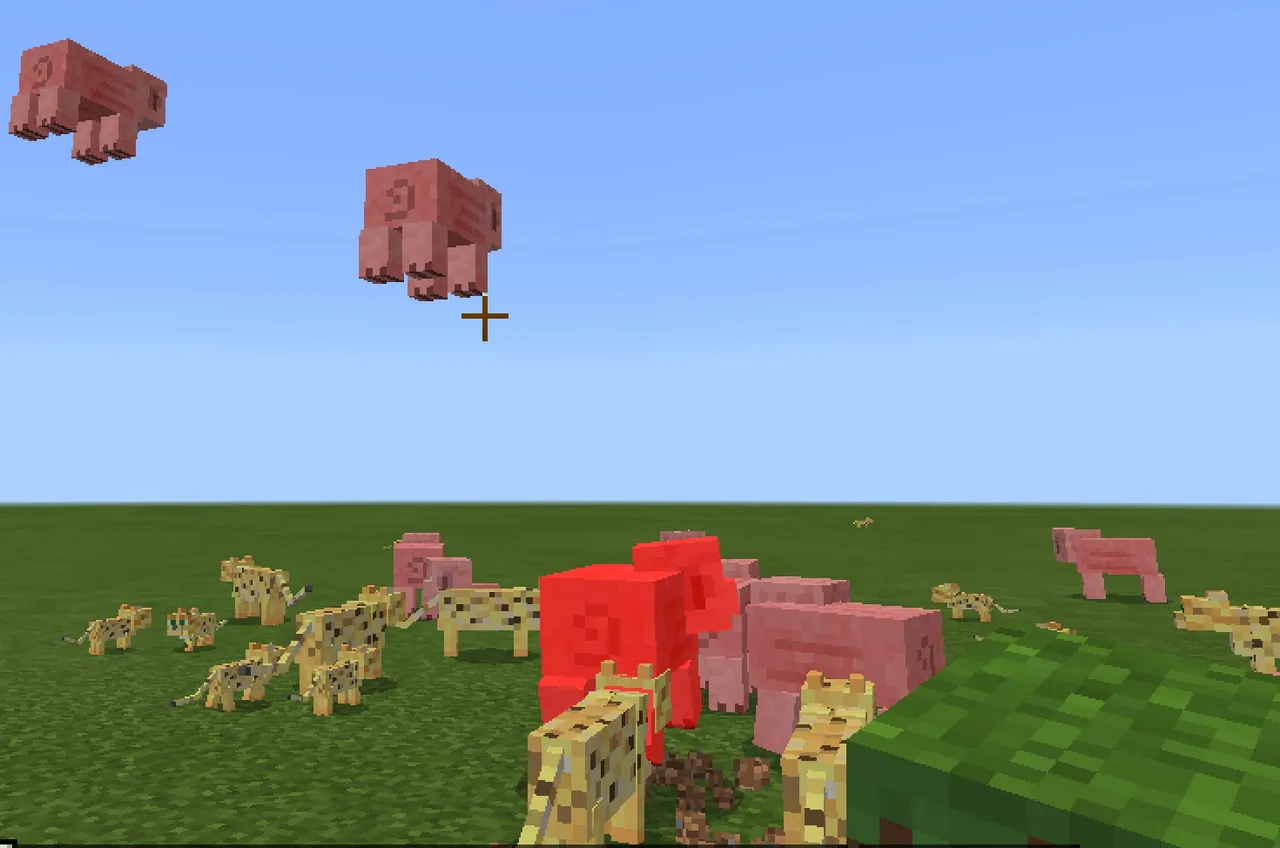
Students use block-based coding in Minecraft to link an on-chat event to weather adjustments and mob spawning routines. By combining loops, input parameters, and random position offsets, learners see immediate visual feedback as animals begin raining from the sky.
Learning objectives
By the end of this lesson students will be able to:
- Define a function as a grouped set of computer science commands.
- Build an on-chat command block that changes Minecraft weather to rain.
- Use a repeat loop and a number parameter to spawn a custom quantity of animals.
- Apply random position coordinates to spawn mobs safely above the player.
Blocks and items used in this lesson


Key vocabulary
- Function
- A way to group multiple commands together under one action.
- On Chat Command
- An event block that runs code when a specific word is typed in the game chat.
- Parameter
- A variable value given to a command to control how it runs.
- Loop
- A programming command that repeats instructions multiple times.
Before class
Lesson sequence
Suggested timing: about 60 minutes in total.
- Warm-up: Grouping Commands10 min
Introduce the idea of a function using the real-world example of waving, which groups actions like raising a hand, moving left, and moving right. Explain that functions in coding combine separate steps into one executable trigger.
- Building the Rain Chat Trigger10 min
Guide students to drag an On Chat Command block into the workspace and rename it to rain. Have them snap a Weather block set to rain inside the event, switch to the game, press t to open chat, and type rain to see the weather change.
- Adding Animal Spawners10 min
Direct learners to attach a Spawn Animal at Position block to create an ocelot. Students right-click to duplicate the block, place it underneath, and change the second animal to a wolf so that both mobs spawn alongside the rain.
- Parameters, Loops, and Random Positions15 min
Students wrap the spawn blocks in a Repeat loop. They click the blue gearwheel on the chat block to add a number parameter and drag the number variable into the loop. Next, they add Pick Random Position blocks set to 5 blocks above and 10 blocks around the player, testing the command with inputs like rain 4 and rain 40.
- Partner Challenge and Reflection15 min
Have students pair up to create their own custom functions designed to accomplish a helpful task in Minecraft, then share how grouping commands made their tasks easier to run.
Assessment: success criteria
- Student correctly explains that a function bundles multiple instructions together.
- Student successfully writes a chat command that triggers weather changes and animal spawning simultaneously.
- Student attaches a number parameter to the repeat loop to control the spawn count.
- Student sets random spawn coordinates that position mobs above and around the player.
Differentiation
Assist students step-by-step through clicking the blue gearwheel to attach the number argument and nesting blocks inside the loop.
Encourage fast finishers to test higher parameter numbers like rain 400 and design multi-step helper functions with their partners.
Knowledge check
5 questions to check understanding after the lesson. Tap an answer to see if it is right; the score appears at the end.
1What is the main role of a function in computer science?
Answer: A. Functions allow programmers to group multiple commands together under one action.
2Which key must players press in Minecraft to open the chat window and run their command?
Answer: C. Pressing the 't' key opens the in-game chat interface where commands can be entered.
3Which two animals are spawned by the function created in this lesson?
Answer: B. The student activity explicitly uses drop-down menus to spawn an ocelot and a wolf.
4How do students add a number parameter to the On Chat Command block?
Answer: D. The blue cogwheel icon opens the command arguments menu where parameters are added.
5Where are the animals set to spawn using the Pick Random Position block?
Answer: B. The lesson configures the random position block to spawn animals 5 blocks up and 10 blocks around the player.
Frequently Asked Questions
What should students do if typing rain does not trigger the code?
Ensure students have pressed Enter after typing, that the chat command block is named exactly rain, and that the code was run or sent to the Minecraft client.
Why do we spawn animals five blocks above the player instead of at the player position?
Spawning mobs five blocks above and ten blocks around the player creates a falling rain visual effect and prevents animals from crowding directly inside the player character.
Can running large numbers like rain 400 cause game issues?
Spawning hundreds of entities at once may cause noticeable frame rate lag on some classroom computers, so monitor device performance when testing large values.
Adapted from Make it Rain! by Minecraft Education on Minecraft Education, last updated Jun 16, 2021. This classroom version, the timings and the quiz were written by 9Minecraft Education.










































