
- Type
- Lesson plan
- Subject
- Computer Science & Coding
- Topics
- Computer Science
- Ages
- Ages 8-13
- Includes
- Quiz: 5 questions
How can we use coordinate sensing and timing pauses to trigger interactive mini-game events?
Overview
This lesson introduces students to real-time positional sensing and event-driven programming through the sense, calculate, action framework. By tracking where a player moves in three-dimensional space, students explore the difference between absolute and relative coordinates and learn how careful timing controls game logic.Learning objectives
By the end of this lesson students will be able to:
- Track a player's real-time position using variables for horizontal coordinates.
- Distinguish between relative and absolute coordinates when placing blocks and spawning entities.
- Apply the sense, calculate, action framework to construct an interactive zombie encounter.
- Implement pause delays in code to regulate event sequencing and prevent game crashes.
Blocks and items used in this lesson


Key vocabulary
- Absolute coordinates
- Fixed world positions based on an unchanging grid system.
- Relative coordinates
- Positions calculated in relation to the current location of the player or entity.
- Sense, calculate, action
- A programming cycle where input is detected, evaluated, and used to execute a response.
- Pause
- A command that temporarily halts code execution to manage event pacing and prevent system overload.
Before class
Lesson sequence
- Introduction to Sensing and Coordinates
Introduce the sense, calculate, action framework as the foundation for Minecraft mini-games. Discuss how the game detects player movement and compare the differences and trade-offs between relative coordinates and absolute coordinates.
- Locating the Room and Variable Setup
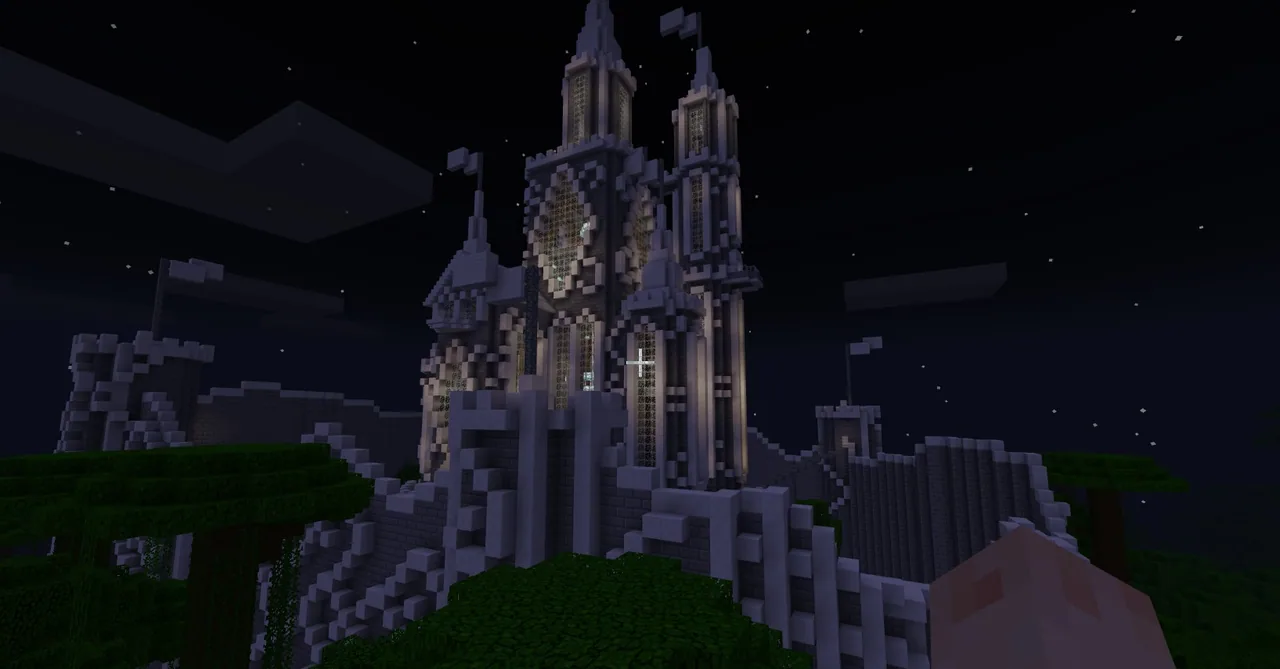
Instruct students to enable coordinate displays, fly to the castle entrance, and locate the room on the right at x = 634, z = -48. In Code Connection, have students create two variables that continuously read the player's current X and Z positions.
- Coding the Encounter Sequence
Guide students to code the trigger when the player enters the room:
- Change the time to night.
- Change the game mode to survival and set difficulty to normal.
- Optionally place two glowstone blocks in the room.
- Give the player a diamond sword and wait 3 seconds.
- Spawn three zombies directly in front of the player.
- Loop Control and Testing
Have students insert a 10-second wait block before the sequence can repeat. Discuss why pause blocks are critical to gameplay balance and system stability, and investigate why relative coordinates might cause zombies to spawn outside if the player runs forward.
- Expansion and Refinement
Encourage students to test and extend their game. Students can refine the code so it does not trigger when exiting the room, add new mobs or gear, or explore the castle to find the hidden enchantment table and lapis lazuli to build further levels.
Assessment: success criteria
- Student successfully creates variables that continuously track the player's X and Z coordinates.
- Code correctly triggers environment changes (night, survival mode, normal difficulty) and spawns three zombies when entering the target coordinates.
- The sequence includes the required 3-second weapon prep delay and a 10-second cool-down pause to prevent endless loops.
- Student can explain the trade-offs between using relative coordinates and absolute coordinates.
Differentiation
Provide a step-by-step sequence chart listing the required event blocks and target coordinate numbers.
Have students modify their conditional logic so the trap triggers only when entering the room and not when exiting, or design encounters in additional rooms.
Knowledge check
5 questions to check understanding after the lesson. Tap an answer to see if it is right; the score appears at the end.
1What coordinates mark the room used for the zombie attack setup?
Answer: A. The activity directs students to locate the room on the right at x = 634, z = -48.
2What is a major risk of omitting pause blocks in this sensing program?
Answer: C. Without pause blocks, the trigger runs continuously and spawns endless mobs, which can crash the game.
3How long must the code wait after giving the diamond sword before spawning zombies?
Answer: D. The student instructions specify giving the diamond sword and then waiting 3 seconds.
4What problem can occur if relative coordinates are used while a player runs into the room?
Answer: B. Because of execution delays after position sensing, a running player may move past the point where relative spawning was intended, placing mobs outside.
5Which computational model is emphasized as the core structure of this mini-game?
Answer: A. The lesson specifically uses the 'sense, calculate, action' framework to help students decompose and understand game mechanics.
Frequently Asked Questions
Why does the encounter activate when the player leaves the room as well as when entering?
The basic script only checks if the player reaches specific boundary coordinates, without checking movement direction. Students can address this as an extension by adding logic to detect whether the player is arriving or departing.
What should students do if their game lags or freezes during testing?
Verify that the 10-second wait block is properly placed at the end of the sequence. Without this delay, the program will rapidly loop and generate too many zombie entities for the game engine to handle.
Adapted from Magical Castle2: Zombie Attack by Philip Golden on Minecraft Education, last updated Feb 23, 2018. This classroom version, the timings and the quiz were written by 9Minecraft Education.










































