
- Type
- Lesson plan
- Subject
- Computer Science & Coding
- Topics
- Computer Science
- Ages
- Ages 8-13
- Duration
- about 65 min (suggested)
- Includes
- Quiz: 5 questions
How can programmers use real-time coordinate tracking and conditional statements to create responsive game events?
Overview
This computer science lesson introduces students to real-time positional sensing through the sense, calculate, action framework. By analyzing how software checks player coordinates to drive game mechanics, learners gain a clearer understanding of 3D geometry, conditional logic, and computational decomposition.
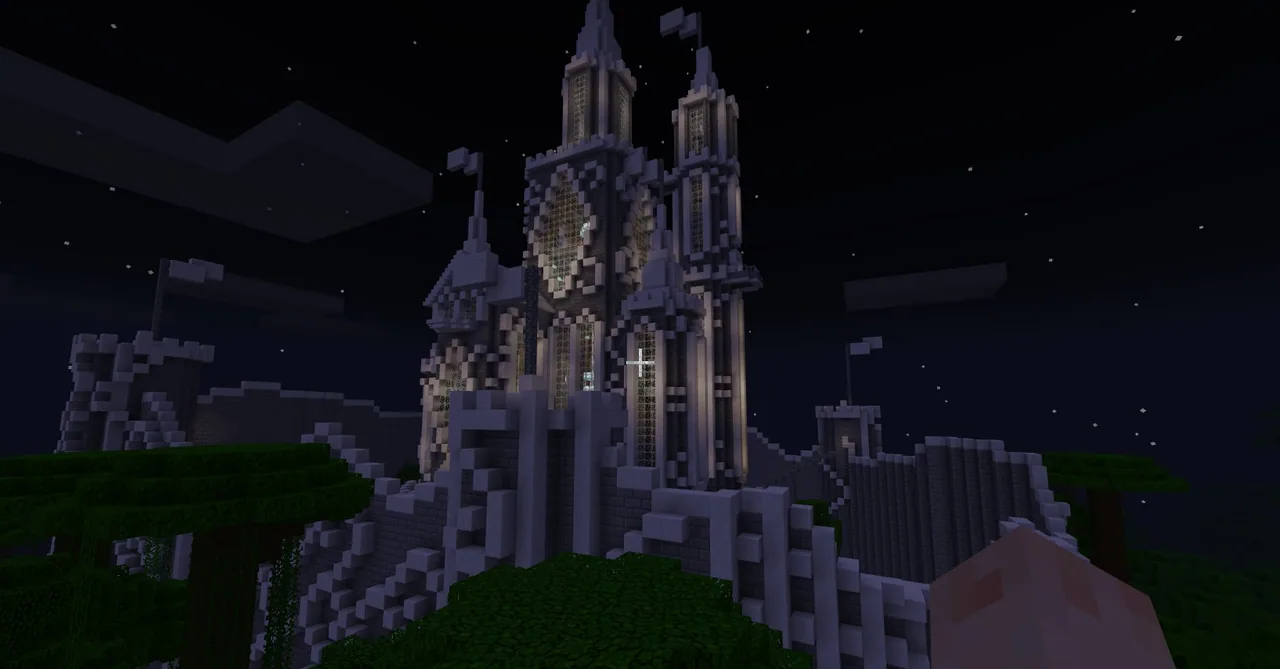
Students work in a castle environment using Code Builder to store their live X and Z positions in variables. As they navigate through the doorway, into side chambers, and interact with specific items like a cake on a table, their code runs event-driven triggers including chat broadcasts, controlled bat spawns, and rooftop teleportation.
Learning objectives
By the end of this lesson students will be able to:
- Track real-time player X and Z coordinates using Code Builder variables.
- Write conditional statements that trigger in-game events when specific coordinates are reached.
- Incorporate pause blocks into code sequences to avoid performance issues during mob spawning.
- Design interactive room reactions using the sense, calculate, action framework.
Blocks and items used in this lesson


Key vocabulary
- Sense, Calculate, Action
- A programming model where code reads input data, evaluates rules or conditions, and carries out a response.
- Coordinate Sensing
- Continuously reading an entity's positional values along the X, Y, or Z spatial axes.
- Conditional Statement
- A coding structure that executes specific commands only when a defined condition is true.
- Sequencing Delay
- A pause placed between code actions to regulate timing and avoid overloading the game engine.
Before class
Lesson sequence
Suggested timing: about 65 minutes in total.
- Concept Introduction10 min
Introduce the sense, calculate, action framework that powers interactive video games. Discuss how games detect a player's position to trigger events, and ask students to consider why tracking horizontal X and Z values is often sufficient without checking vertical Y coordinates.
- Coordinate Tracking & Entrance Trigger15 min
Have students open Code Builder and create two variables that continuously update with their player's X and Z coordinates. Students fly to the castle entrance, record the doorway numbers, and code an if-statement that broadcasts a welcome chat message whenever their position matches those entrance values.
- Sequenced Mob Spawning15 min
Guide students to code a second trigger that summons bats when stepping inside the castle. Discuss the consequences of spawning mobs repeatedly inside an active loop, and instruct learners to insert pause blocks to control the spawn rate and prevent the game from freezing.
- Cake Teleport & Room Expansion15 min
Direct students to the room to the left of the entrance featuring a cake on a table. Challenge them to detect when the player reaches the cake's coordinates and trigger a teleportation command that moves the player to the flag atop the castle roof.
- Creative Exploration & Reflection10 min
Allow students to program new conditional responses for other rooms in the castle. Gather the group to discuss how to detect entire rooms using coordinate ranges rather than single points, and review how event sequencing affects the overall user experience.
Assessment: success criteria
- The student records accurate X and Z coordinates from the in-game world.
- The Code Builder program continuously monitors position and fires actions using conditional logic.
- The student includes wait or pause blocks when spawning entities to prevent system crashes.
- The student successfully programs the cake coordinate trigger to teleport the player to the roof flag.
Differentiation
Have students pair up to focus on exact matching of one coordinate pair at the main door before attempting additional triggers.
Challenge students to modify their conditional statements to detect bounded coordinate regions so triggers fire anywhere inside an entire room.
Knowledge check
5 questions to check understanding after the lesson. Tap an answer to see if it is right; the score appears at the end.
1Which design pattern is introduced to explain how Minecraft mini-games evaluate player behavior?
Answer: A. The lesson explicitly highlights the sense, calculate, action framework as the foundation of mini-games.
2Which two coordinate axes are continuously stored in variables during the first activity?
Answer: C. The instructions direct students to use Code Builder to continually sense the player's X and Z location.
3What happens if a chat trigger checks for exact entrance coordinates without an exit condition while the player stays still?
Answer: A. The lesson notes that the welcome message continually shows while standing at the specified coordinate.
4Why is it necessary to place a pause or delay block into the bat-spawning script?
Answer: B. Without a pause, mobs can spawn rapidly in an active sensing loop, risking a game crash.
5What event should occur when the player reaches the cake in the room to the left of the entrance?
Answer: C. Touching the cake is programmed to teleport the player directly to the top of the flag on the castle roof.
Frequently Asked Questions
Why are students instructed to track X and Z coordinates instead of all three dimensions?
Tracking X and Z is sufficient for identifying positions across a flat floor plan, allowing students to grasp basic coordinate sensing before adding vertical Y-axis calculations.
How can teachers run this lesson if no downloadable world file is provided?
Teachers can provide an existing castle map, have students build a simple structure with distinct rooms, or use any standard world template that has clear doorways and identifiable features.
Adapted from Magical Castle by Philip Golden on Minecraft Education, last updated Jan 25, 2019. This classroom version, the timings and the quiz were written by 9Minecraft Education.










































