- Type
- Lesson plan
- Ages
- Ages 11-18
- Duration
- 2 hours
- Level
- Intermediate
- Includes
- Quiz: 5 questions
How can basic digital logic components be combined to automate real-world processes?
Overview
Understanding digital logic is foundational to computing and electrical engineering. In this lesson, students bridge theoretical concepts of digital signals, logic gates, and processing loops with hands-on experimentation, discovering how binary inputs translate into automated outputs.
Using Minecraft: Education Edition, learners navigate four sequential logic training areas outside a central hub. By manipulating Redstone dust, repeaters, and latches, students test truth tables and clock signals before designing a custom integrated machine in a final creative challenge.
Learning objectives
By the end of this lesson students will be able to:
- Identify inputs, processing mechanisms, and outputs within digital systems and Redstone builds.
- Construct and test logic gates, clock timers, and SET/RESET latches using Redstone.
- Design a functional automated contraption that models a practical real-world device.
- Record a video walkthrough explaining the flow of signals and logic through a student-built machine.
Blocks and items used in this lesson


Key vocabulary
- Digital Signal
- An electrical pulse that transmits information using discrete on or off states.
- Logic Gate
- A basic building block of digital circuits that decides output based on input conditions.
- Truth Table
- A mathematical chart showing all possible input values and their resulting outputs.
- SET/RESET Latch
- A circuit switch that stays in its current state until triggered by a distinct reset signal.
- Clock Signal
- A repeating pulse produced at set intervals to synchronize circuits or trigger actions.
Before class
Lesson sequence
Suggested timing: about 120 minutes in total.
- Concept Introduction & Discussion20 min
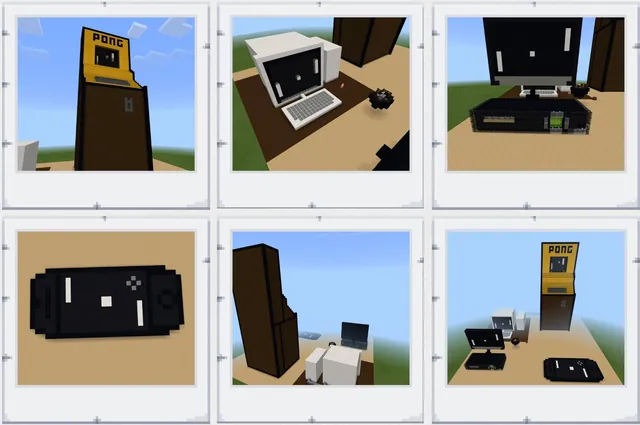
Lead a class conversation examining the definitions of input, processing, and output in standard digital systems, using examples like desktop computers. Guide students to identify corresponding elements found in Minecraft, distinguishing between triggering mechanisms and responsive blocks.
- Hub Orientation and Zones 1 & 230 min
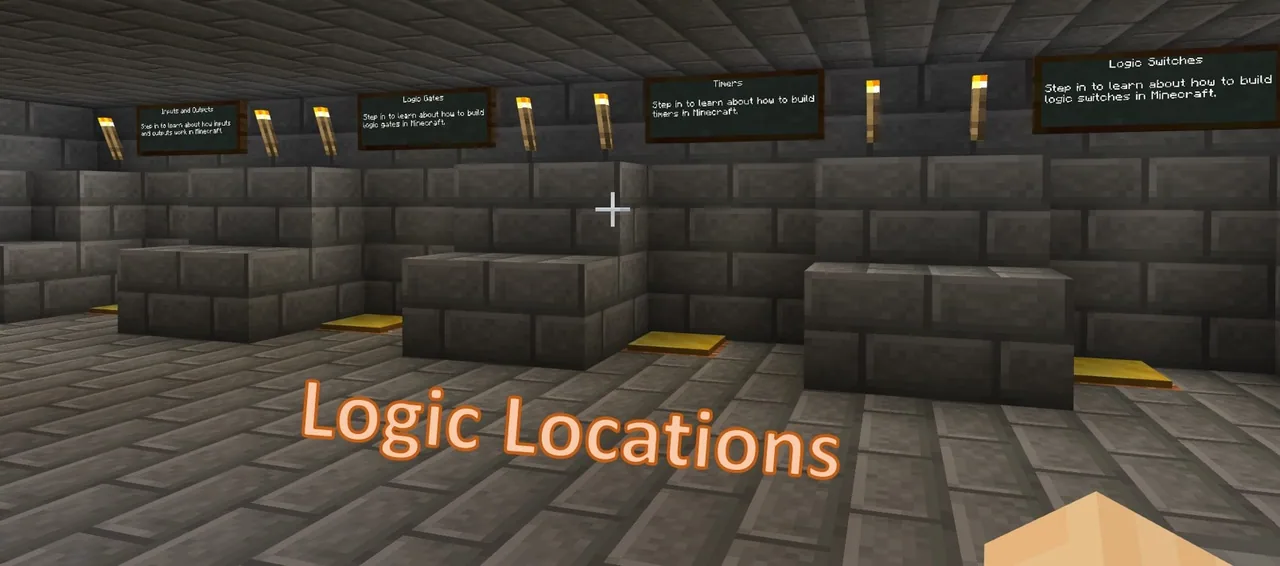
Students enter the world outside the Logic Location Hub, consult the posted signs, and start in order. In Area 1, they test various items that create digital Redstone signals. In Area 2, they construct logic gates, evaluate truth tables, and examine how integrated circuit design relates to block layouts.
- Zones 3 & 4: Timers and Latches30 min
Learners proceed to Area 3 to generate clock signals and experiment with repeater tick delays to adjust pulse rhythms. In Area 4, they assemble a SET/RESET latch to build a basic burglar alarm, learning how latching switches manage ongoing states in security systems.
- Zone 5: Creative Logic Build Challenge25 min
In the final zone, students integrate what they have learned by constructing their own functioning logic machine. The contraption should incorporate elements from previous stations to solve a practical scenario such as an automated entrance, alarm system, or traffic light sequence.
- Video Walkthrough & Reflection15 min
Using Flipgrid, students record a guided tour of their completed Zone 5 machine. They must explain how their inputs trigger processing to produce outputs, detailing how the design connects to real-world applications.
Assessment: success criteria
- Student accurately identifies the input, processing, and output phases in their working circuit.
- Student demonstrates successful completion of the four foundational logic challenge areas.
- Student constructs an operational Redstone mechanism combining multiple logic concepts in Zone 5.
- Student submits a clear Flipgrid walkthrough explaining how their device models a real-world technology.
Differentiation
Allow students to work in pairs and maintain a visual notebook of screenshots and circuit diagrams to reference during builds.
Encourage advanced learners to integrate multi-stage inputs and complex outputs into their Zone 5 builds while keeping processing streamlined.
Knowledge check
5 questions to check understanding after the lesson. Tap an answer to see if it is right; the score appears at the end.
1What component in Minecraft is used in Area 3 to adjust the delay of a digital pulse signal?
Answer: A. Repeaters can be set with distinct tick delays to modify the timing of a clock signal.
2In Area 4, which type of logic circuit is introduced to create a burglar alarm?
Answer: B. The source notes Area 4 explores how a SET/RESET latch switch functions to build a burglar alarm.
3What tool are students instructed to use when recording their final machine walkthrough?
Answer: C. The lesson specifically directs students to record their build walkthrough using Flipgrid.
4What analytical tool accompanies logic gate exploration in Area 2?
Answer: B. Students examine logic gates alongside truth tables to understand processing and integrated circuits.
5Which real-world system is cited in the lesson as an application of Zone 5 concepts?
Answer: A. Traffic lights, automatic doors, alarms, and detectors are listed as potential real-world connections.
Frequently Asked Questions
Do students need previous Redstone experience before starting this world?
Yes. This is an intermediate lesson intended for students who already possess an introductory understanding of basic Redstone mechanics and fundamental electrical concepts.
Why do students need an internet browser open during gameplay?
The lesson includes access to supplementary reference graphics and instructional videos that open in an external browser tab to guide their experiments.
Can students work collaboratively during this project?
Yes. The world can be completed as an individual task or in small collaborative groups, encouraging shared problem-solving and technical communication.
Adapted from Logic Locations by Barri Mock on Minecraft Education, last updated Jun 27, 2022. This classroom version, the timings and the quiz were written by 9Minecraft Education.