
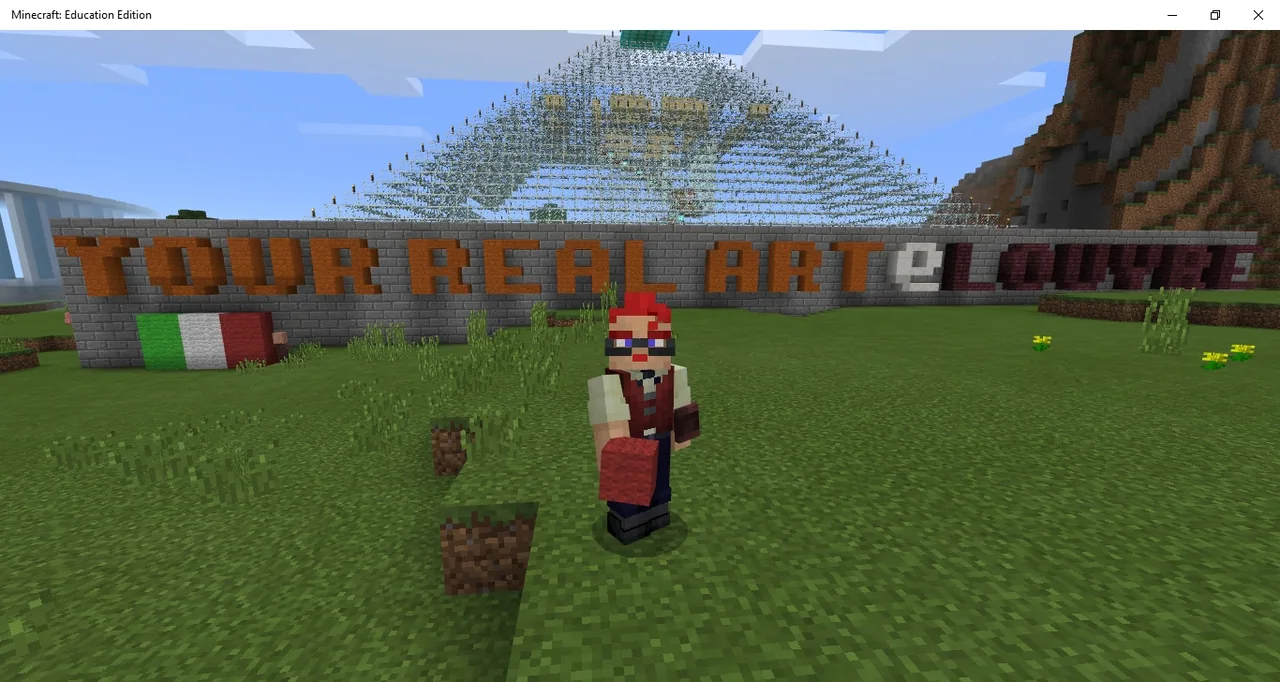
How can virtual museum spaces showcase and celebrate physical works of art?
Overview
Physical creation and digital curation meet in this cross-disciplinary project. Students create tangible works of art using traditional mediums such as paper, pencils, and paint, and then photograph their pieces to document their artistic process.
Using a virtual representation of the Louvre Museum, learners set up Non-Player Character (NPC) villagers that direct visitors to their digital uploads on the Creatubbles platform. Students explore existing gallery spaces, examine artist models, and curate their own exhibits within the shared museum environment.
Learning objectives
By the end of this lesson students will be able to:
- Create an original physical artwork using traditional tools such as pencils, brushes, and paper.
- Photograph physical artwork and upload it safely to the Creatubbles platform.
- Configure an NPC Villager inside Minecraft to redirect gallery visitors to the uploaded artwork.
- Demonstrate careful use of the worldbuilder ability when placing and editing museum NPCs.
Key vocabulary
- NPC Villager
- A non-player character in Minecraft that can display dialogue and provide web links to visitors.
- Worldbuilder
- A permission setting that allows players to place, configure, or alter NPCs and world elements.
- Creatubbles
- A dedicated online platform where young creators can safely share photos of their original artwork.
Before class
Lesson sequence
- Physical Art Making
Students step away from screens to design and produce an original physical artwork using pencils, paints, brushes, and paper.
- Photographing and Uploading
Learners capture clear digital photographs of their finished physical art. They upload the pictures to the Creatubbles site to obtain a secure link to their work.
- Museum Tour and Example Study
Students load into the Louvre Museum world and explore the galleries. They find the NPC representing the painter Benedetta to see how an NPC can be used to showcase and link to a painting.
- Exhibition Setup with NPCs
When students are ready, the teacher grants them the worldbuilder ability. Students place an NPC Villager in an exhibit spot, paste their Creatubbles link, and test the dialog. Students must avoid left-clicking so they do not accidentally kill the NPC. Once finished, the teacher removes the worldbuilder permission.
- Gallery Walk and Museum Extension
Students interact with each other's NPCs to view the complete class gallery. Fast finishers can move to the nearby modern museum inspired by Antonove to personalize and complete unfinished exhibit spaces.
Assessment: success criteria
- Student creates a finished physical artwork using traditional art supplies.
- Artwork is clearly photographed and published to the Creatubbles website.
- An NPC Villager is properly positioned in the Louvre and links directly to the student's artwork.
- Student uses worldbuilder permissions safely without deleting their NPC.
Differentiation
Assist students with framing their photos and copying their artwork link into the NPC interface.
Invite students to personalize and complete empty spaces in the modern museum located near the Louvre.
Knowledge check
5 questions to check understanding after the lesson. Tap an answer to see if it is right; the score appears at the end.
1What medium do students use to create their initial artwork?
Answer: B. The lesson requires students to make physical artworks with traditional tools before documenting them digitally.
2Which website is used to host and share the students' artwork photos?
Answer: A. Creatubbles is the designated online community platform where students safely upload photos of their creations.
3What happens if a player left-clicks an NPC Villager while holding the worldbuilder ability?
Answer: C. The source explicitly warns that left-clicking with worldbuilder enabled will kill the NPC Villager.
4Which character inside the Louvre Museum provides an in-game example of sharing artwork?
Answer: D. The source points out the painter Benedetta inside the Louvre as the model for sharing artwork through an NPC.
5What additional building is located near the Louvre for students to personalize and complete?
Answer: A. The source mentions an incomplete modern museum near the Louvre that students can personalize.
Resources
- Lesson package (.zip)Everything the author attached to this lesson in one download.
- The ExhibitingAtTheLouvreMuseum WorldThe file of the ExhibitingAtTheLouvreMuseum World
Frequently Asked Questions
Why should the worldbuilder ability be removed after students finish their setup?
Leaving worldbuilder mode active increases the chance that a student accidentally left-clicks and deletes an NPC Villager or alters museum blocks by mistake.
Who designed the original builds featured in this lesson world?
The Louvre Museum build is inspired by the work of ronman101, and the adjacent modern museum structure is inspired by Antonove.
Do students build their artwork out of Minecraft blocks?
No. Students produce physical art on paper using materials like pencils and brushes, photograph it, and use Minecraft strictly as a virtual exhibition hall.
Adapted from Kids exhibiting at the Louvre by Marco Vigelini on Minecraft Education, last updated Jul 7, 2022. This classroom version, the timings and the quiz were written by 9Minecraft Education.









































