- Type
- Lesson plan
- Ages
- Ages 8-13
How can we redesign our school playground into a safe, functional, and engaging space that meets the needs of our community?
Overview
Students explore how thoughtful planning can improve shared public spaces by redesigning sections of their school grounds. Guided by feedback gathered from their peers and the wider school community, learners examine how functional, safe, and cost-effective design decisions address real-world community needs.Learning objectives
By the end of this lesson students will be able to:
- Analyze school playground areas using community feedback and map coordinates.
- Design an improved recreational zone that balances safety, functionality, and practical implementation.
- Construct a collaborative 3D playground model in Minecraft Education using appropriate materials.
- Document design decisions with annotated screenshots saved to a student portfolio.
Blocks and items used in this lesson


Key vocabulary
- Functional
- Designed to be practical, useful, and suited to the needs of the people using it.
- Aesthetic
- Relating to the visual appearance, beauty, or style of an object or space.
- Constraint
- A limitation or condition that restricts design options, such as safety or cost.
- Grid Reference
- A system of coordinates used to locate specific positions or plots on a map.
Before class
Lesson sequence
- Grounds Tour and Site Review
Conduct a tour of the school grounds alongside student leadership representatives. Examine existing recreational areas and review survey data collected from peers and community members to identify features that need upgrading.
- Plot Allocation and Design Planning
Assign student pairs an allocated plot from the school map template. Have partners analyze their designated zone against core design questions: who will use the area, what environmental factors apply, and whether the proposed features are safe and cost-effective.
- Collaborative Building in Creative Mode
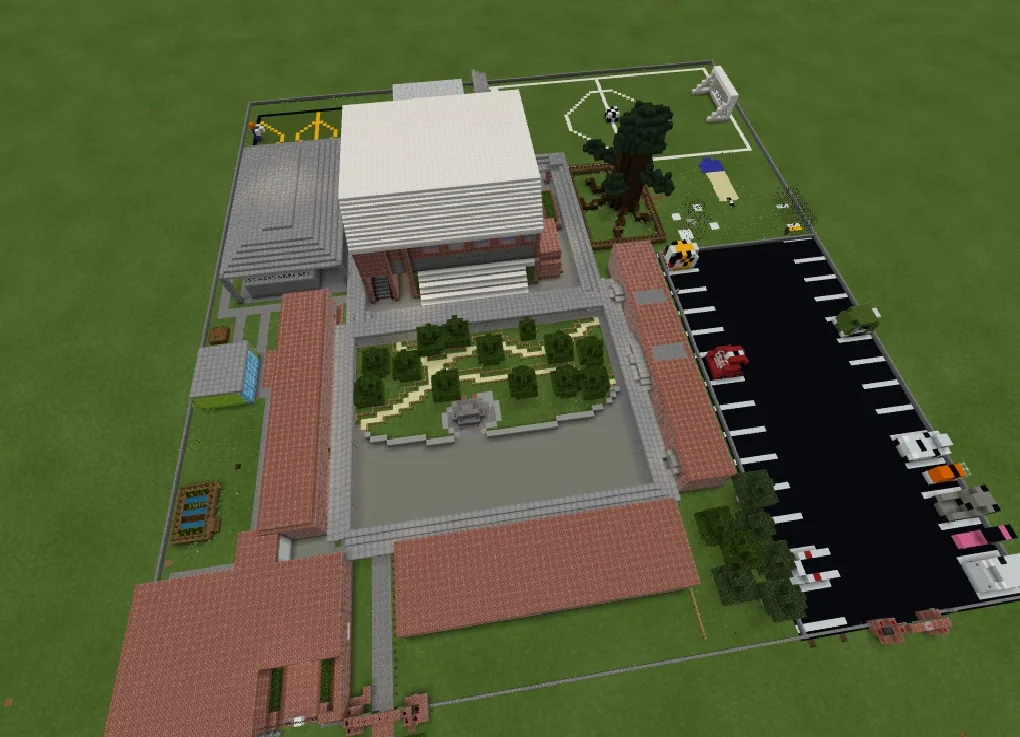
Students enter Creative mode to reconstruct and enhance their assigned zones. Pairs apply prior building techniques and intentionally select natural or artificial materials to bring their playground enhancements to life.
- Documentation, Rubric Creation, and Reflection
Learners take in-game photos of their completed areas, write explanatory annotations, and save their work into portfolios. The class co-creates an evaluation rubric for peer presentations while students log ongoing reflections in their journals.
Assessment: success criteria
- The redesigned plot fulfills key practical requirements including safety, functionality, and cost-effectiveness.
- Building plans directly incorporate data and feedback gathered from school community members.
- Portfolio documentation includes clear visual evidence paired with reflective annotations.
- Teacher observation logs demonstrate active collaboration, creative thinking, and problem-solving.
Differentiation
Provide a structured checklist of essential playground elements, such as seating and clear pathways, to help organize the plot.
Have students join a film crew extension to record and document the class learning journey with Minecraft Education.
Knowledge check
5 questions to check understanding after the lesson. Tap an answer to see if it is right; the score appears at the end.
1How do student pairs determine the boundaries of their assigned building space?
Answer: A. Students are assigned a specific plot of land derived from the school map template.
2What data informs the changes students make to the playground layout?
Answer: B. The redesign is driven by data gathered directly from students and their community.
3Which set of guiding questions must students consider during the planning phase?
Answer: C. Guiding criteria require students to verify that the space is functional, safe, cost-effective, and practical.
4How do students record and reflect upon their completed Minecraft builds?
Answer: C. Learners take in-game photos, add written annotations, and save their records into portfolios.
5What extension activity is available for students during this project?
Answer: A. The lesson includes an extension where film club students record the learning journey.
Resources
- Lesson package (.zip)Everything the author attached to this lesson in one download.
- LPS Fun, Functional PlaygroundThis project was created by students at LPS during Tech Club in years 3 - 6.
Frequently Asked Questions
What game mode should students use for this lesson?
Students should build in Creative mode so pairs can collaborate easily and access all necessary materials to represent their playground designs.
How is student progress assessed throughout the unit?
Assessment relies on ongoing teacher anecdotal observations, regular student journal entries, and a peer rubric developed collaboratively by the class.
Adapted from Fun, Functional Playground by Leonie Dufty on Minecraft Education, last updated Jul 10, 2018. This classroom version, the timings and the quiz were written by 9Minecraft Education.