- Type
- Lesson plan
- Ages
- Ages 3-7
- Duration
- 1 hour
- Level
- Beginner
How can we work together respectfully to recreate a fairy tale setting in Minecraft?
Overview
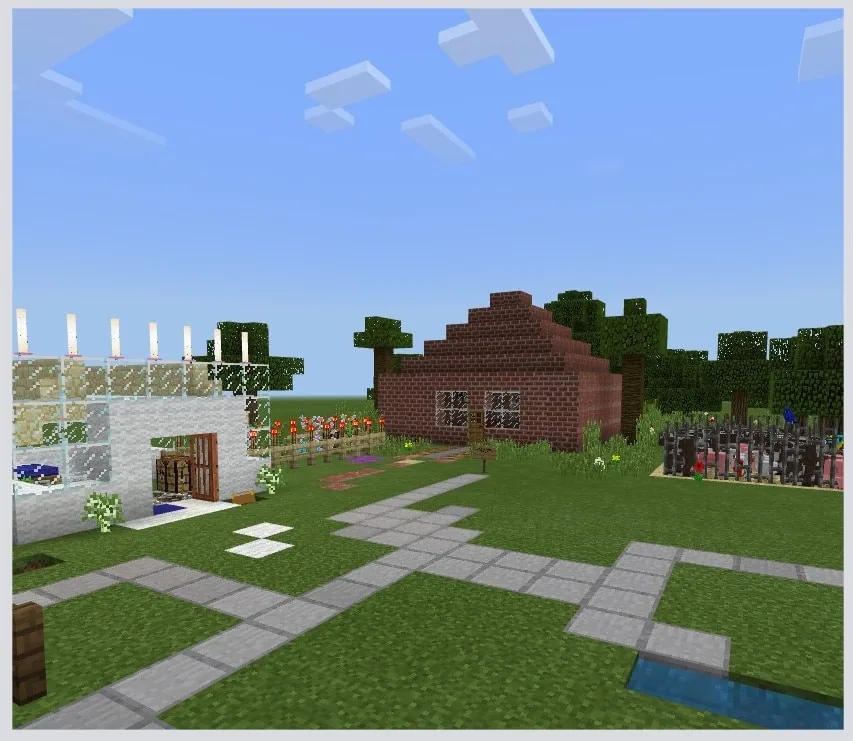
Settings are a fundamental element of storytelling, establishing the world, mood, and backdrop for characters and events. In this lesson, young learners examine how to work together constructively as a group to choose a fairy tale and plan out its setting before entering the digital space.
Using Minecraft in multiplayer mode, teams translate their paper blueprints into three-dimensional builds. Working in assigned roles, students develop communication skills, practice digital citizenship, and record their creative process using the camera and portfolio tools.
Learning objectives
By the end of this lesson students will be able to:
- Recreate a recognizable setting from a fairy tale within Minecraft.
- Collaborate with peers in a shared multiplayer world.
- Document the construction process using the camera and portfolio tools.
- Explain what multiplayer mode is and describe positive collaboration behaviors.
Blocks and items used in this lesson


Key vocabulary
- Multiplayer
- A mode where multiple people play and build inside the same world at the same time.
- Setting
- The place and time where a story takes place.
- Collaboration
- Working together with others to achieve a shared goal.
- Portfolio
- An in-game item used to store and showcase photos taken with the camera.
Before class
Lesson sequence
Suggested timing: about 150 minutes in total.
- What is Collaboration? (Day 1)45 min
Conduct an unplugged discussion about working with others. Introduce the concept of multiplayer mode in Minecraft and establish clear ground rules and behavior expectations for sharing a virtual space.
- Planning for Success (Day 2)45 min
Divide students into small groups to complete the setting planning sheet. Teams select a fairy tale, sketch their setting design, and divide specific building tasks among members.
- Multiplayer Building (Day 3)45 min
Teams enter their shared Minecraft world to construct their fairy tale setting according to their plan. Remind students to communicate regularly and respect each other's work areas.
- Documentation and Review15 min
Students capture stages of their build using the in-game camera and compile the pictures into a portfolio. Conclude by reviewing what multiplayer mode is and sharing examples of good teamwork observed during the build.
Assessment: success criteria
- The student contributes to the group planning sheet and completes assigned tasks.
- The student demonstrates safe and respectful collaboration in multiplayer mode.
- The completed build accurately represents the chosen fairy tale setting.
- The student uses the camera and portfolio to document the building process.
- The student can explain multiplayer mode and identify at least one way to collaborate well.
Differentiation
Provide a pre-selected story scene with simple shapes to build and assign a single specific feature to each team member.
Challenge teams to add finer environmental details to their setting and record short descriptive captions next to each portfolio photo.
Knowledge check
5 questions to check understanding after the lesson. Tap an answer to see if it is right; the score appears at the end.
1What is multiplayer mode in Minecraft?
Answer: A. Multiplayer allows multiple students to share and work in the same virtual world simultaneously.
2What should students do on Day 2 before building inside Minecraft?
Answer: D. Day 2 is an unplugged planning session where students sketch their setting and assign responsibilities.
3Which two in-game tools are used to document the building process?
Answer: C. Students capture their progress with the camera and store the photos in their portfolio.
4What is the main topic covered during Day 1?
Answer: B. Day 1 focuses on defining collaboration and understanding expectations for multiplayer activities.
5Which action demonstrates good collaboration during a group build?
Answer: A. Clear communication and fulfilling assigned tasks are essential components of successful teamwork.
Resources
- Lesson package (.zip)Everything the author attached to this lesson in one download.
- Storytelling with Minecraft: Fairy Tale SettingsEDU Guide
- Storytelling with Minecraft: Fairy Tale SettingsClassroom Presentation
- Storytelling with MinecraftCurriculum Overview
Frequently Asked Questions
Does this lesson require a special world template to download?
No custom world download is required; you can host a standard open world for students to join and collaborate in small groups.
How can I adapt this lesson if I do not have three full sessions?
You can merge the collaboration talk and paper planning into a single introductory session, followed by one extended building session in Minecraft.
How can very young students handle the portfolio documentation?
Focus primarily on teaching them to point and click with the camera to take snapshots, which can be dragged directly into the portfolio book without typing extensive text.
Adapted from Fairy Tale Settings by Heidi Hohnwald on Minecraft Education, last updated Aug 13, 2022. This classroom version, the timings and the quiz were written by 9Minecraft Education.