How can having a dedicated personal workspace help you focus and visually demonstrate your learning?
Overview
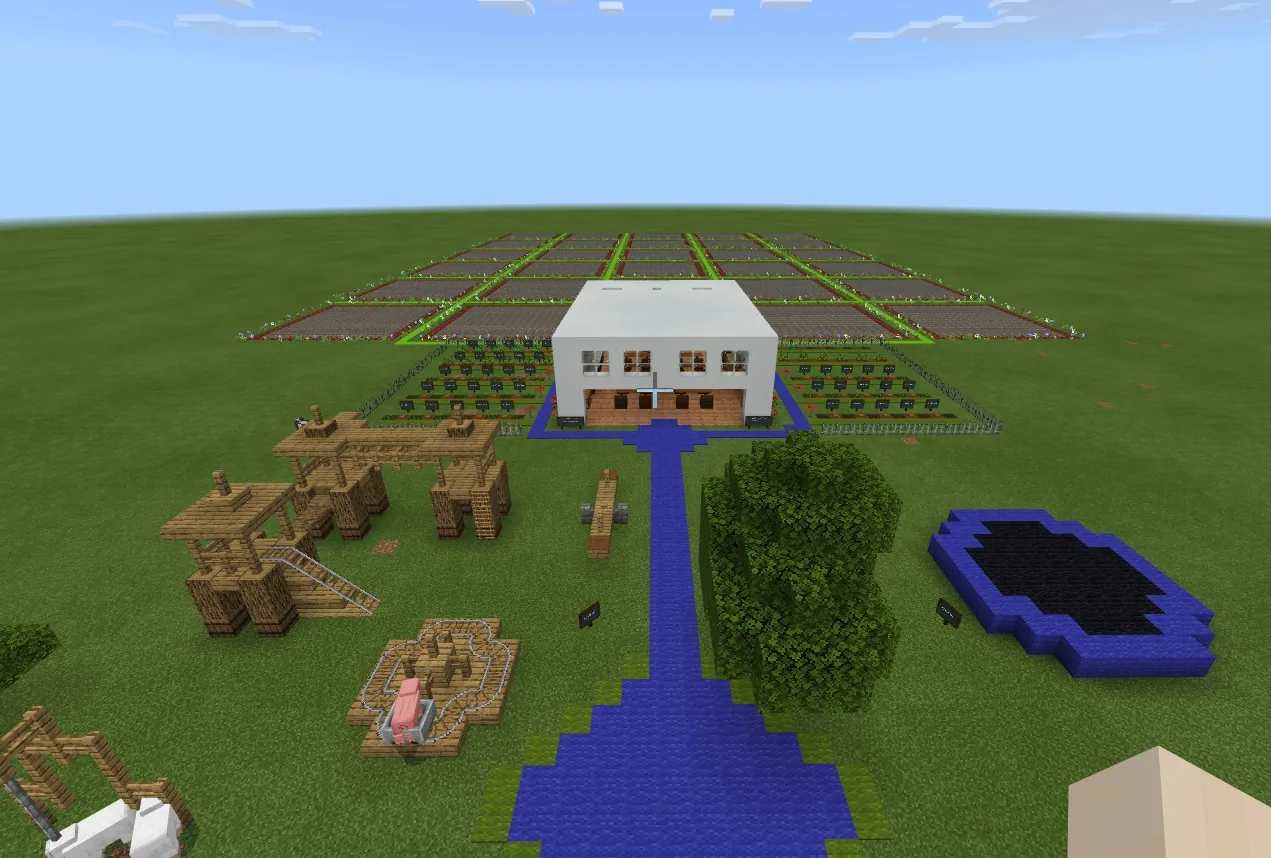
The Digital Classroom world provides thirty isolated miniature workspaces contained within a single shared environment. It is designed to offer learners a dedicated area to build and experiment without being interrupted by peers, making it suitable for quick visual tasks across subjects such as history, science, and math.
Students enter their assigned room via designated buttons, carry out their building task within room boundaries, and return to the main gathering area using green stained glass blocks. Teachers monitor progress in real time and assist students by flying between rooms using worldbuilder status.
Learning objectives
By the end of this lesson students will be able to:
- Navigate to an assigned personal workspace using designated entrance switches.
- Construct a visual representation of an assigned topic within individual classroom limits.
- Use the green stained glass return mechanic to consult instructions or signal task completion.
Blocks and items used in this lesson
 Green Stained Glass
 Chalkboard
Key vocabulary
- Worldbuilder
- A teacher permission mode toggled using /wb that allows free movement and world editing across all classrooms.
- Green Stained Glass
- A functional block in this world that teleports the user back to the primary central classroom.
Before class
Lesson sequence
Suggested timing: about 15 minutes in total.
- Briefing3 min
Students join the world, assemble in the primary classroom, and read the task details written on the central blackboard. The teacher confirms each student's designated room number.
- Independent Work9 min
Students access their rooms via the switches located on the exterior of the structure. While students construct their models, the teacher activates /wb mode to fly into classrooms and provide individual feedback.
- Return and Review3 min
Students place or walk across a green stained glass block to return to the central classroom for concluding remarks and teacher review.
Assessment: success criteria
- Student successfully locates and works inside their designated room number.
- Student creates a visual model corresponding to the assignment posted on the central blackboard.
- Student uses the green stained glass mechanic correctly to return to the hub.
Differentiation
Learners needing help can return to the main blackboard via green stained glass or receive direct in-room guidance from the teacher.
Students who finish early can add extra structural details or secondary visual elements to their assigned build.
Knowledge check
5 questions to check understanding after the lesson. Tap an answer to see if it is right; the score appears at the end.
1How many individual student classrooms are contained in this world?
Answer: C. The world is specifically structured with 30 individual miniature classrooms.
2How do students access their assigned rooms from the exterior?
Answer: A. Room access is granted through individual switches and buttons positioned on the building's sides.
3Where does the teacher post the assignment for students to read?
Answer: B. Assignments are prepared beforehand on the blackboard in the central big classroom.
4Which block is used to teleport a student back to the main classroom?
Answer: C. Students leave their classroom or return to the main hub by interacting with or walking on green stained glass.
5What command allows the teacher to observe and enter classrooms freely?
Answer: B. Entering /wb activates Worldbuilder mode, giving the teacher flight and access to oversee student workspaces.
Resources
- Lesson package (.zip)Everything the author attached to this lesson in one download.
- Digital Classroom World - EnglishDigital Classroom mcworld file in English.
Frequently Asked Questions
Where are students allowed to build in this world?
Students are permitted to place and edit blocks strictly inside the boundaries of the individual classrooms.
Can students work in pairs instead of individually?
Yes, each of the thirty rooms can be assigned to either a single student or multiple students working together.
How can the teacher assist students during the build phase?
The teacher can enable Worldbuilder mode using /wb in chat to fly directly into any classroom to observe and guide work.
Adapted from Digital Classroom - 30 individual classrooms for students to work in by Denise Brilman on Minecraft Education, last updated Mar 4, 2022. This classroom version, the timings and the quiz were written by 9Minecraft Education.